Verdict first: Systeme.io is the best $0 entry point for solo creators who need sales funnels, email marketing, courses, and an affiliate program in one place. I built a working email funnel on the free plan in about 30 minutes and never hit a paywall. It is not a ClickFunnels replacement if you need advanced A/B testing, huge webinar funnels, or 5,000+ contacts – but at $0 vs $300/month, the tradeoff is easy to make.
Who it's for: solopreneurs, coaches, course creators, and side-hustlers who want one tool instead of four subscriptions.
Who it's not for: established teams with big lists, complex automation, or heavy ecommerce needs.
The test: what I actually built (real, unpolished)
This review is not a rehash of Systeme.io's feature page. I registered a free account and built everything below in one sitting, on the free plan:
| Test | What happened |
|---|---|
| Landing page | Published via Funnels -> Landing Page template. Took minutes from template to live URL. |
| Funnel | Template created 2 steps by default: Opt-in page -> Thank You / Download page. Adding a 3rd step (sales page) requires clicking "Add step" manually. |
| Test email | Created a newsletter, sent it to a second inbox, received it in the inbox (no custom domain configured). |
| Automation rule | Created "Tag added -> Send email" and "Form subscribed -> Subscribe to campaign" rules. Works, but every field must be completed before the rule can save. |
| Welcome sequence | Built a 3-email campaign: instant (with PDF attachment), +1 day, +3 days. |
| Course | Built a course shell, uploaded a test PDF, added a lesson, set a price. |
| Affiliate program | Built-in, enabled from Settings. Defaults: 40% commission, $30 minimum payout, 30-day payout delay, 0% second-tier. |
| Custom domain | Free plan allows 1 custom domain. I skipped this in the test (optional). |
| Total | ~30 minutes of actual work, $0 spent. |
Screenshots from the build
Funnel steps (the "3-step" reality check)
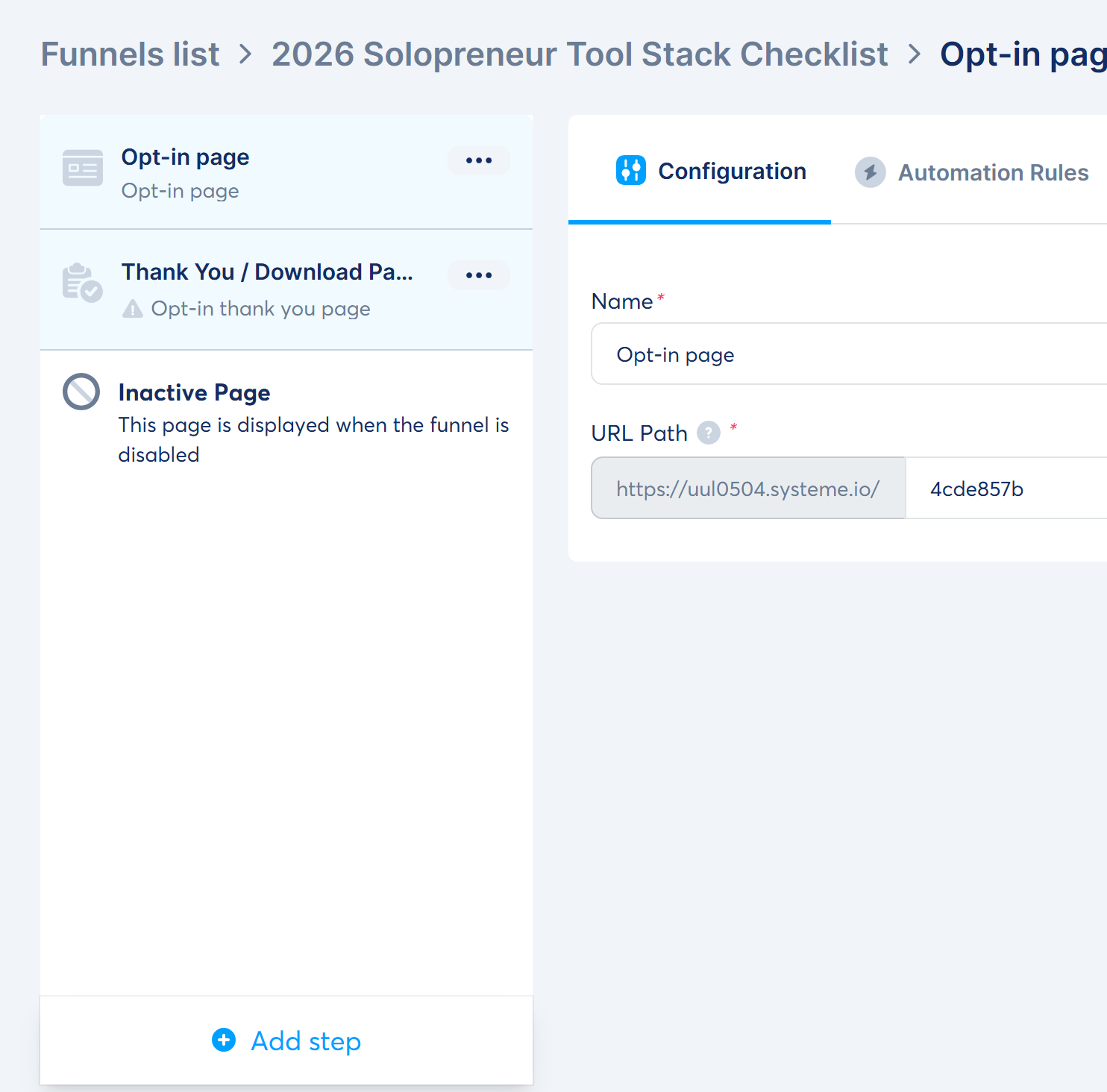
Systeme.io does not show a fancy canvas with arrows in the default funnel view – it's a clean vertical step list: Opt-in page -> Thank You / Download Page, plus an "Inactive Page" shown when the funnel is disabled. The opt-in funnel template gives you two steps by default. To build the classic landing -> thank-you -> sales-page funnel you see in tutorials, you click "Add step" and pick a Sales page. For a lead magnet, two steps are all you need.
Landing page editor
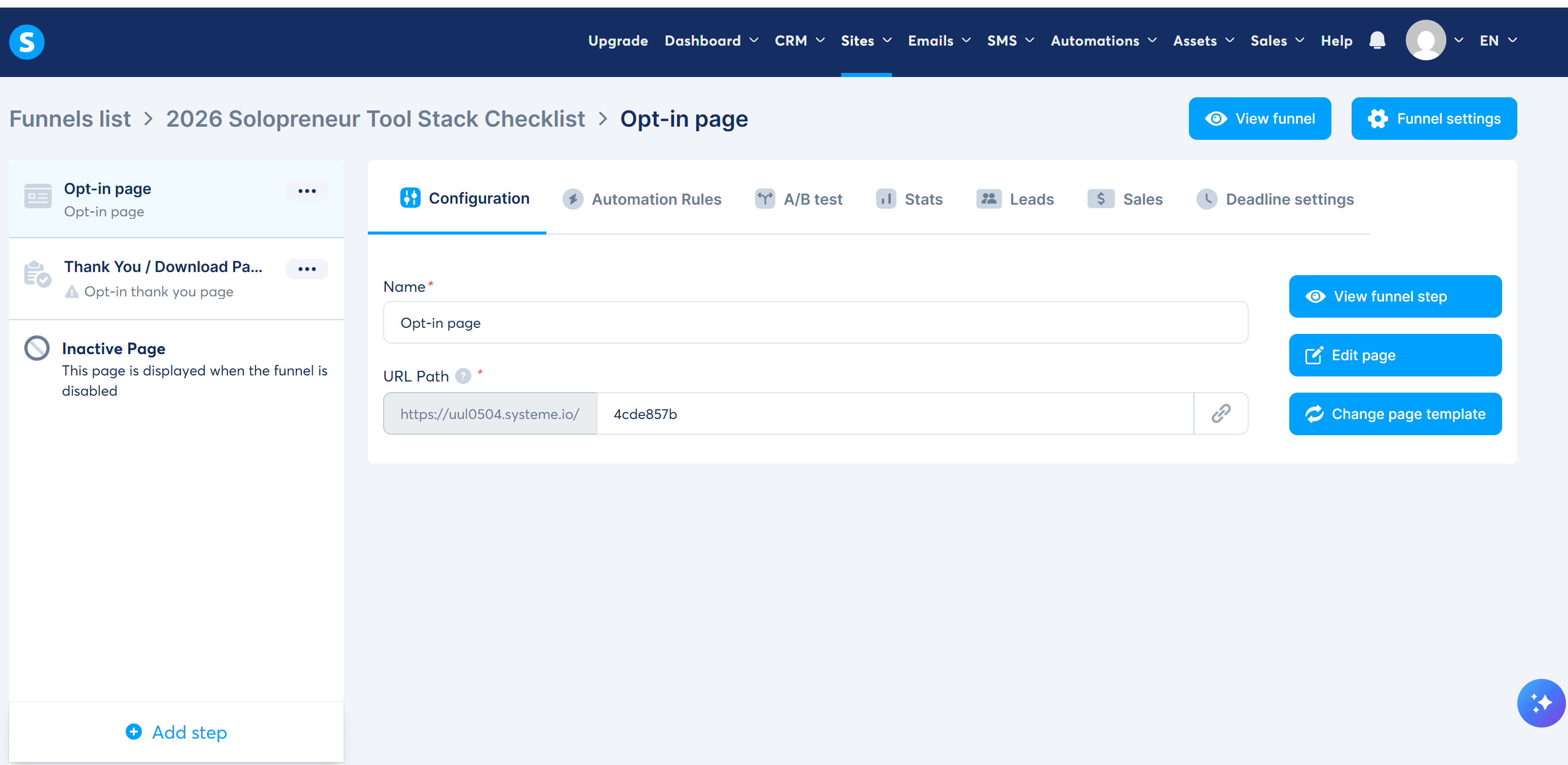
The step configuration screen is where you set the page name and URL path. My funnel lives at https://uul0504.systeme.io/4cde857b – that's the URL I'd use as the CTA in this article.
The honest "oops": template content ships with the page
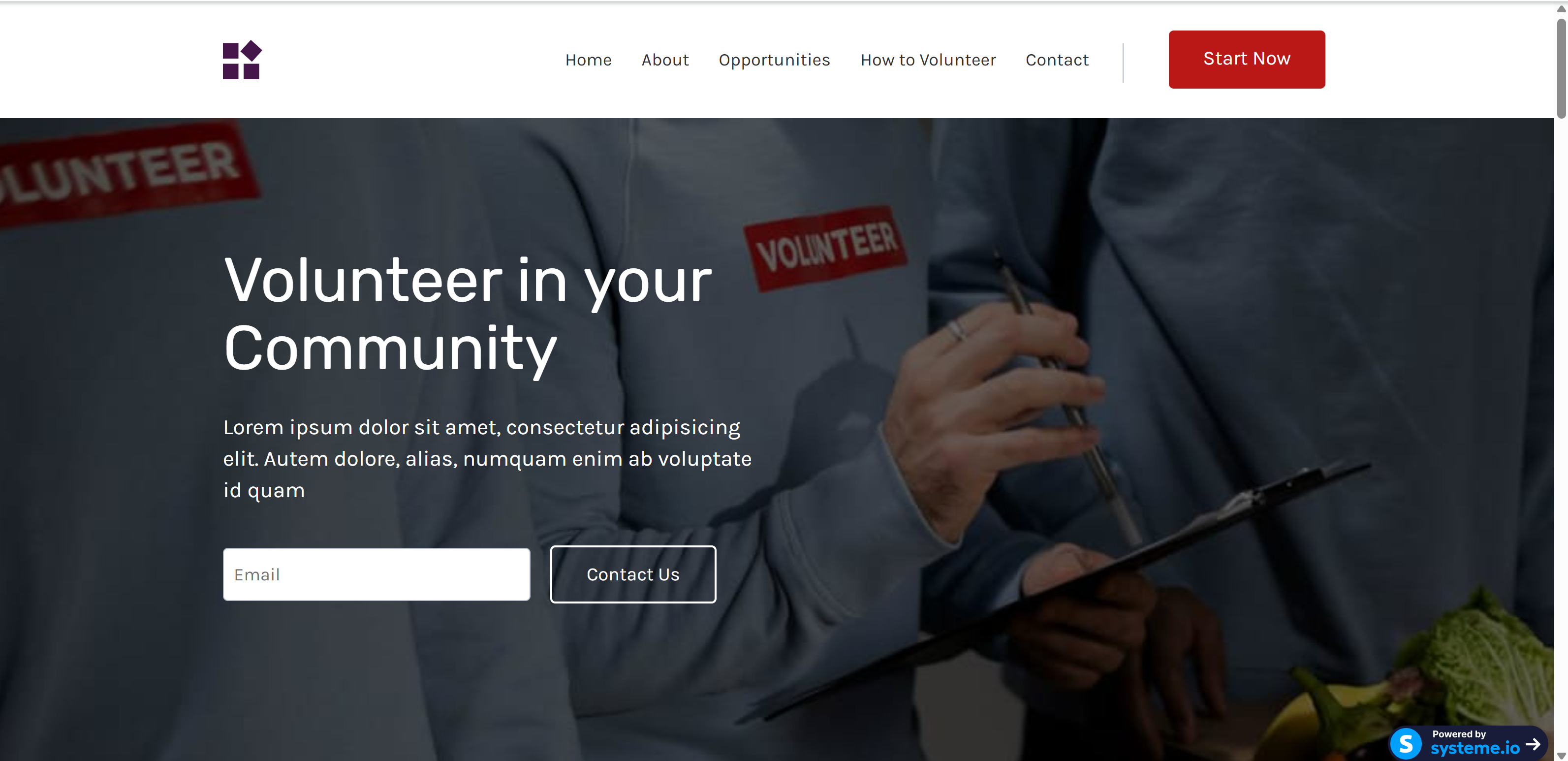
This is the real friction moment: my first "published" page still showed the template's demo content – "Volunteer in your Community", Lorem ipsum copy, and a one-field email form. Systeme.io templates are demo pages, not skeletons: every text block ships pre-filled, and publishing doesn't warn you. My takeaway: before you hit publish, walk every section and replace the demo copy. (At the time of writing, a leftover template section is still live below the new hero – the fix is deleting that one section in the editor.)
Test email: editor and inbox
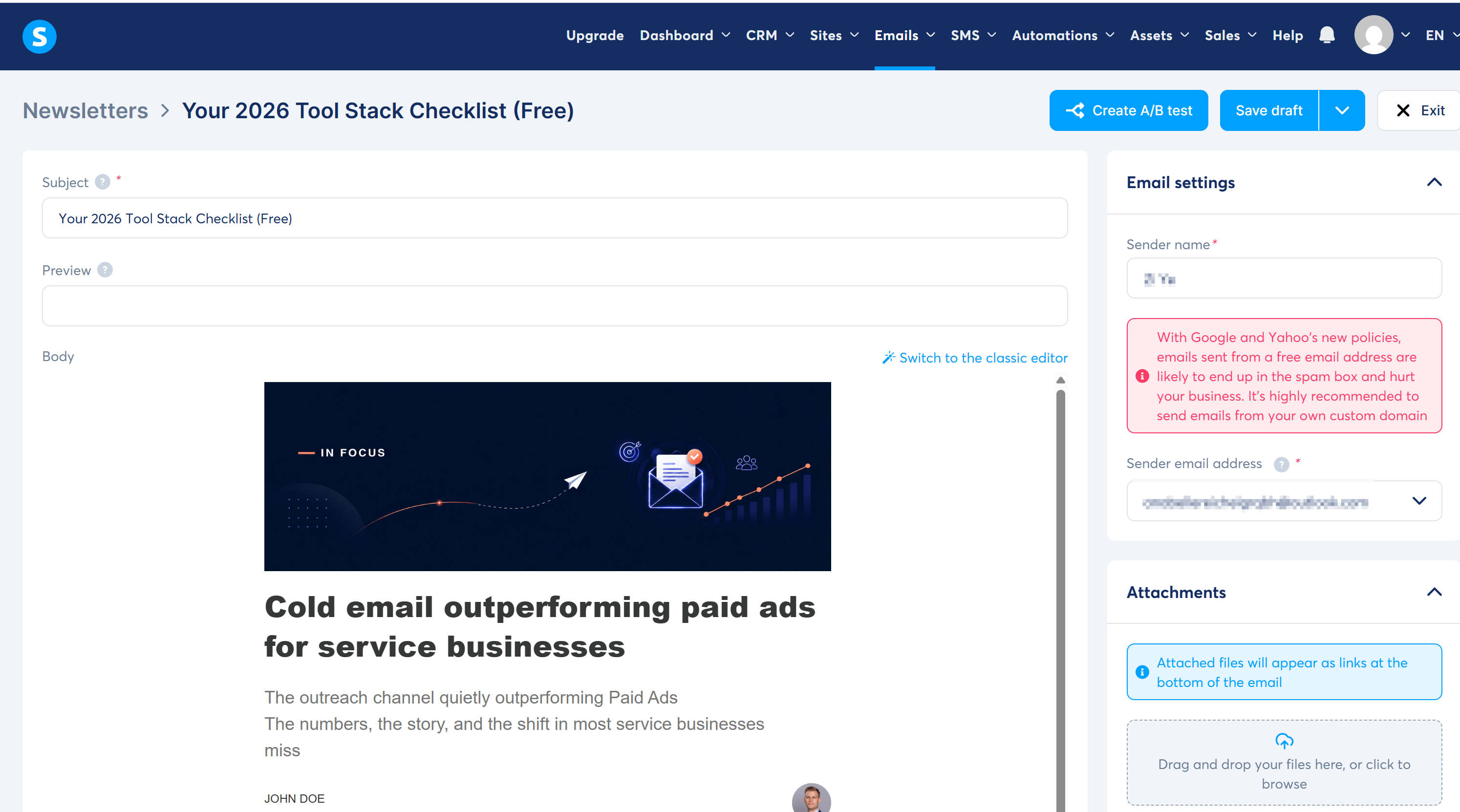
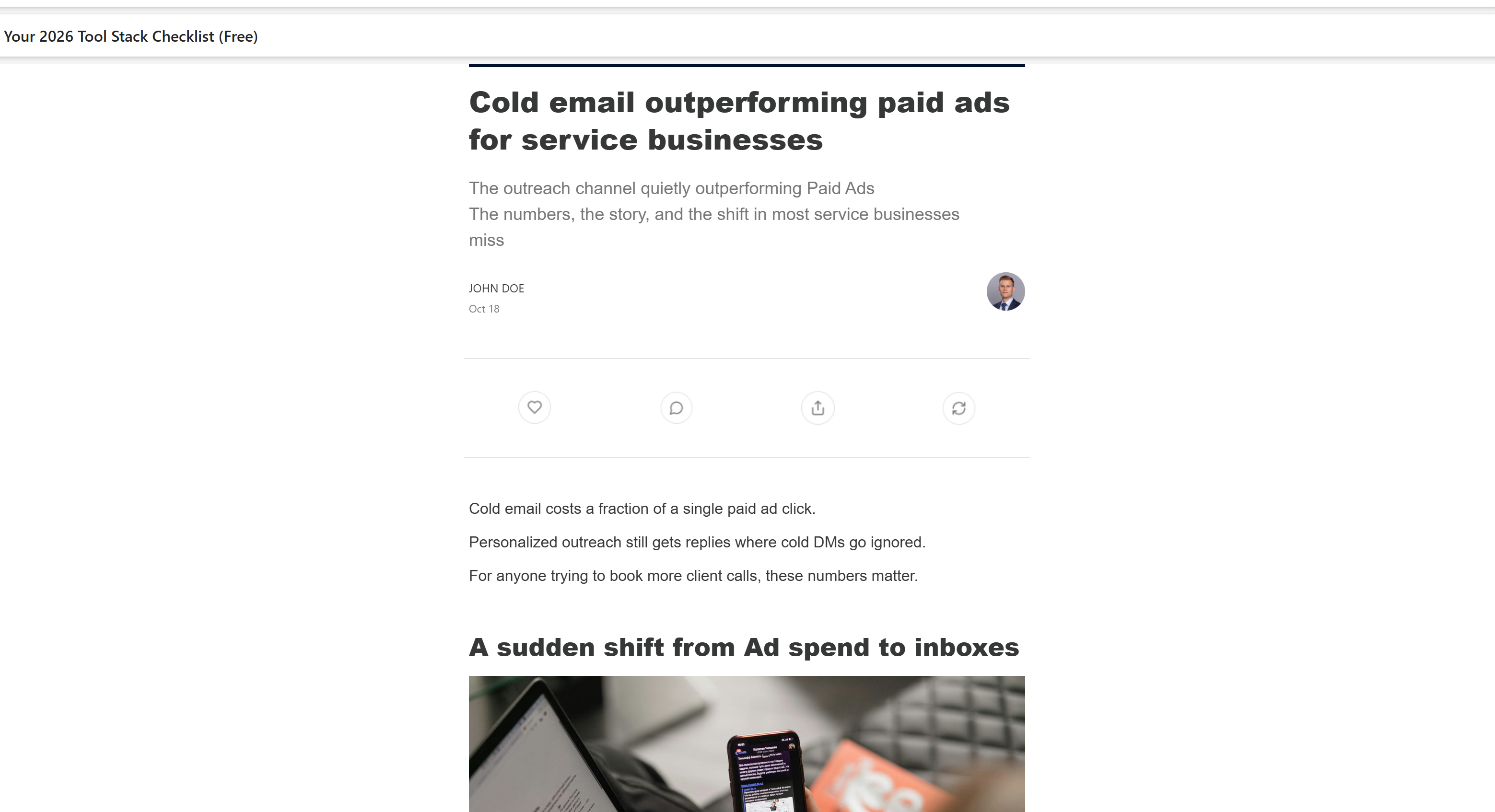
The newsletter editor has a subject, preview text, sender name/address, and an attachments panel. Two honest notes: the template body arrived pre-filled with demo content (a "Cold email outperforming paid ads" banner and a JOHN DOE signature – replace it before sending), and Systeme.io now warns that free-mail senders (Gmail/Yahoo) are blocked or spam-flagged under 2024+ provider policies. I sent the test to a second inbox and it landed in the inbox.
Automation rules
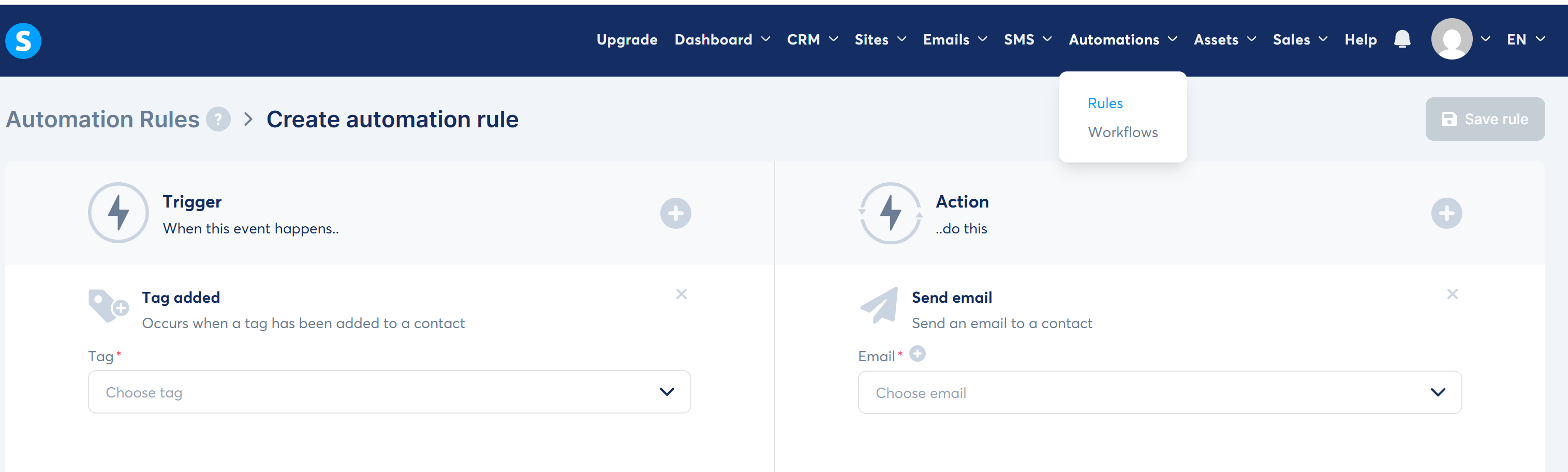
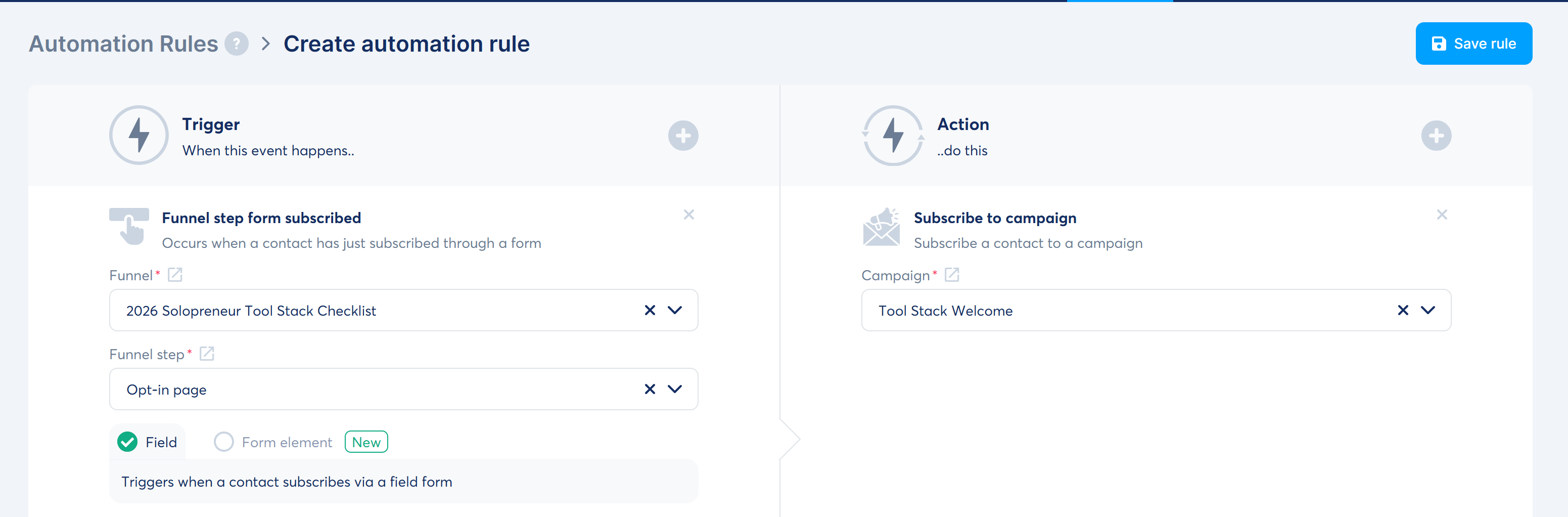
Rules are straightforward: pick a trigger (tag added, form subscribed, new sale) -> pick an action (send email, subscribe to campaign). The rule stays disabled until every required field is chosen – the screenshots show the draft state where you're still picking tag/email.
Welcome sequence (3 emails)
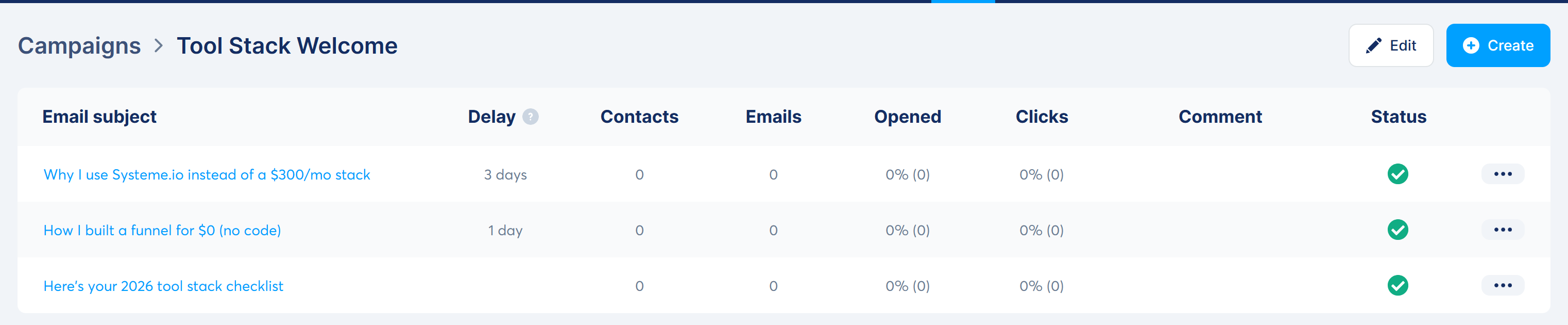
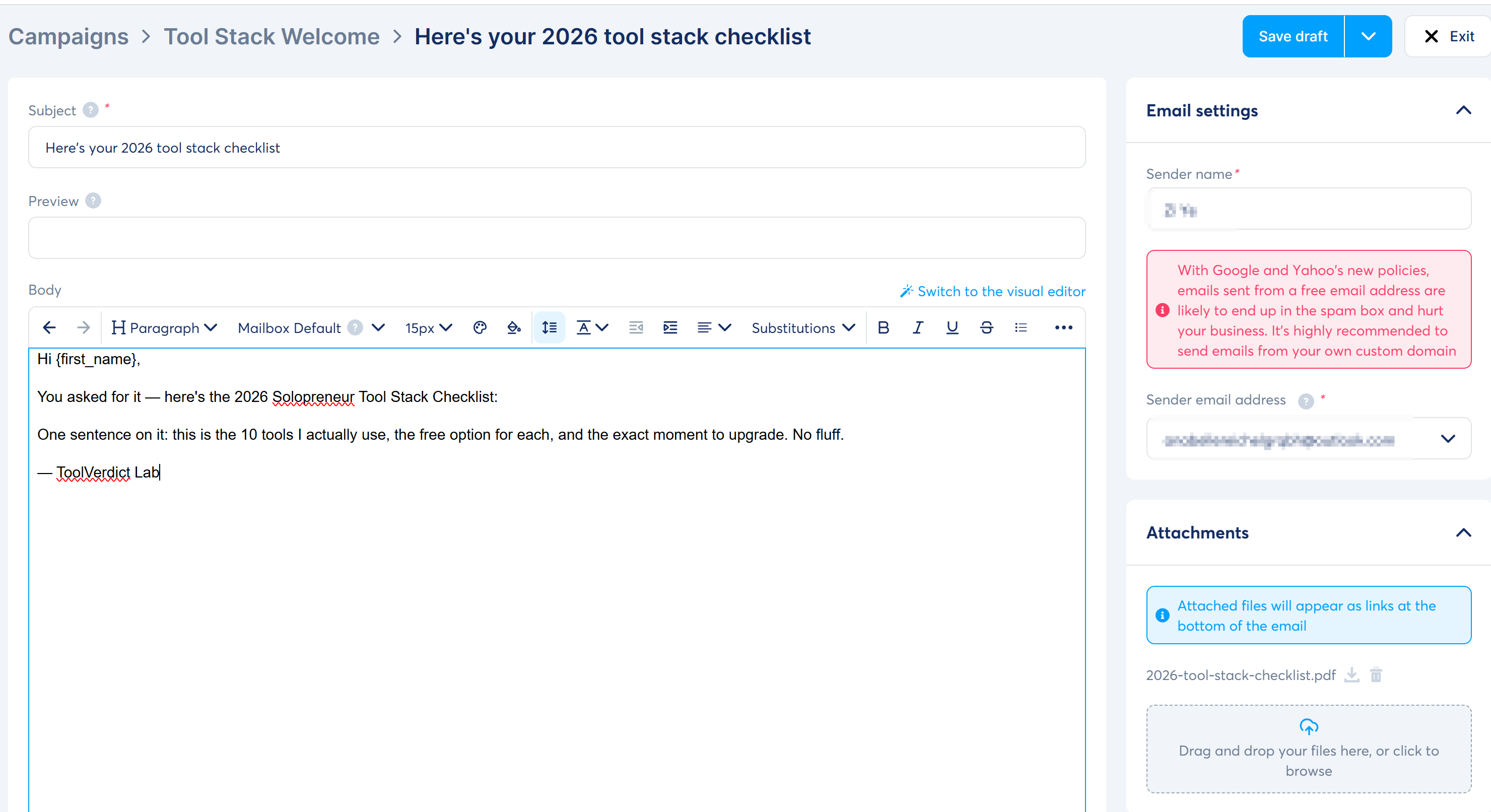
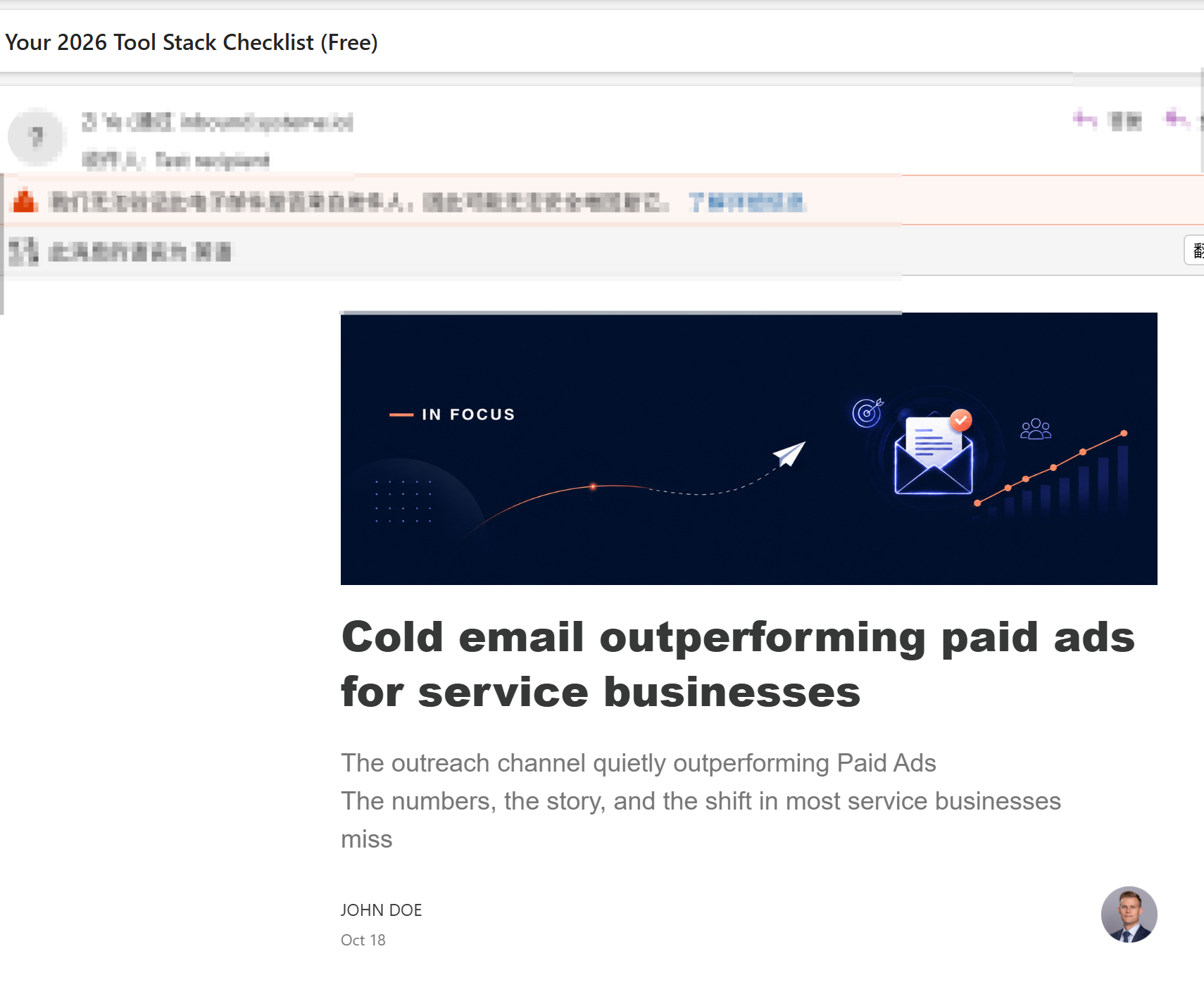
The campaign flow works as promised: email 1 sends immediately with the checklist PDF attached, email 2 goes out +1 day, email 3 at +3 days. The received email confirms the attachment arrived.
Course + affiliate program
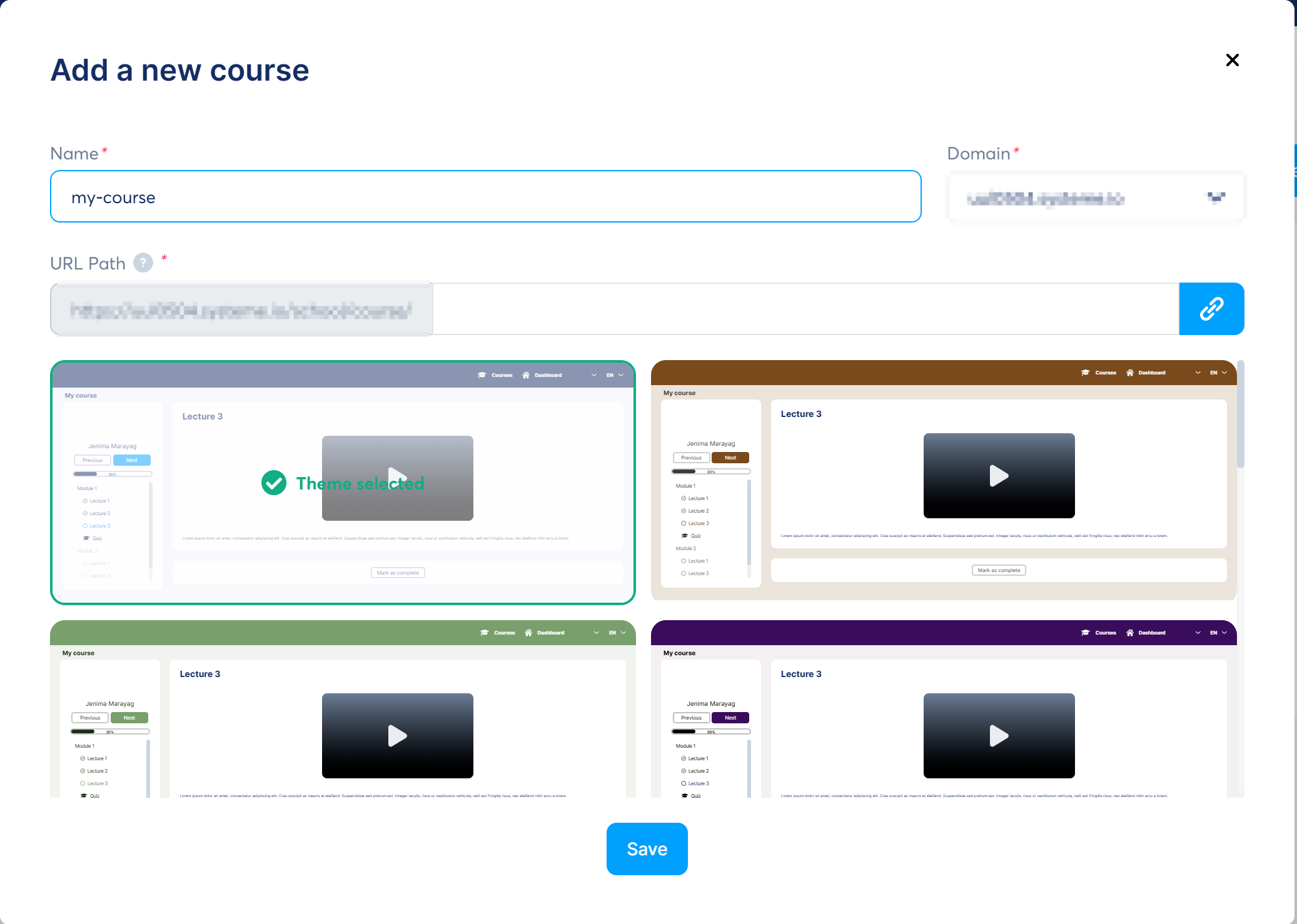
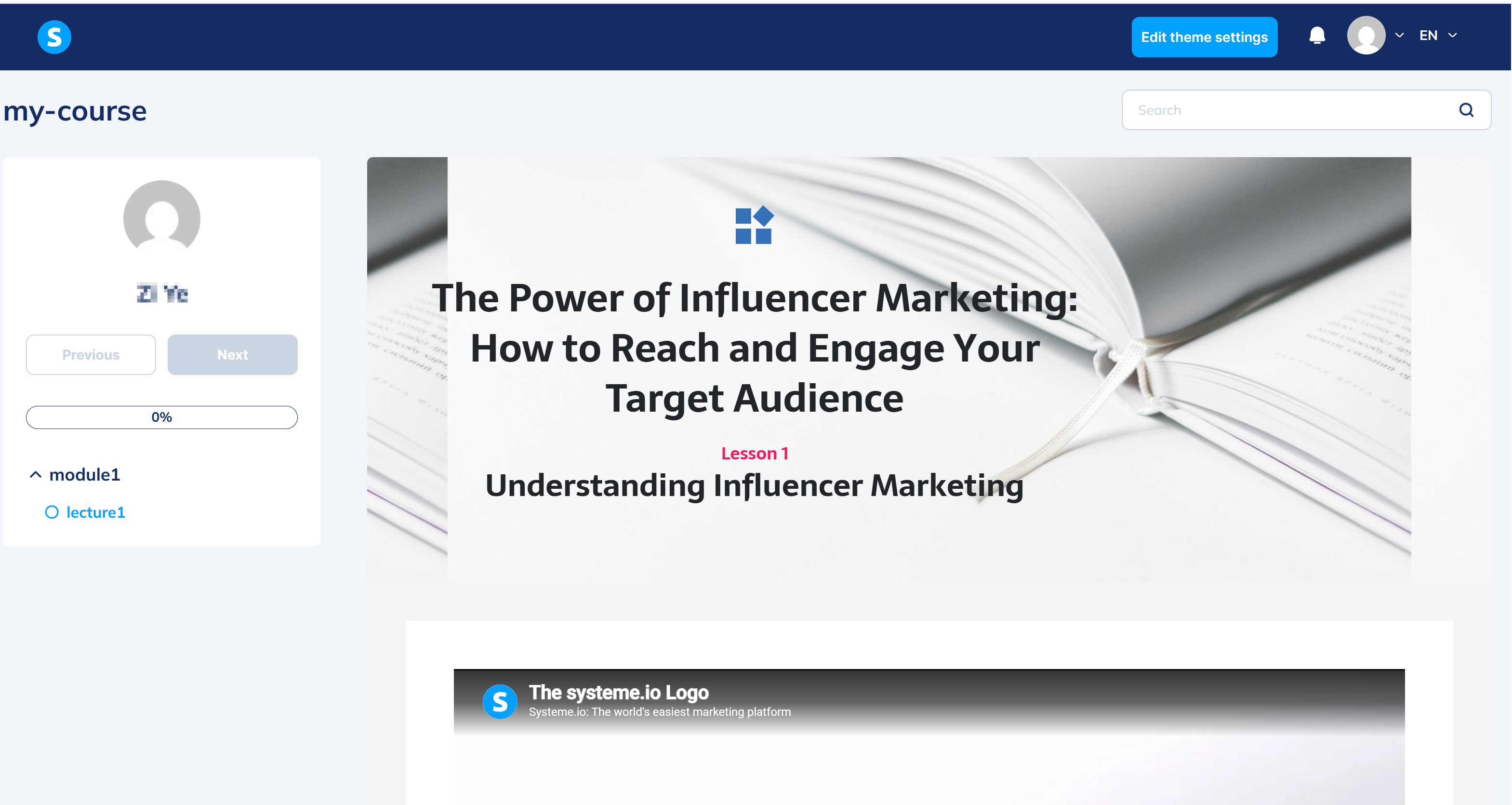
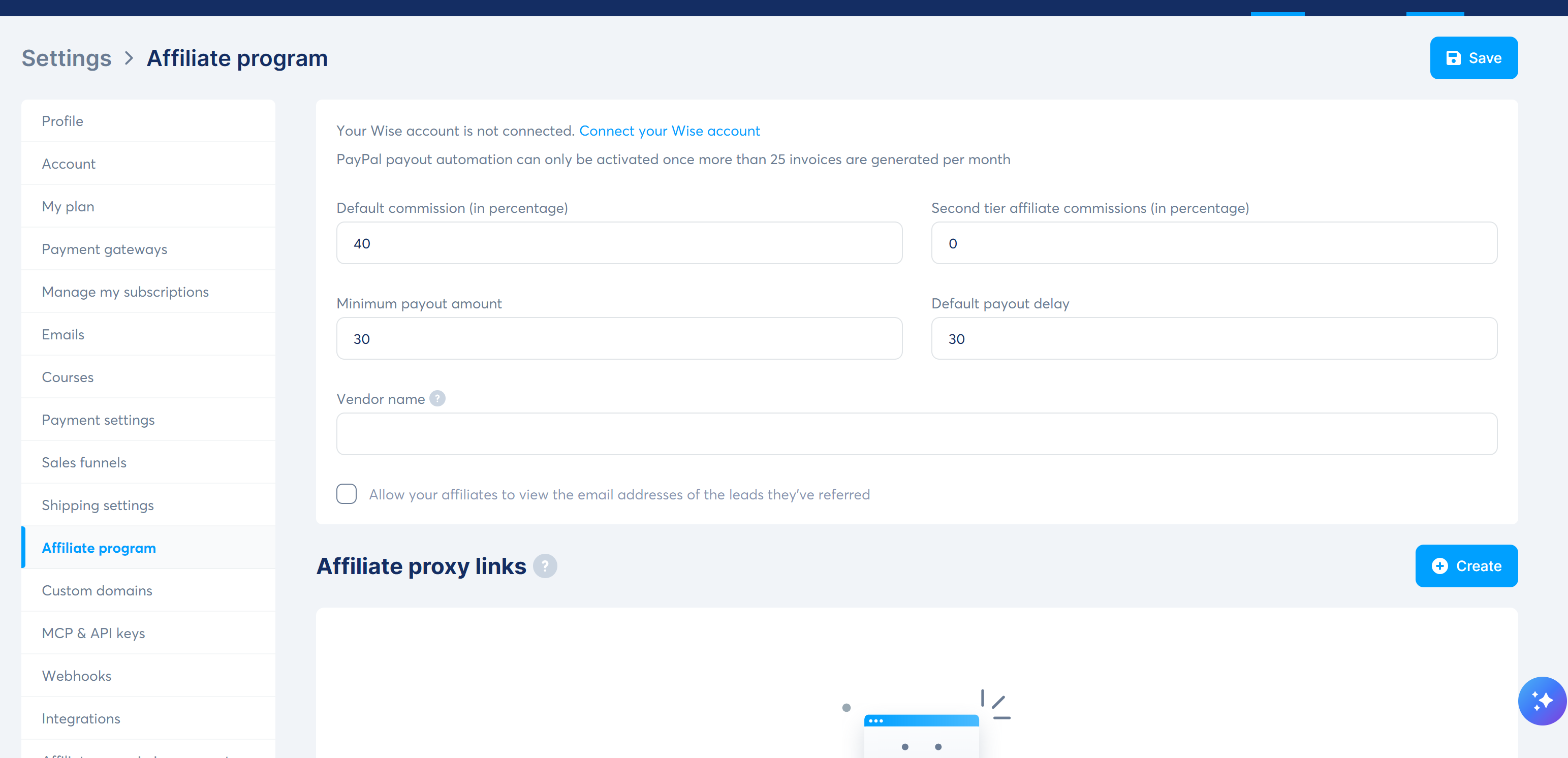
Courses accept PDFs and files per lesson, and the front-end course page is generated automatically. The affiliate program is built in with sane defaults (40% / $30 / 30 days) – no third-party plugin, no approval process.
What surprised me (the good kind)
- "All-in-one" is actually true. Funnel, email, course, affiliate program, and (not tested here) blogs and webinars all live in one account. I never bounced to another tab.
- The free plan is genuinely usable, not a 14-day trial: 2,000 contacts, 3 funnels, 1 custom domain, unlimited emails.
- Email deliverability is taken seriously. The platform blocks Gmail/Yahoo senders outright and pushes you toward a custom domain – annoying in the moment, but it's protecting your sender reputation.
- The affiliate program is built in and decent: 60% lifetime recurring on Systeme.io's own program, and your own program defaults to 40% with a 30-day payout delay. No affiliate plugin to buy.
Where it tripped me (the honest part)
- Templates ship with demo content. I published a page with "Volunteer in your Community" and Lorem ipsum still in it. Check every block before publishing.
- "3-step funnel" is not the default. Opt-in templates create 2 steps. Adding a sales page is one click, but it's manual – and if you're following an old tutorial, you'll wonder where the canvas with arrows went. The 2026 UI is a vertical step list, not a node canvas.
- Menu names changed and tutorials are stale. "Email Marketing -> Automation" is now "Emails -> Campaigns" + "Automations -> Rules". Small, but it ate minutes of my walkthrough.
- Commission lives in two places. The affiliate program defaults to 40%, but each order form defaults to 0% affiliate commission. You have to set it per order form or your affiliates earn nothing.
- Rules won't save half-configured. Every trigger/action field must be filled or Save stays greyed out. Fine once you know, confusing the first time.
Pros & Cons
| Pros | Cons |
|---|---|
| Free plan is real and generous (2,000 contacts, 3 funnels) | No advanced A/B testing / complex automation on low tiers |
| Funnel + email + courses + affiliate in one tool | Templates are demo-heavy and easy to publish unfinished |
| Built-in affiliate program (40% default, 30-day delay) | Order-form commission defaults to 0% – easy to miss |
| Unlimited emails on all plans | Gmail/Yahoo senders blocked; custom domain recommended |
| UI in 9+ languages incl. Simplified Chinese | Menu names changed; many tutorials are outdated |
Systeme.io vs the $300/month stack
| Systeme.io (free) | ClickFunnels | Kajabi | |
|---|---|---|---|
| Funnel builder | Yes | Yes (best-in-class) | Yes |
| Email marketing | Yes (unlimited) | Extra (e.g. $29/mo) | Yes |
| Courses / membership | Yes | Extra | Yes (strong) |
| Affiliate program | Built in | Extra | Extra |
| Typical cost | $0-17/mo | from $97/mo | from ~$143/mo (annual) |
| Contacts on entry plan | 2,000 | 500 | 10,000 |
| Best for | Solopreneurs on a budget | Sales-focused marketers | Course businesses with money |
FAQ
Is Systeme.io really free?
Yes. The free plan includes 2,000 contacts, 3 funnels, and unlimited emails, with no credit card required. Paid plans start at $17/month.
Can I use Gmail to send emails from Systeme.io?
No. Gmail is blocked as a sender (since July 2024) and Yahoo/ProtonMail are rejected or spam-flagged. Use a custom-domain address or an Outlook address for sending; you can still receive test emails at any address.
Does Systeme.io have a built-in affiliate program?
Yes, two of them: their own program (60% lifetime recurring on subscriptions) and your own program for your products (defaults to 40% commission, $30 minimum payout, 30-day delay).
How many custom domains does the free plan allow?
One.
Is Systeme.io good for Chinese-language users?
Yes – Simplified Chinese UI has been available since 2025, and Chinese-language tutorials are still scarce, which makes it a useful edge for Chinese-speaking solopreneurs.
Disclosure & CTA
I'm an affiliate of Systeme.io: if you sign up through my link, I may earn a commission at no extra cost to you. I only recommend tools I've actually registered for and built with – this whole funnel was built on the free plan.
Try Systeme.io free -> systeme.io
Grab the free checklist (2026 Solopreneur Tool Stack: 10 tools, free tiers, and upgrade moments) -> get it here
Or skip the checklist and create a free Systeme.io account directly: systeme.io — free plan, no card required.
Leave a Reply