Category: Reviews

Hands-on tool reviews with real verdicts: we register, build, and publish what we find.

  • HeadshotPro Review 2026: Solid AI Headshots, But No Free Way to Try

    HeadshotPro Review 2026: Solid AI Headshots, But No Free Way to Try

    Verdict first: HeadshotPro is a well-established AI headshot generator — 4.7/5 from 3,542 reviews, 18M headshots created, transparent one-time pricing with a money-back guarantee. But it has the strictest paywall of the tools I've tested on this site: there is no free trial and no free credits — every plan costs $29–$59 one-time before you see a single generated image. I created an account and walked the full flow to checkout (pricing verified from the live page), but I did not pay for a generation, so this review covers the flow, pricing, and trust signals — with the honest caveat that I could not verify output quality hands-on. Verdict: promising and well-reviewed, but the all-or-nothing paywall makes it hard to evaluate before buying; if you want to test an AI headshot tool free first, Aragon's 16 free credits are a lower-risk start.

    Who it's for: people who already know they want AI headshots and are ready to pay one-time; teams (they have team plans); users who value high-resolution output and a redo option.

    Who it's not for: anyone who wants to see output quality before paying (you can't — no free tier); budget-first users comparing options (Aragon gives free credits to test with); people needing video or full photo editing.


    The test: what I actually did (honest, no paid generation)

    This is not a rehash of HeadshotPro's feature page — but unlike my other reviews, I did not pay for a generation. Here's exactly what was tested:

    Step What happened
    Account creation Created a new account with [email protected] (the old registration from our records had never completed — a heads-up if your signup stalls on reCAPTCHA).
    App flow Logged into the app; asked "just for myself" vs team → plan selection.
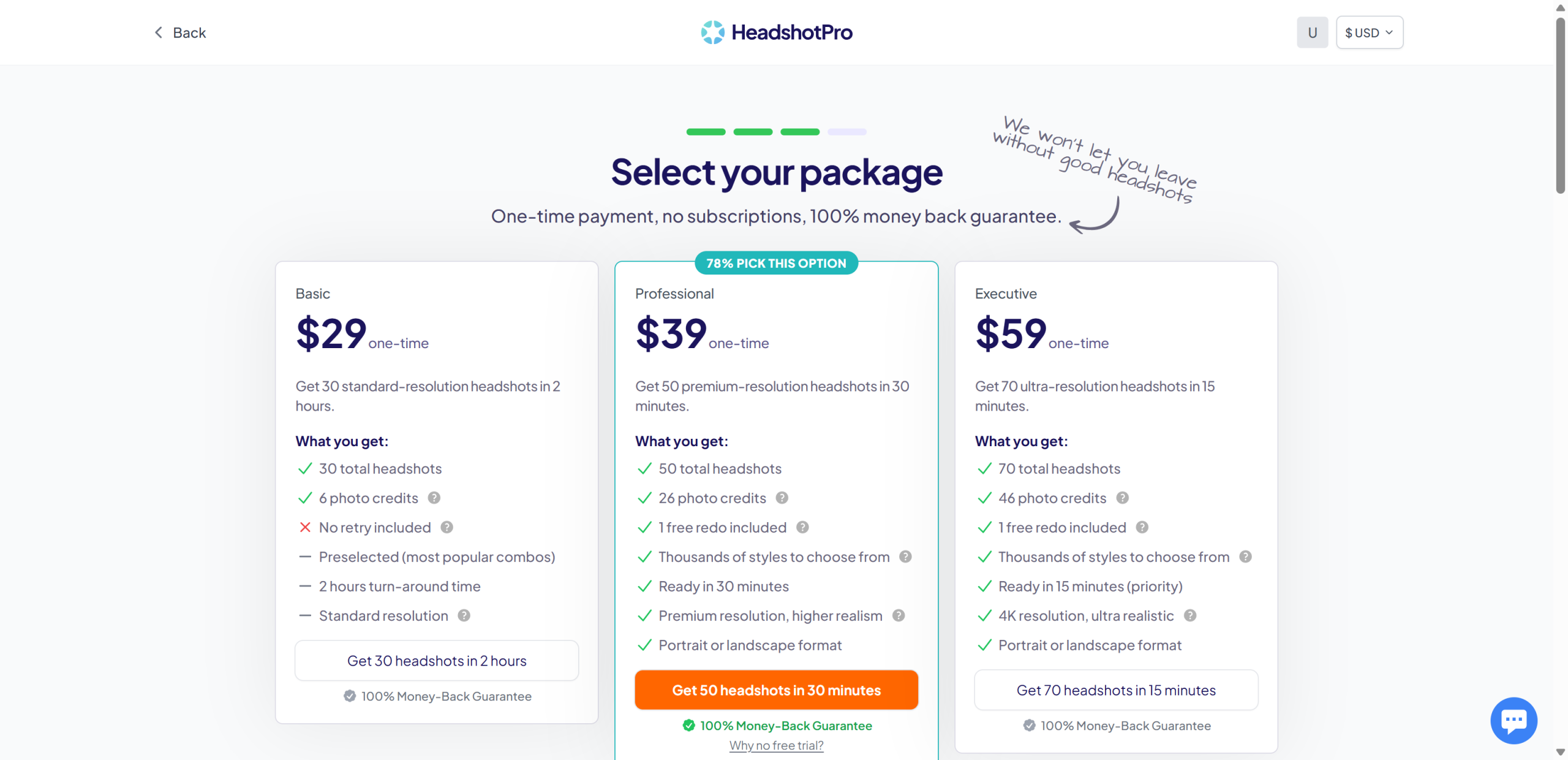
    Pricing Verified live: Basic $29 / Professional $39 / Executive $59, all one-time, no subscription, 100% money-back guarantee.
    Free tier check None. The pricing page explicitly asks "Why no free trial?" — there is no free generation path.
    Generation Not performed — requires payment. Output claims below come from public reviews, not our own test.
    Trust signals 4.7/5 (3,542 reviews), 18M headshots, 196,987+ customers.

    The honest caveat: I could not verify output quality myself. This review rates the flow, pricing transparency, and trust signals — treat output-quality claims as unverified.

    Screenshots from the build
    HeadshotPro pricing

    The plan-selection screen inside the app: Basic $29, Professional $39, Executive $59 — one-time payments, no subscription, 100% money-back guarantee.

    Where it tripped me (the honest part)

    • No free trial, no free credits — full stop. You cannot see a single generated image without paying $29+. For a review site that values hands-on testing, that's the single biggest barrier, and for a buyer it's the single biggest risk.
    • The "Why no free trial?" question is asked but not answered on the page. Fair or not, the FAQ doesn't explain it.
    • Credits feel like an upsell. The plans include "photo credits" (6 / 26 / 46) and redo options — clear enough, but you're buying a bundle, not just headshots.
    • Our old signup never actually completed. Our records said the affiliate account was registered, but the product account didn't exist (the signup had stalled on the human-verification step). If you signed up long ago and never confirmed, double-check you can actually log in.

    Pricing (verified from the live pricing page, 2026-09-02)

    Plan Price (one-time) Headshots Turnaround Includes
    Basic $29 30 (standard res) ~2 hours 6 photo credits, no redo, preselected combos
    Professional $39 50 (premium res) ~30 minutes 26 photo credits, 1 free redo, thousands of styles, portrait/landscape
    Executive $59 70 (4K ultra-realistic) ~15 minutes (priority) 46 photo credits, 1 free redo, portrait/landscape

    One-time payment, no subscription, no hidden fees, 100% money-back guarantee. Team plans available for businesses.

    Pros & Cons

    Pros Cons
    Strong trust signals: 4.7/5, 3,542 reviews, 18M headshots No free trial and no free credits — cannot evaluate before paying
    Transparent one-time pricing ($29–$59), no subscription Output quality unverified in this review (we didn't pay)
    Money-back guarantee on all plans Photo-credit bundles can confuse at first
    Fast turnarounds: 15 min (Executive) to 2 hours (Basic) "Why no free trial?" is asked but not explained
    30% affiliate commission, 60-day cookie Paid plans are one-time — no ongoing value after purchase

    HeadshotPro vs the alternatives

    HeadshotPro Aragon AI Real photographer
    Price $29–$59 one-time $35–$75 one-time $150–$500+ per session
    Free way to test None 16 free credits (creative packs)
    Turnaround 15 min – 2 hrs 15–45 min Days
    Reviews 4.7/5 (3,542) 4.8/5 (Trustpilot/Google)
    Tested by us Flow + pricing only (no output) Full flow + free-credit generation
    Try it HeadshotPro Aragon AI

    FAQ

    Is HeadshotPro free?
    No. There is no free plan, no free trial, and no free credits. All plans are one-time payments starting at $29. The pricing page itself asks "Why no free trial?" — there is no free generation path.

    How much does HeadshotPro cost?
    One-time: Basic $29 (30 headshots), Professional $39 (50), Executive $59 (70). No subscription. 100% money-back guarantee.

    Is HeadshotPro any good?
    It's highly rated — 4.7/5 from 3,542 reviews and 18M+ headshots created. In this review we verified the flow and pricing but did not pay for a generation, so we can't personally vouch for output quality yet.

    What photos do I need for HeadshotPro?
    HeadshotPro uses your selfies/uploaded photos to generate professional headshots. (Upload requirements are set in the paid flow; we did not reach the upload step without paying.)

    HeadshotPro vs Aragon: which should I pick?
    If you want a free way to see output first, Aragon gives 16 free credits (full review here). If you're ready to pay and want premium/4K resolution with a redo option, HeadshotPro's Professional ($39) and Executive ($59) plans are competitive — but you pay before you see anything.

    Does HeadshotPro need a credit card to sign up?
    No — I created an account with just an email and password, no credit card required until you pick a paid plan.

    Disclosure & CTA

    I'm an affiliate of HeadshotPro: if you sign up through my link, I may earn a commission at no extra cost to you. I only recommend tools I've actually registered for and built with — note that this review did not include a paid generation. Use the free-credit route on Aragon if you want a zero-risk test first.

    Visit HeadshotProheadshotpro.com

    Try Aragon AI free first (16 free credits) → aragon.ai

    Grab the free checklist (2026 Solopreneur Tool Stack) → Get the free checklist

  • Aragon AI Review 2026: Is the AI Headshot Generator Worth It?

    Aragon AI Review 2026: Is the AI Headshot Generator Worth It?

    Verdict first: Aragon AI is a polished, easy-to-use AI headshot generator — the signup and onboarding wizard are slick, the pricing is transparent one-time payment (no subscription), and the platform's photo-checking is genuinely strict. But two things matter before you buy: the actual professional headshot generation costs $35–$75 one-time (there is no free generation for the flagship pack), and Aragon's photo checker actively rejects low-quality or AI-generated input photos — in my test it flagged 2 of 6 AI-generated photos. I tested the full free flow (onboarding, photo upload with AI validation, pricing) and completed one free-credit creative-style generation using Aragon's demo character; the output was realistic but slightly soft in detail. Verdict: worth it if you need professional headshots fast and accept the one-time cost; not for you if you want to evaluate the flagship pack free (you can't) or if you plan to feed it AI-generated photos (they may be rejected).

    Who it's for: professionals, job seekers, LinkedIn users, real-estate agents, lawyers, and teams who need studio-quality headshots without booking a photographer; people OK with a one-time $35+ payment.

    Who it's not for: anyone expecting a usable free tier for the professional pack; anyone wanting to use AI-generated or heavily filtered photos (the checker rejects them); teams needing a real video or animation tool (Aragon is photos).


    The test: what I actually did (real, on a free account)

    This review is not a rehash of Aragon's feature page. I registered a free account (no credit card) and ran the full flow. Here's the honest play-by-play:

    Step What happened
    Free signup Google login, straight into the dashboard. No credit card requested.
    Onboarding wizard Gender → age → hair color → hair length → body type → attire → background. Fast, well-designed.
    Photo upload Uploaded 6 photos (AI-generated fictional person — see the honest note below). Aragon's photo checker flagged 2 of 6 with "too similar", "face at an unnatural angle", "subject not looking at the camera".
    Photo guidelines Aragon explicitly lists AI-generated images under "Photo restrictions".
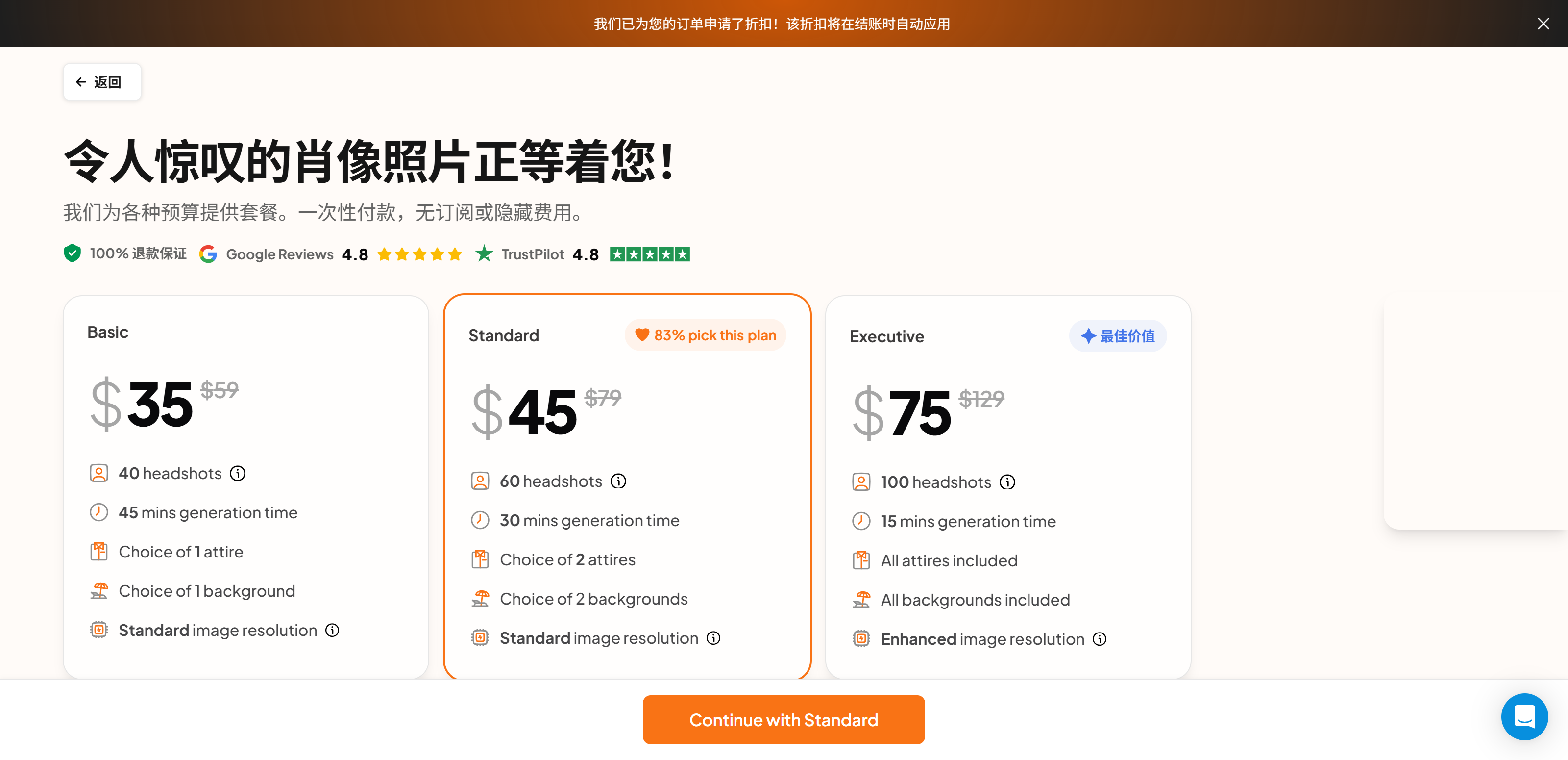
    Pricing page One-time plans: Basic ~~$59~~ $35 / Standard ~~$79~~ $45 / Executive ~~$129~~ $75. No subscription. A discount banner appeared on our account.
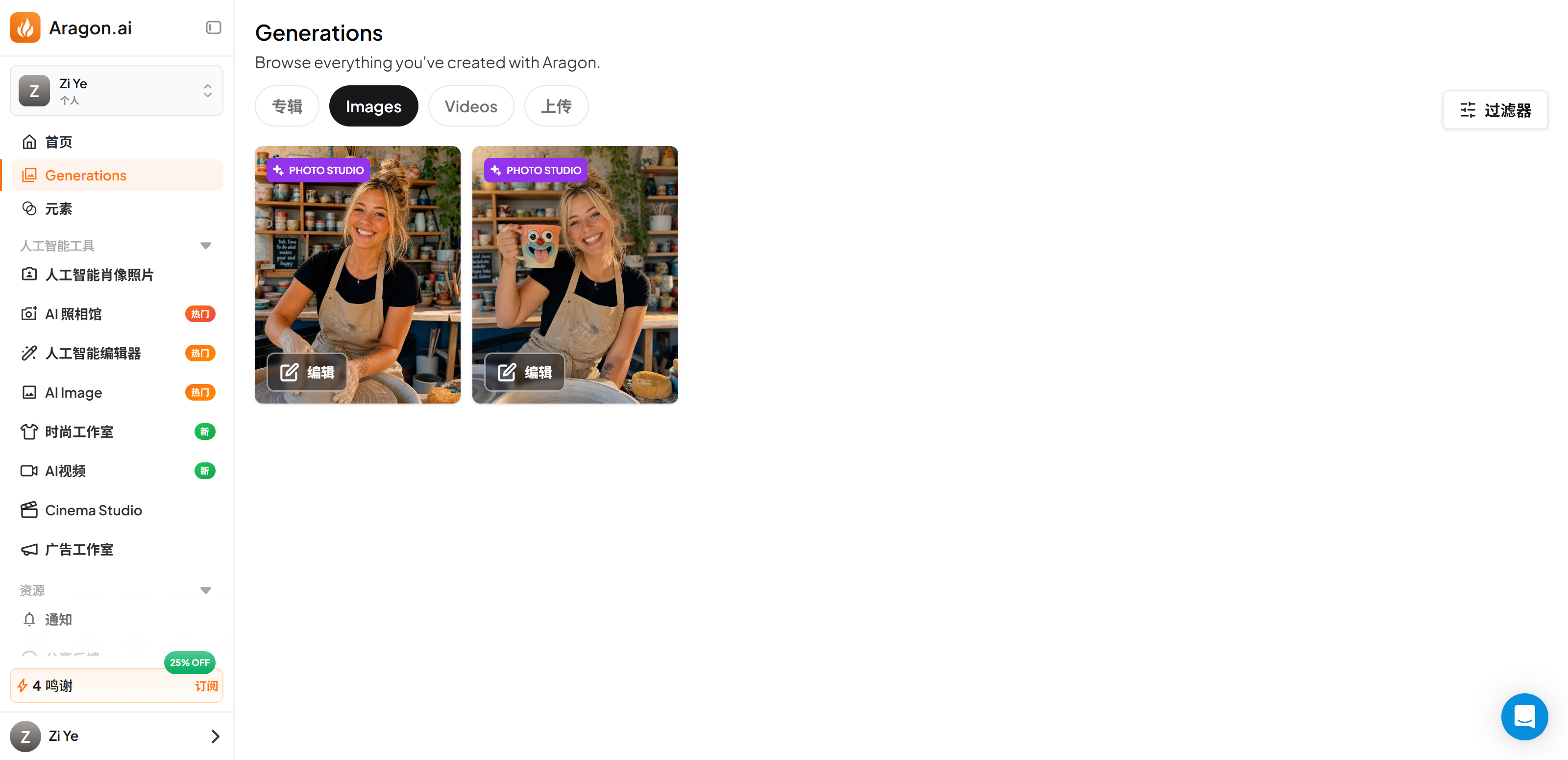
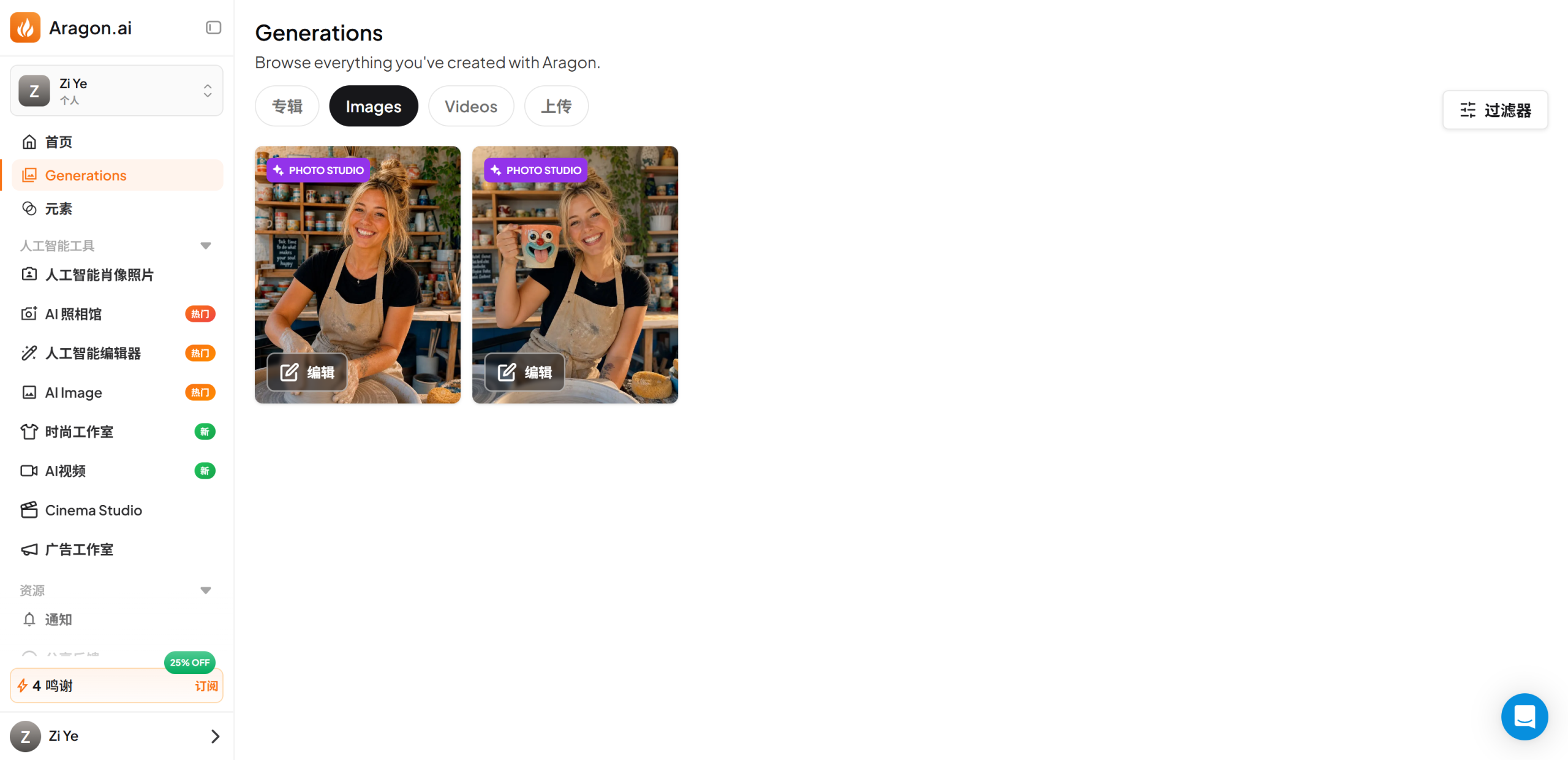
    Free-credit generation With the 16 free credits, I generated 2 photos in a creative style pack ("Pottery Workshop Mug") using Aragon's demo character — output was realistic, slightly soft on detail.
    Affiliate program 30% commission on all payments; no free test credits for affiliates.

    The honest note about test photos: I did not want to upload real personal photos, so the input was an AI-generated fictional person. Aragon's checker rejected a portion of them — which is actually the finding: Aragon actively gates AI-generated input, so you really should use real, clear, front-facing photos of yourself. The free-credit generation therefore used Aragon's built-in demo character instead of my uploads.

    Screenshots from the build

    Aragon dashboard

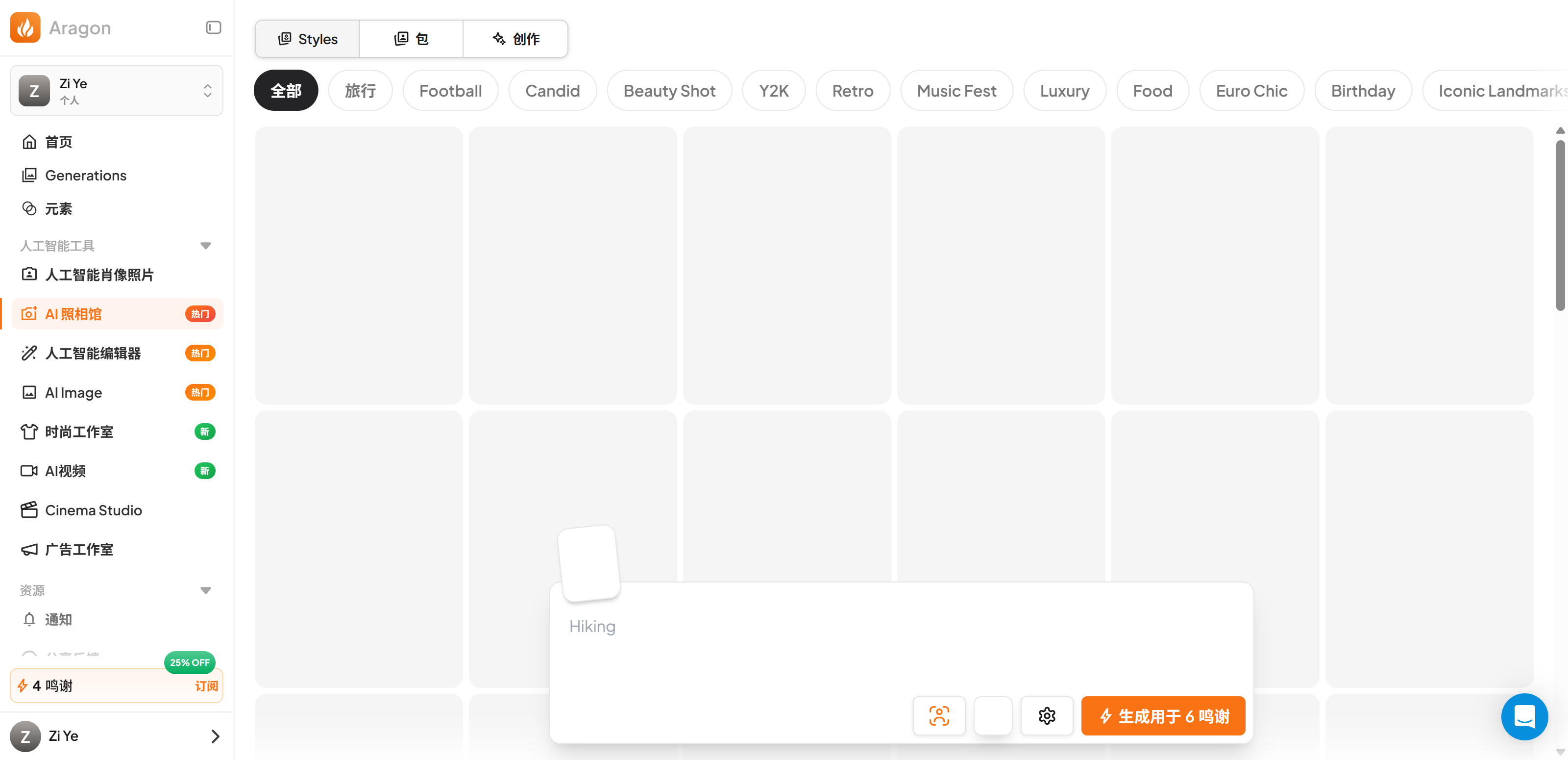
    The dashboard after login. 16 free credits are granted at signup — enough for one creative-style generation.

    Aragon pricing

    One-time pricing: Basic $35 (40 headshots), Standard $45 (60 headshots), Executive $75 (100 headshots). No subscription, 100% refund guarantee.

    Aragon result gallery

    The free-credit creative-style generation completed: 2 images generated using a demo character.

    Aragon generated result

    Sample output from the free-credit generation — realistic, but detail is slightly soft compared to a real camera photo.

    Where it tripped me (the honest part)

    • The flagship pack is paywalled — no free evaluation. You can walk the whole flow free, but generating actual professional headshots requires $35+. The free credits only cover the creative photo packs. If you want to judge the core product before paying, you can't.
    • AI-generated photos get rejected. My AI-generated test photos were flagged by the photo checker ("too similar", "unnatural angle"). Aragon's own guidance lists AI-generated images as restricted input — so if you were hoping to cheat the system with synthetic photos, don't: it checks.
    • Free-credit output is decent, not amazing. The creative-pack generation looked realistic and didn't feel template-y, but was a bit soft on detail. The paid professional pack likely produces better results (we didn't pay to verify).
    • The wizard is slightly pushy. A discount banner auto-applies at checkout and the flow defaults you toward the "Standard" plan — fine, but read the plans before clicking.

    Pricing (verified from the live pricing page, 2026-09-02)

    Plan Price (one-time) Headshots Generation time Includes
    Basic $59 $35 40 ~45 min 1 attire, 1 background, standard resolution
    Standard $79 $45 60 ~30 min 2 attires, 2 backgrounds, standard resolution (83% pick this)
    Executive $129 $75 100 ~15 min All attires, all backgrounds, enhanced resolution

    One-time payment, no subscription, no hidden fees, 100% refund guarantee. A discount is auto-applied at checkout for first-time orders.

    Pros & Cons

    Pros Cons
    Slick onboarding wizard (fast, well-designed) Flagship headshot pack is paywalled — no free evaluation
    Transparent one-time pricing ($35–$75), no subscription Photo checker rejects AI-generated / low-quality photos
    Strict photo validation catches bad inputs early Free-credit creative output is slightly soft on detail
    30% affiliate commission available Creative packs are secondary to the paid headshot product
    Realistic output in the free-credit test Can't verify the paid pack's quality without paying

    Aragon vs the alternatives

    Aragon AI HeadshotPro Real photographer
    Price $35–$75 one-time ~$25–$50 one-time (check live) $150–$500+ per session
    Turnaround 15–45 min ~1–2 hrs (check live) Days (booking + session + edit)
    Input 6–10 photos, strict validation Photos (check live) In-person session
    Free tier 16 credits for creative packs Check live site
    Try it Aragon AI HeadshotPro

    FAQ

    Is Aragon AI free?
    There's a free account with 16 credits, but they cover only the creative photo packs. The professional AI headshot pack is a paid, one-time purchase ($35–$75). You cannot generate professional headshots for free.

    How much does Aragon AI cost?
    One-time payments: Basic $35 (40 headshots), Standard $45 (60), Executive $75 (100). No subscription. Discounts are auto-applied at checkout.

    Can I use AI-generated photos with Aragon?
    Not recommended — Aragon's photo checker flagged 2 of my 6 AI-generated test photos, and the platform's own guidelines list AI-generated images under photo restrictions. Use real, clear, front-facing photos.

    Does Aragon need a credit card to sign up?
    No. I registered with just a Google login on the free plan, no credit card.

    Is Aragon AI good quality?
    In my free-credit test the output was realistic and not template-y, but slightly soft on detail. The paid professional pack is the flagship product; we did not pay to test it.

    Can I use Aragon headshots commercially?
    Paid headshot packs are for your professional use (LinkedIn, resumes, real-estate listings, etc.). Confirm the exact commercial terms in Aragon's Acceptable Use Policy for your use case.

    Disclosure & CTA

    I'm an affiliate of Aragon AI: if you sign up through my link, I may earn a commission at no extra cost to you. I only recommend tools I've actually registered for and built with. Use promo code ZI for 15% off.

    Try Aragon AIaragon.ai

    Grab the free checklist (2026 Solopreneur Tool Stack) → Get the free checklist

  • Zebracat Review 2026: Is This New AI Video Tool Worth It?

    Zebracat Review 2026: Is This New AI Video Tool Worth It?

    Verdict first: Zebracat is a new text-to-video tool that genuinely delivers on its core promise — turning a marketing script into a short animated video — and in my real test the result surprised me in two ways: the output didn't look template-y, and the AI voiceover sounded more natural than Fliki's. I signed up with just an email (no credit card), pasted a ~70-word marketing script, and got a 22-second video in about 3 minutes. But the free plan gives you exactly one generation and then stops, the credit system is opaque on the free tier, and the tool is young — fewer tutorials, a smaller community. Worth it if you make marketing videos/ads and are ready to pay from day one; not for you if you need a real video editor or a usable free tier to evaluate.

    Who it's for: marketers and solopreneurs who need short marketing videos / ad creatives fast; people who want "type a script, get a video" with a more natural AI voice; early adopters who don't need a huge tutorial library.

    Who it's not for: anyone who wants to evaluate on the free plan (one generation is not enough); people who need frame-level editing or motion-graphics control (this is not an editor); buyers who value a mature ecosystem and lots of community tutorials.


    The test: what I actually built (real, unpolished)

    This is not a rehash of Zebracat's feature page. I registered a free account and built one video end-to-end, all on the free plan:

    Step What happened
    Free signup Email only. No credit card anywhere in the flow.
    Free plan allowance Exactly one video generation — after that, no more free renders.
    Script → video Pasted a ~70-word SaaS marketing script.
    Output A 22-second video.
    Render time About 3 minutes from clicking generate to the result.
    Voiceover The default AI voice sounded more natural than Fliki's in my comparison (subjective, but it was the first thing I noticed).
    Template feel Weak — the output didn't look like a generic stock template; it read like a real ad.
    Credit visibility Not visible on the free plan — you can't see how many credits a video costs (see "Where it tripped me").

    Screenshots from the build

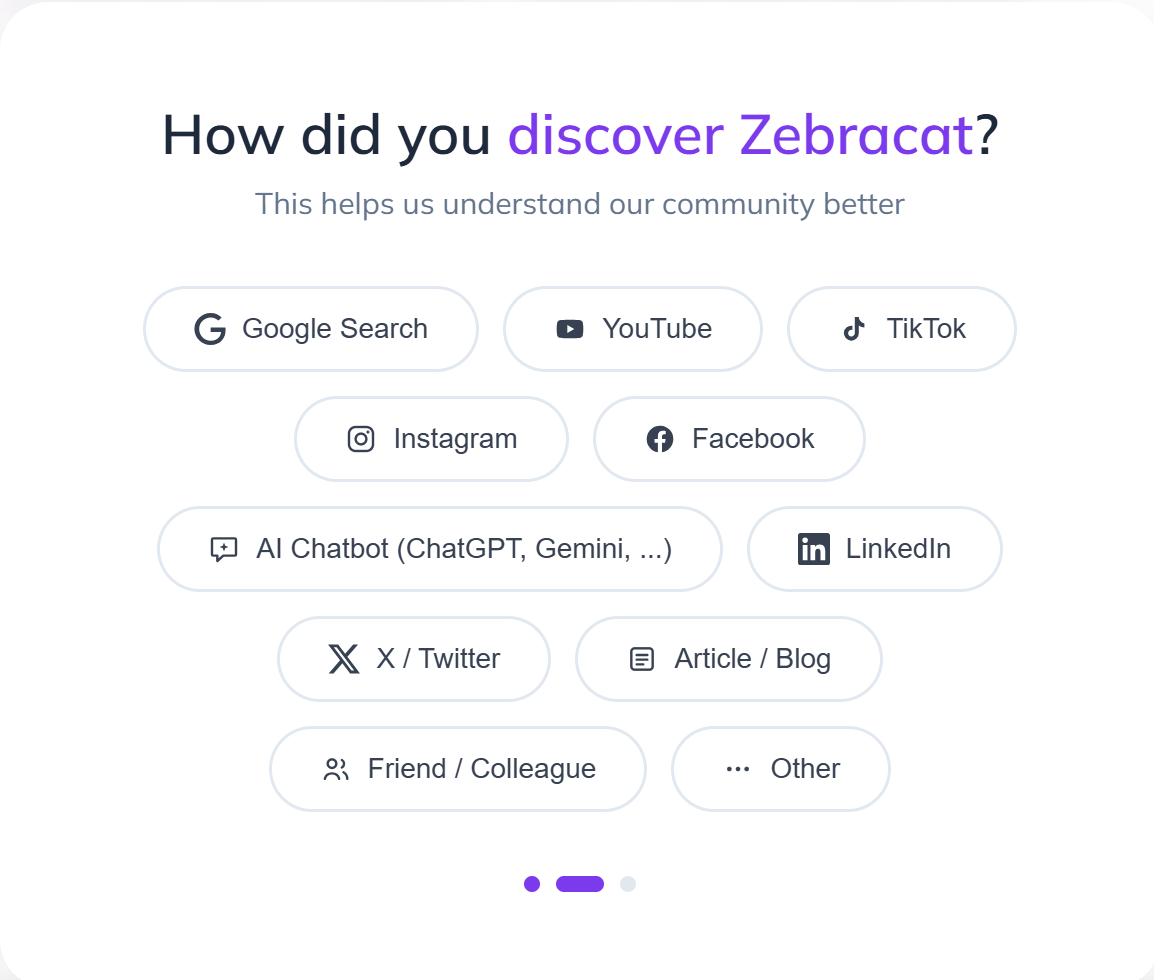
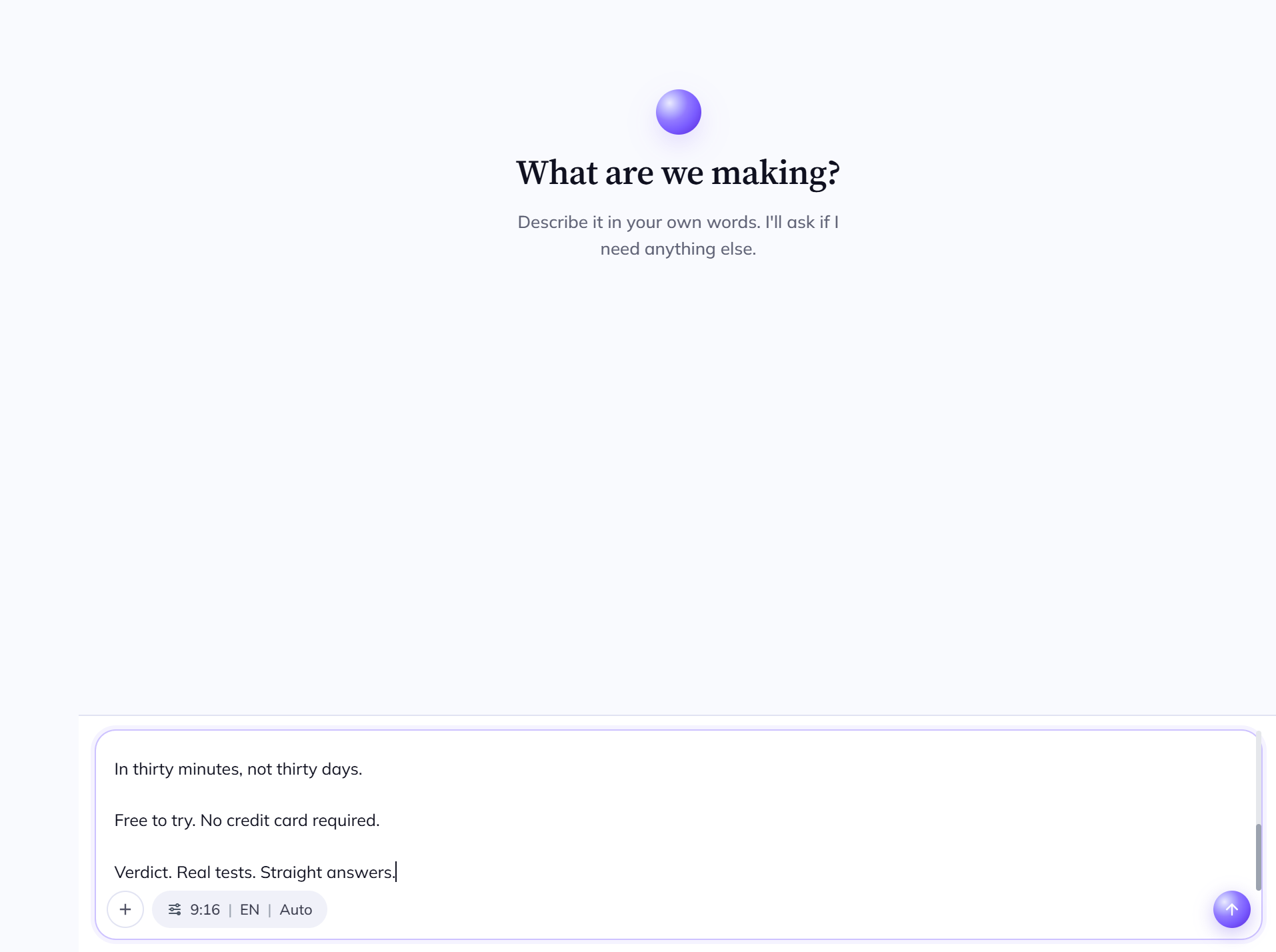
    Signup: email only, no credit card

    Zebracat signup page

    No credit card anywhere. Email signup and you're in — but note the free allowance before you get excited (one generation, more below).

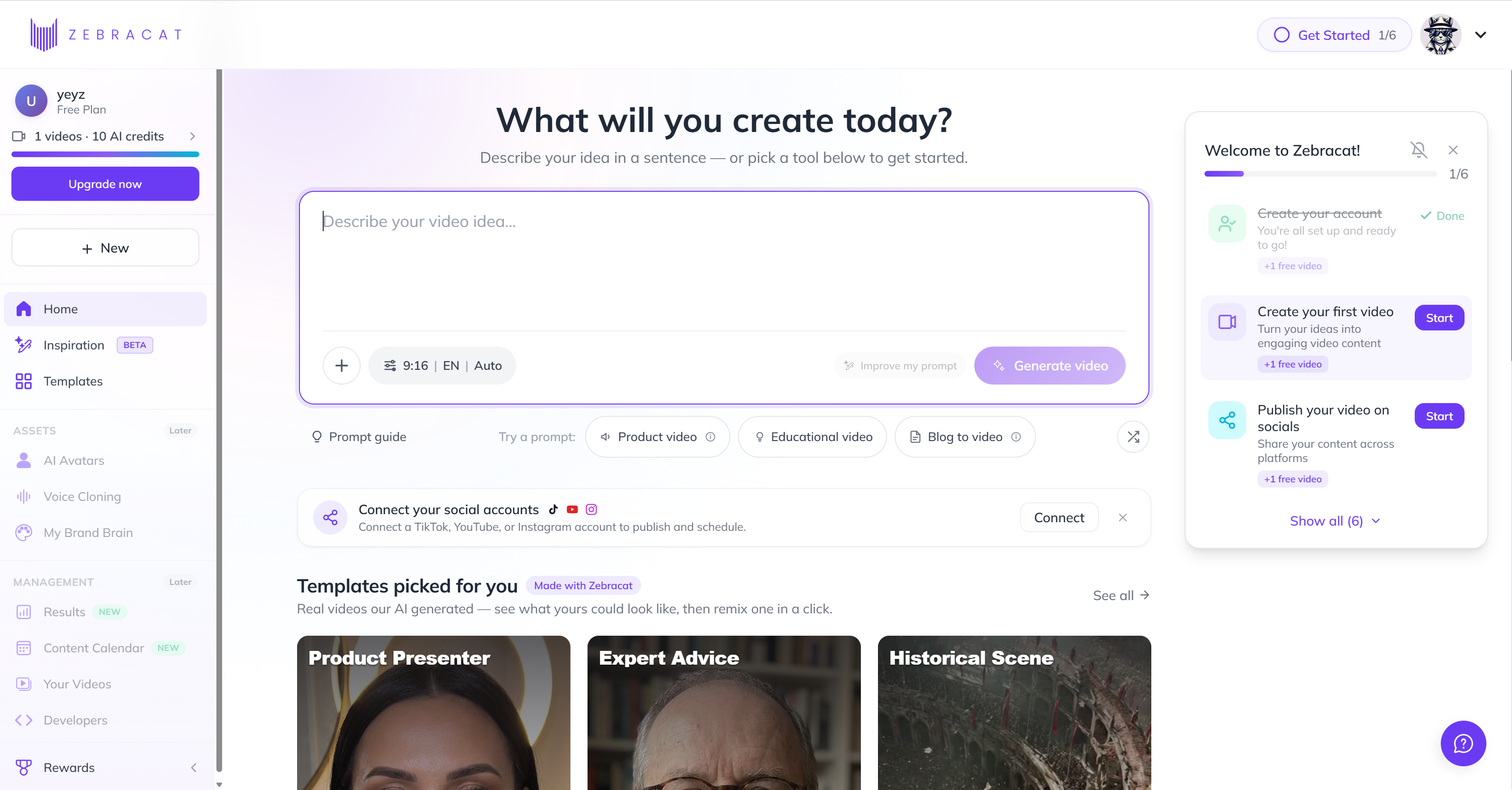
    The workspace

    Zebracat workspace dashboard

    Clean dashboard. The free plan's limits are not shouted at you — I found out the "one generation" reality when I tried to render a second video.

    Script → video (the core flow)

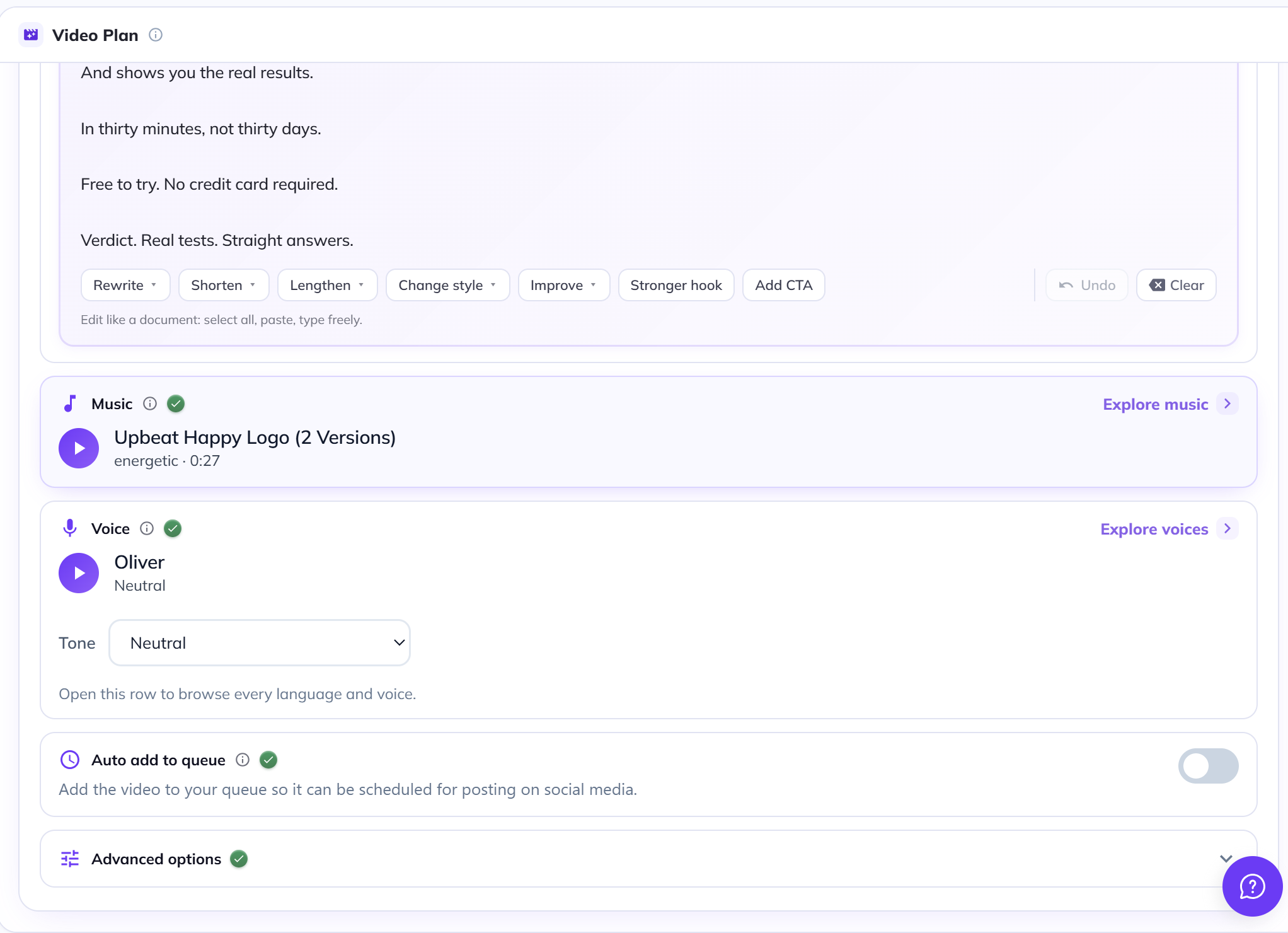
    Zebracat script input

    Paste your script. Short lines become scenes. This is the "type a script, get a video" step.

    Zebracat style selection

    Pick a video style/template. The style options are where Zebracat differentiates — marketing-animation first.

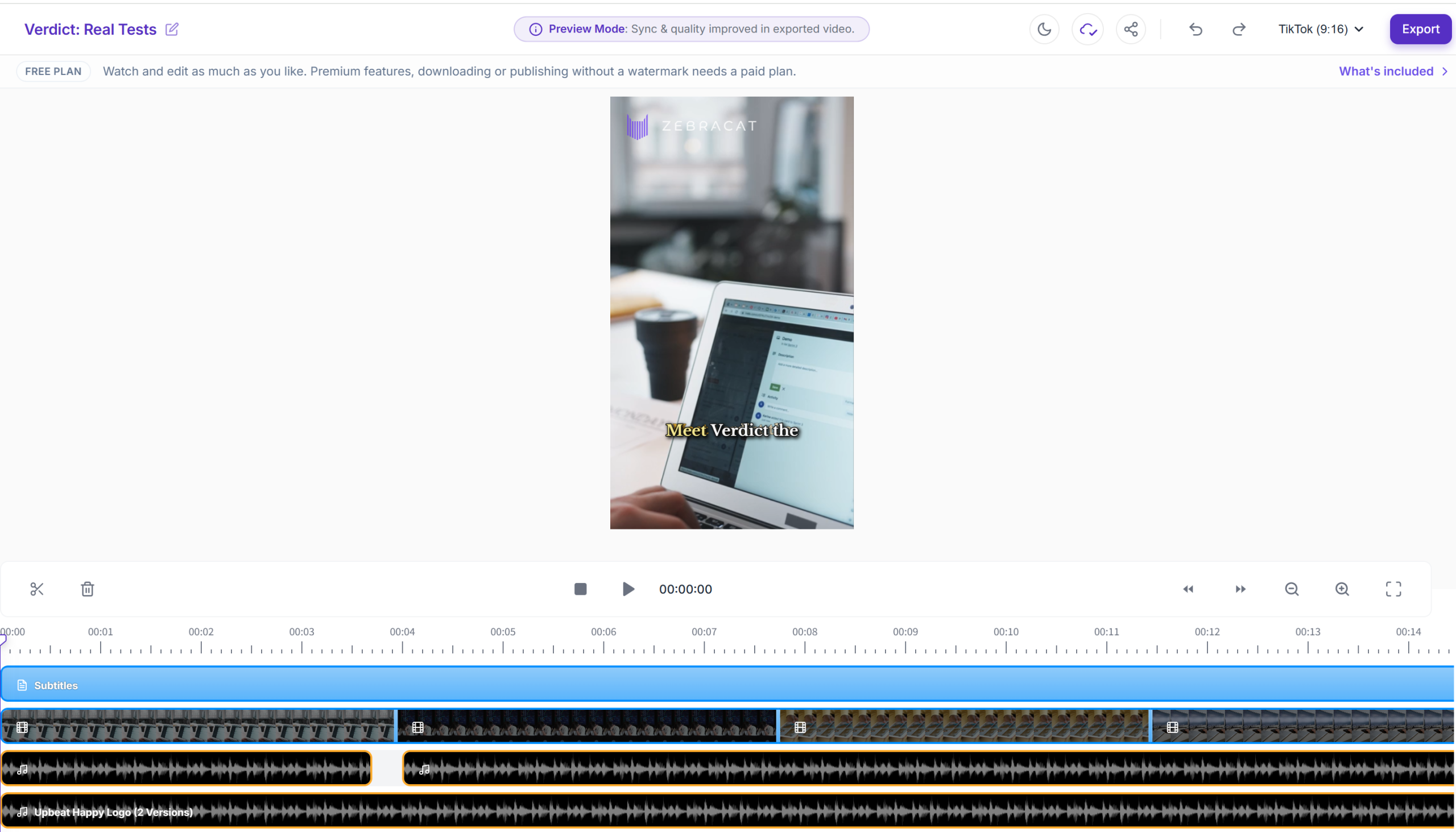
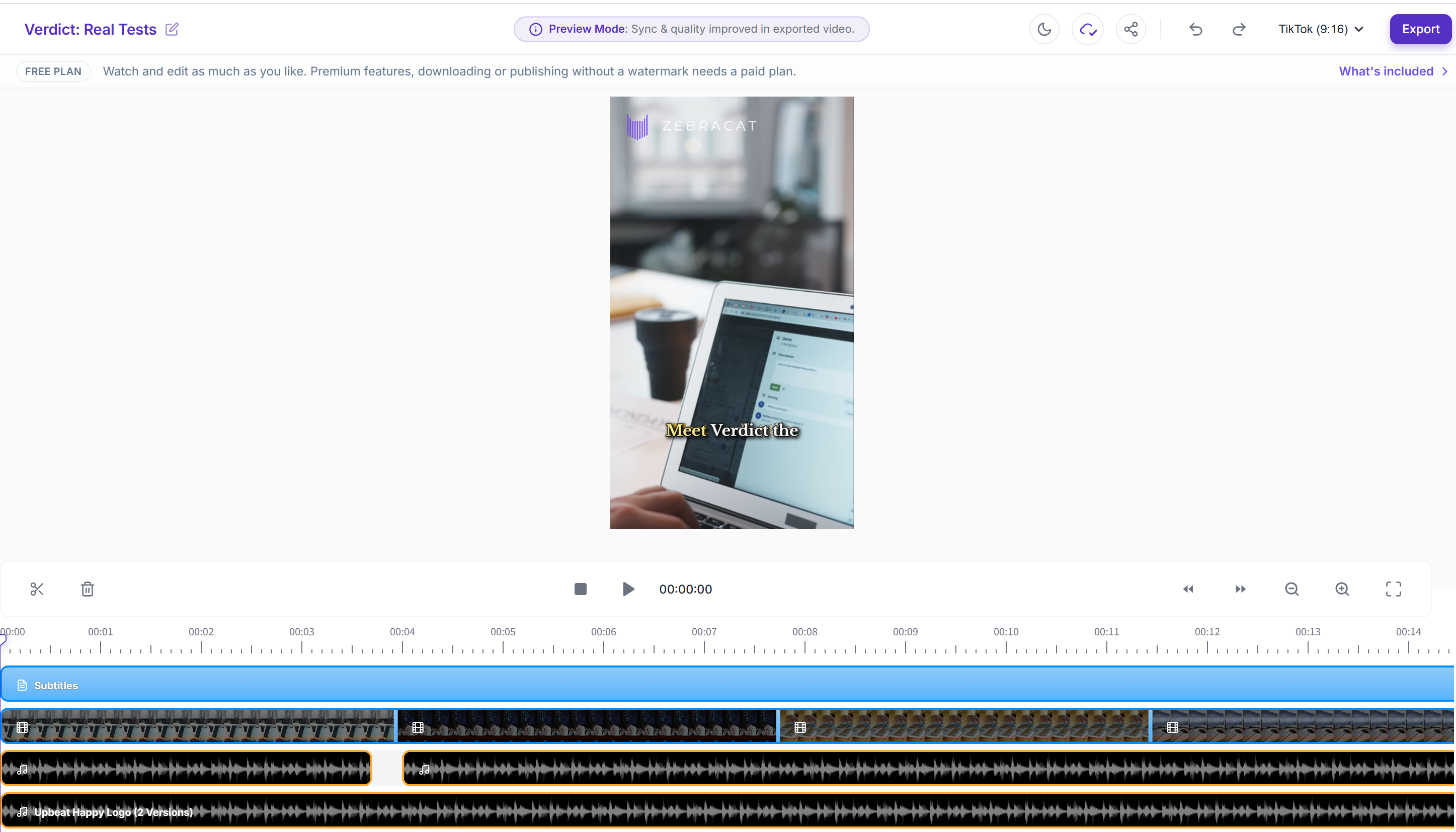
    Zebracat result editor

    The generated video opens in an edit view. 22 seconds, rendered in ~3 minutes.

    Pricing

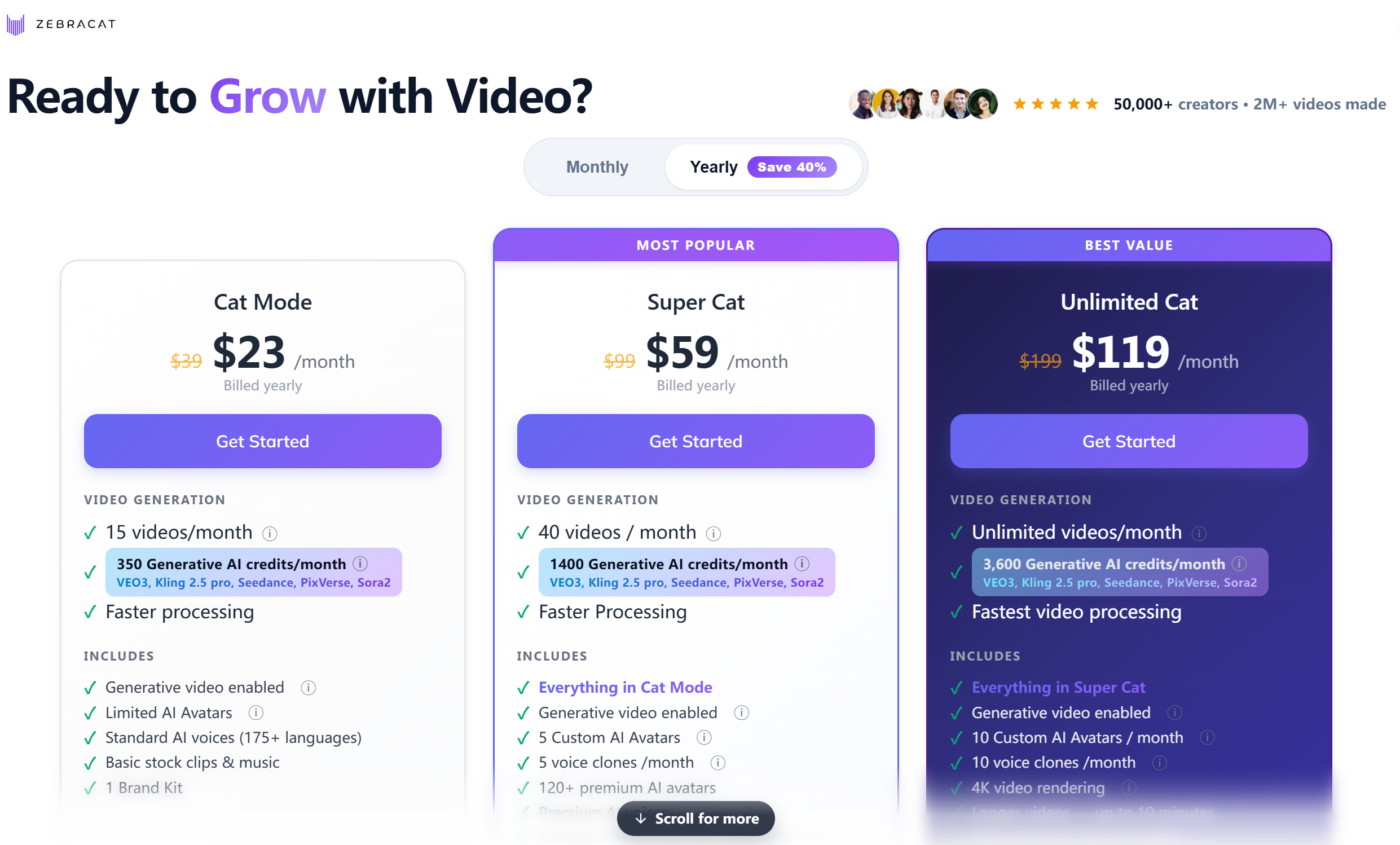
    Zebracat pricing plans

    Prices below are the per-month rates when billed yearly (discounted), verified from the live English pricing page on 2026-08-28. Monthly-billing (no commitment) prices are $39 / $99 / $199.

    Where it tripped me (the honest part)

    • The free plan is one generation, full stop. I clicked generate once, got my 22-second video — and that was the end of the free evaluation. You cannot realistically evaluate this tool without paying. That's a real barrier, and it should be said out loud.
    • A confusing dead minute before rendering. After clicking generate, nothing visibly happens for about a minute before the "generating" screen appears. I genuinely wasn't sure whether it was waiting for me to pick a voiceover/background-music option or just slow. The on-screen guidance didn't explain it.
    • The credit system is not transparent. On the free plan I could not see how many credits a generation consumed or what remained. Pricing pages describe credits (350/mo on Cat, 1,400 on Super Cat, 3,600 on Unlimited), but you have to go look it up yourself.

    Pricing (verified from the live English pricing page — re-check at publishing)

    Plan Price (per month, billed yearly) Videos / credits per month Key differences
    Free $0 1 generation (total) Enough to try once, not to evaluate
    Cat Mode $39 $19/mo 15 videos · 350 credits Standard AI voice (175+ languages), limited AI avatars, basic stock + music, 1 brand kit
    Super Cat $99 $49/mo 40 videos · 1,400 credits Faster processing, 5 custom avatars, 5 voice clones/mo, 120+ premium avatars, premium AI voice, video translation into 25+ languages
    Unlimited Cat $199 $99/mo Unlimited videos · 3,600 credits Fastest processing, 10 custom avatars/mo, 10 voice clones/mo, unlimited brand kits, priority support
    Enterprise $599+/mo Unlimited · custom credits Unlimited avatars/voice clones, enterprise-grade, "Talk to Sales"

    Practical takeaway: the paid entry is $19 per month (billed yearly — about $228/year). For that you get 15 videos/month — a fair price for someone who already makes marketing content, and comparable to Fliki's $21/mo yearly rate. Without a yearly commitment the monthly price jumps to $39, and the free plan gives you almost nothing to judge by.

    Pros & Cons

    Pros Cons
    Voiceover sounded more natural than Fliki in my test Free plan = exactly one generation (can't evaluate properly)
    Output doesn't feel template-y; reads like a real ad ~1-minute dead wait after clicking generate, unclear guidance
    Email-only signup, no credit card Credit system opaque on the free tier
    Fast: 22s video in ~3 minutes Young tool: fewer tutorials, smaller community
    Marketing-animation focus is a real niche (vs generic text-to-video) Not an editor — no frame-level control

    Zebracat vs the alternatives

    Zebracat Fliki Pictory InVideo
    Best for Marketing animations + natural AI voice Repurposing existing text into video Long-content repurposing AI editing suite
    Voice quality Strong (tested — more natural than Fliki) Strong (tested) Medium Medium
    Free plan 1 generation (trial only) 3 credits/mo (real, watermark+720p) Limited Limited
    Ecosystem/tutorials Small (new tool) Large (12M users, G2 4.8) Medium Medium
    Entry price ~$19/mo (billed yearly) ~$21/mo (yearly) · $28 (monthly) Check live site Check live site
    Try it Zebracat free Fliki review Pictory free InVideo free

    FAQ

    Is Zebracat free?
    There is a free plan, but it's a trial in practice: it includes exactly one video generation. If you want to actually evaluate the tool, budget for the $19/mo Cat plan (billed yearly).

    Does Zebracat need a credit card to sign up?
    No. I registered with just an email on the free plan.

    How long does Zebracat take to generate a video?
    In my test, a 22-second video from a ~70-word script rendered in about 3 minutes — plus a confusing ~1-minute pause right after clicking generate before the rendering screen appeared.

    Is Zebracat's AI voiceover good?
    In my comparison it sounded more natural than Fliki's default voice. Standard AI voice covers 175+ languages; premium AI voice and voice cloning start at Super Cat ($49/mo billed yearly).

    Zebracat vs Fliki: which should I pick?
    Pick Zebracat if you want marketing-style animation with a more natural default voice and are OK paying from day one. Pick Fliki if you want to repurpose blog posts/URLs into video, need a real free plan to test first, or value a mature ecosystem (full Fliki review here).

    How many videos can I make per month?
    Cat Mode: 15/month. Super Cat: 40/month. Unlimited Cat: unlimited.

    Disclosure & CTA

    I'm an affiliate of Zebracat: if you sign up through my link, I may earn a commission at no extra cost to you. I only recommend tools I've actually registered for and built with.

    Try Zebracat freezebracat.ai

    Grab the free checklist (2026 Solopreneur Tool Stack) → Get the free checklist

  • Fliki Review 2026: Is It Still the Best Text-to-Video Tool?

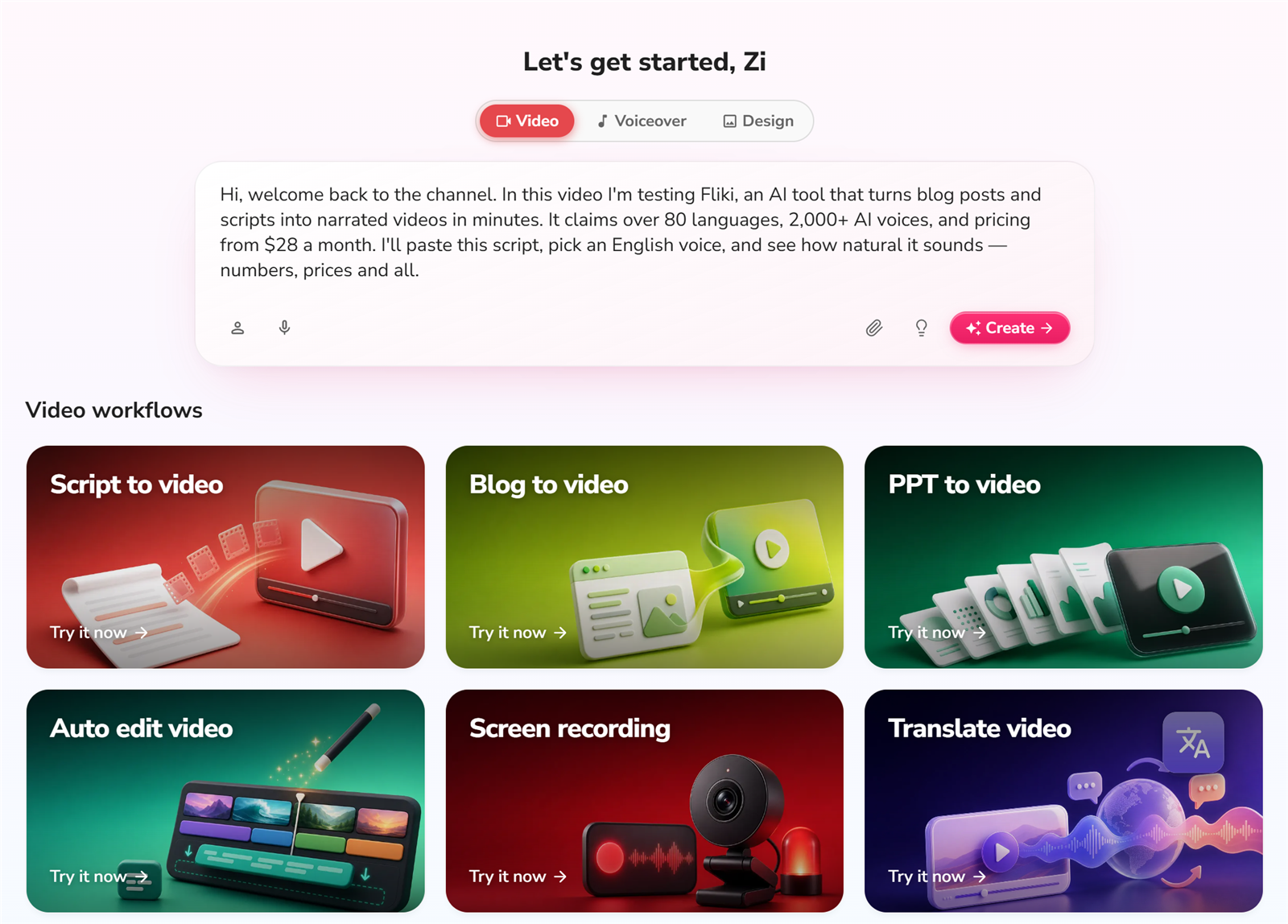
    Verdict first: Fliki is still the best "text to video with voiceover" tool I've tested for solo creators who already write — blog posts, scripts, product pages — and want to turn that writing into a talking video without learning to edit. I registered on the free plan (no credit card), built a video from a script, and ran a URL through the URL-to-video feature, all in one sitting. It is not a video editor, and the export flow has rough edges (more below). But if your bottleneck is "I have the words, I need the voice and the video," Fliki does that faster than anything I've tried at this price.

    Who it's for: bloggers repurposing posts into video, course creators, cross-border sellers making product explainers, and anyone who needs AI voiceover in 80+ languages.

    Who it's not for: people who need frame-level editing, custom motion graphics, or a full video suite (CapCut, Premiere, Descript are for that).


    The test: what I actually built (real, unpolished)

    This review is not a rehash of Fliki's feature page. I registered a free account and built everything below in one sitting, on the free plan:

    Test What happened
    Free signup No credit card required. Email signup → a short background step → "what do you want to use Fliki for" → straight into the workspace.
    Script → video Pasted a ~60-word English script, picked a voice, hit generate. Rendered in about 3 minutes for a short clip.
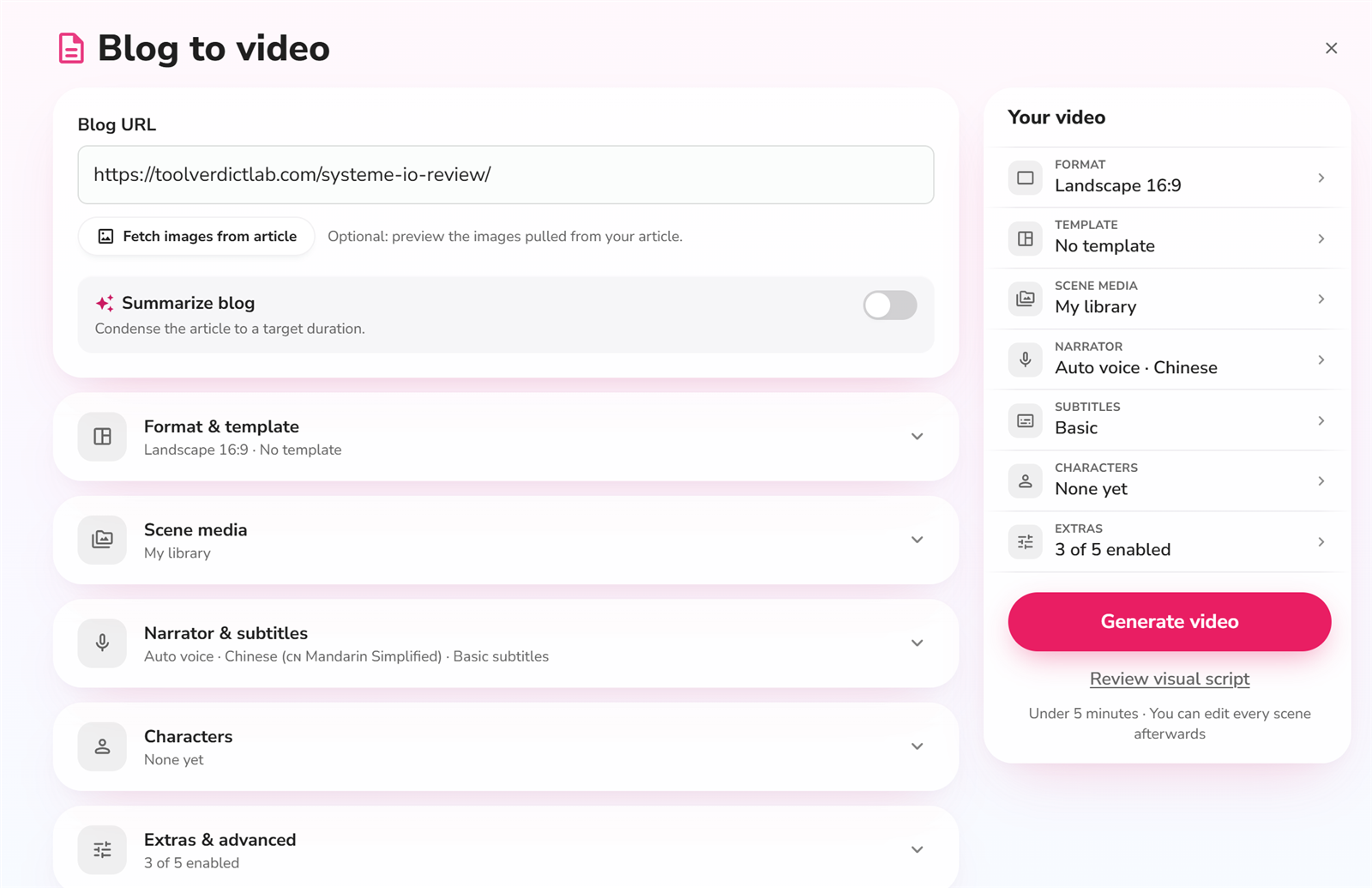
    URL → video Pasted a blog URL. Content was grabbed accurately and the auto-matched images actually fit the topic.
    English voiceover Natural on conversational lines; numbers and prices read correctly in my test.
    Export Free plan exports at 720p only with a Fliki watermark in the bottom-right corner.
    Export reliability The weak spot — see "Where it tripped me" below.

    Screenshots from the build

    Signup: no credit card, straight in

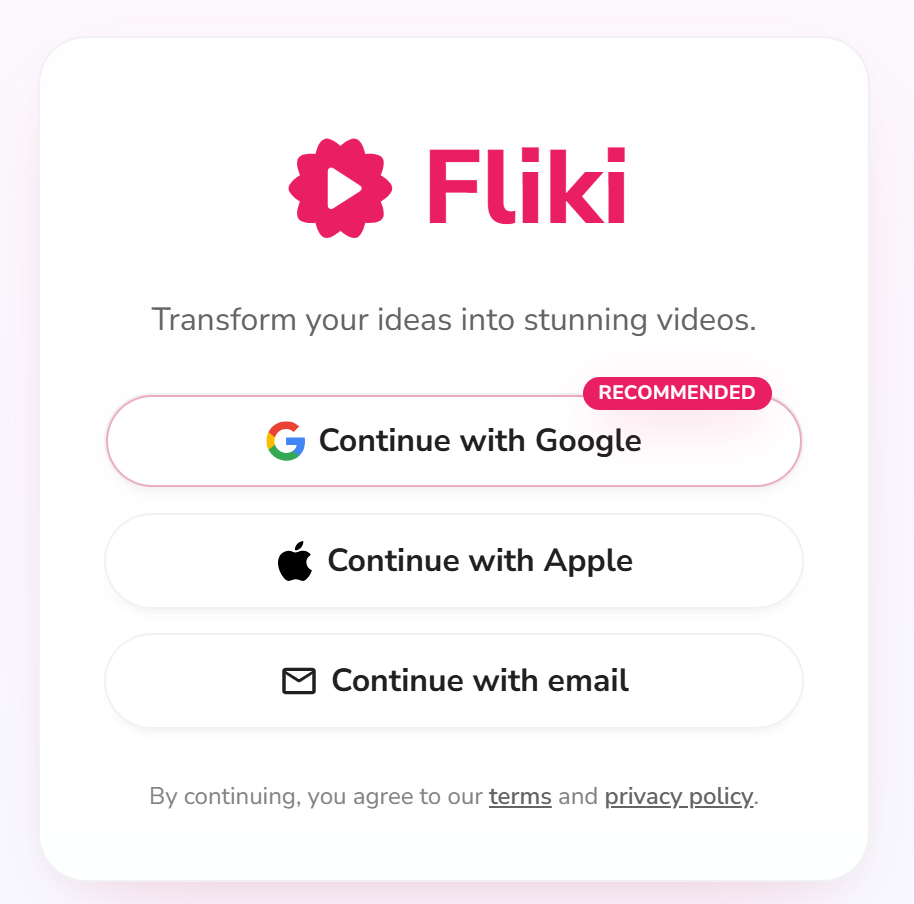
    Fliki signup page

    Registration asks for an email first — no credit card anywhere on the flow. Pick email signup (or an SSO option) and you're moving in seconds.

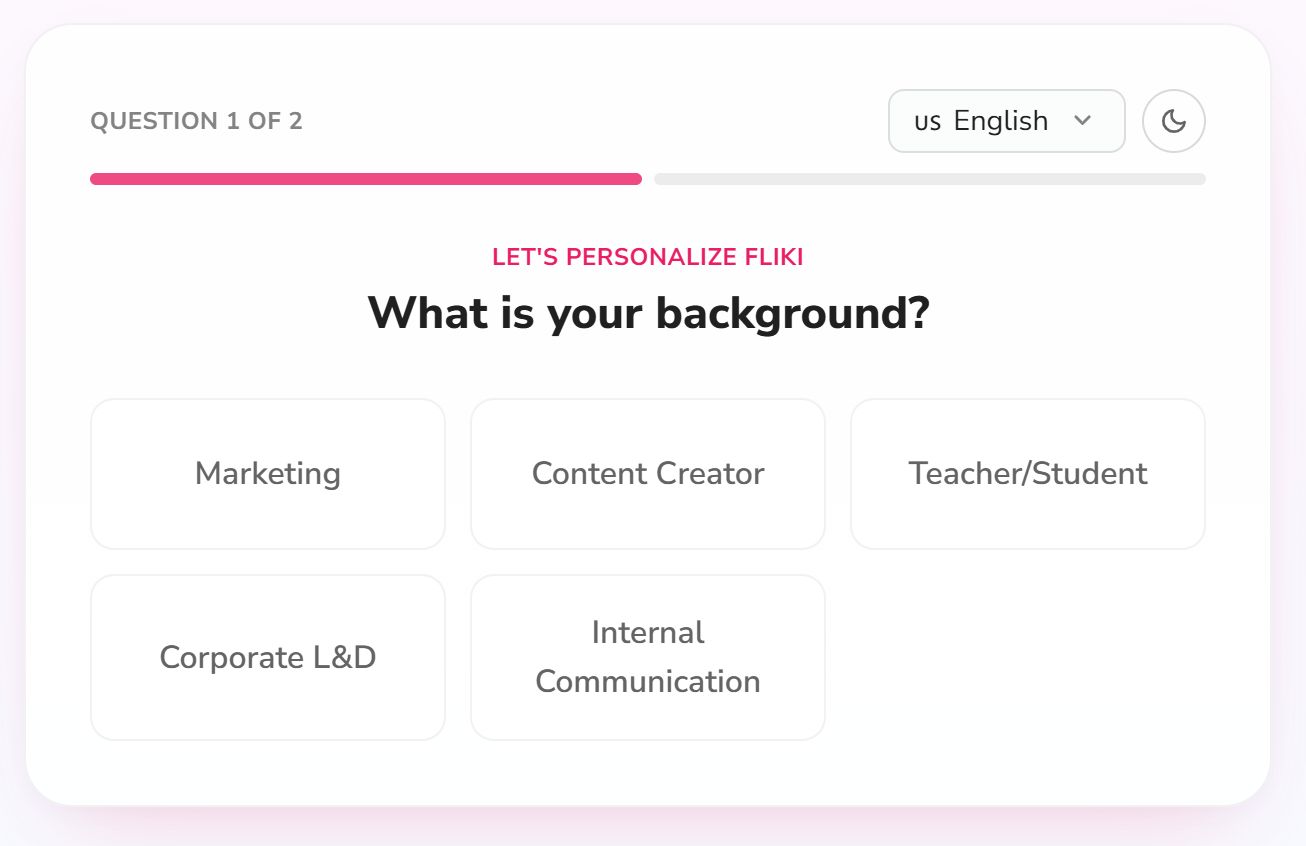
    Fliki signup background step

    There's a quick background question before you're in. It's optional-feeling but takes 10 seconds.

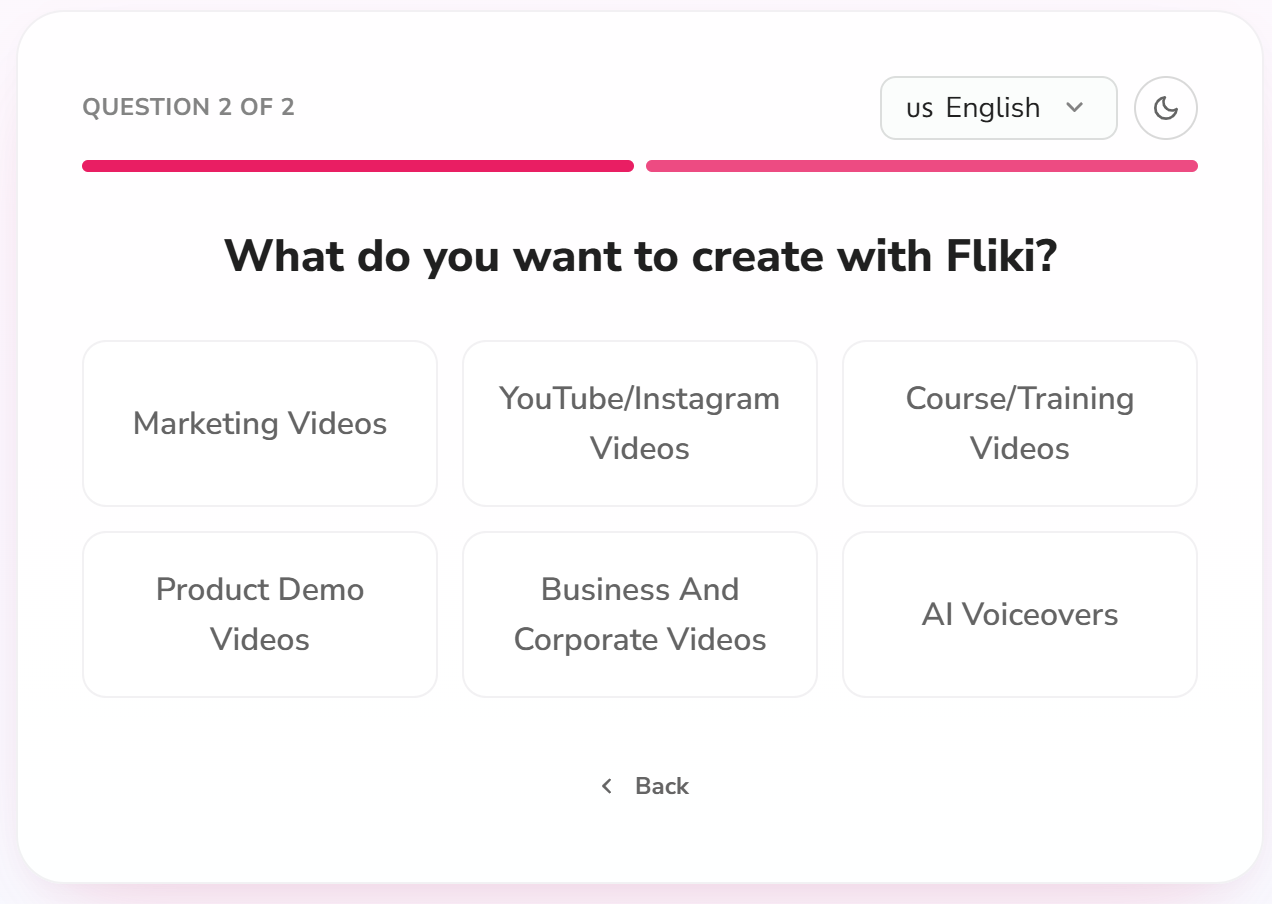
    Fliki signup use-case step

    Then it asks what you want to use Fliki for — creator, marketer, educator. This feeds the onboarding suggestions later.

    The workspace and the core flow

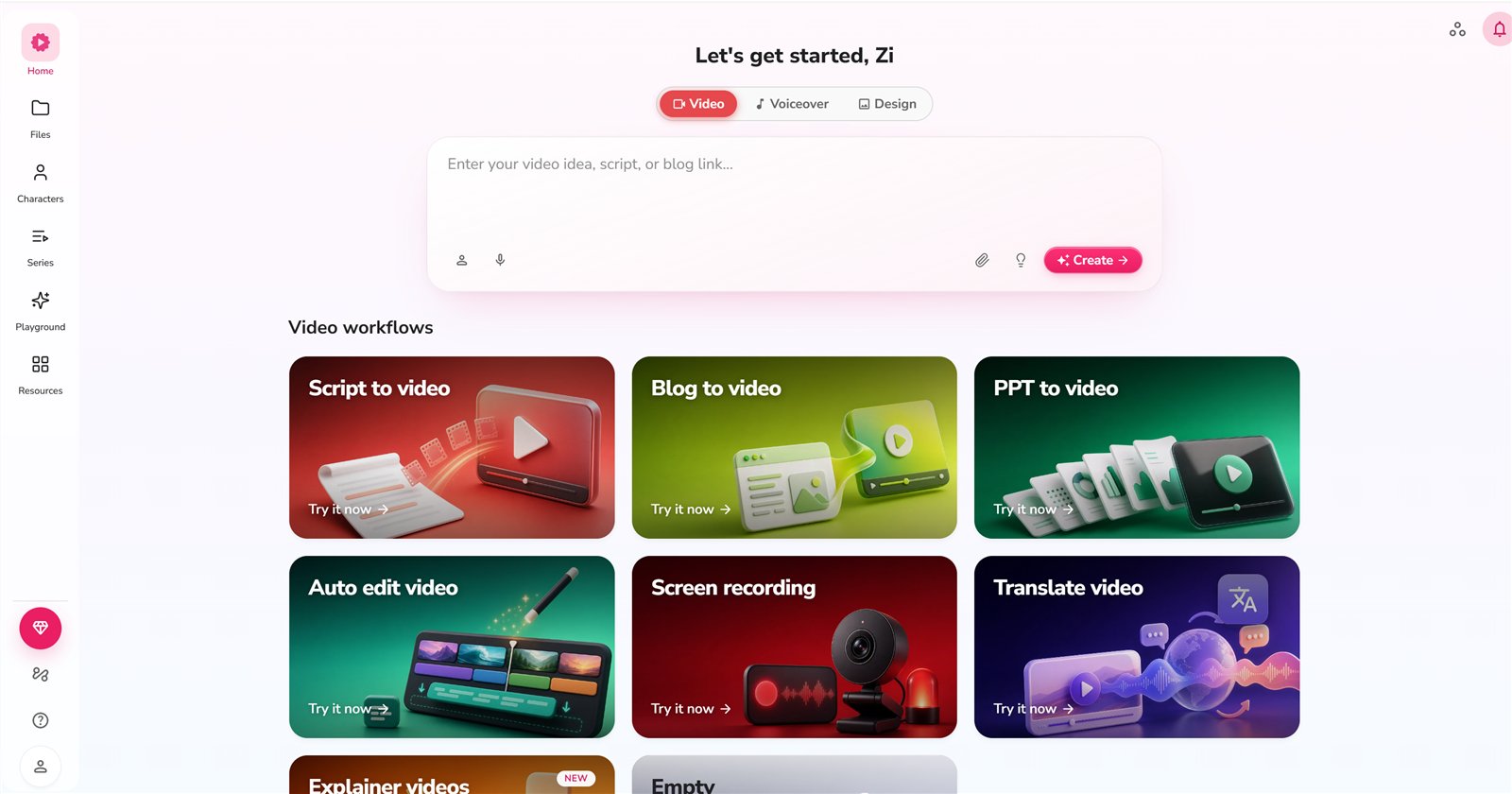
    Fliki workspace dashboard

    The free dashboard shows your credit balance (3 credits/month on the free plan) and your projects. Everything you need to start is one click away.

    Fliki script input page

    This is the core screen: paste your script (or a blog post), and Fliki breaks it into scenes. This is the "I have the words" → video step.

    Fliki voice selection

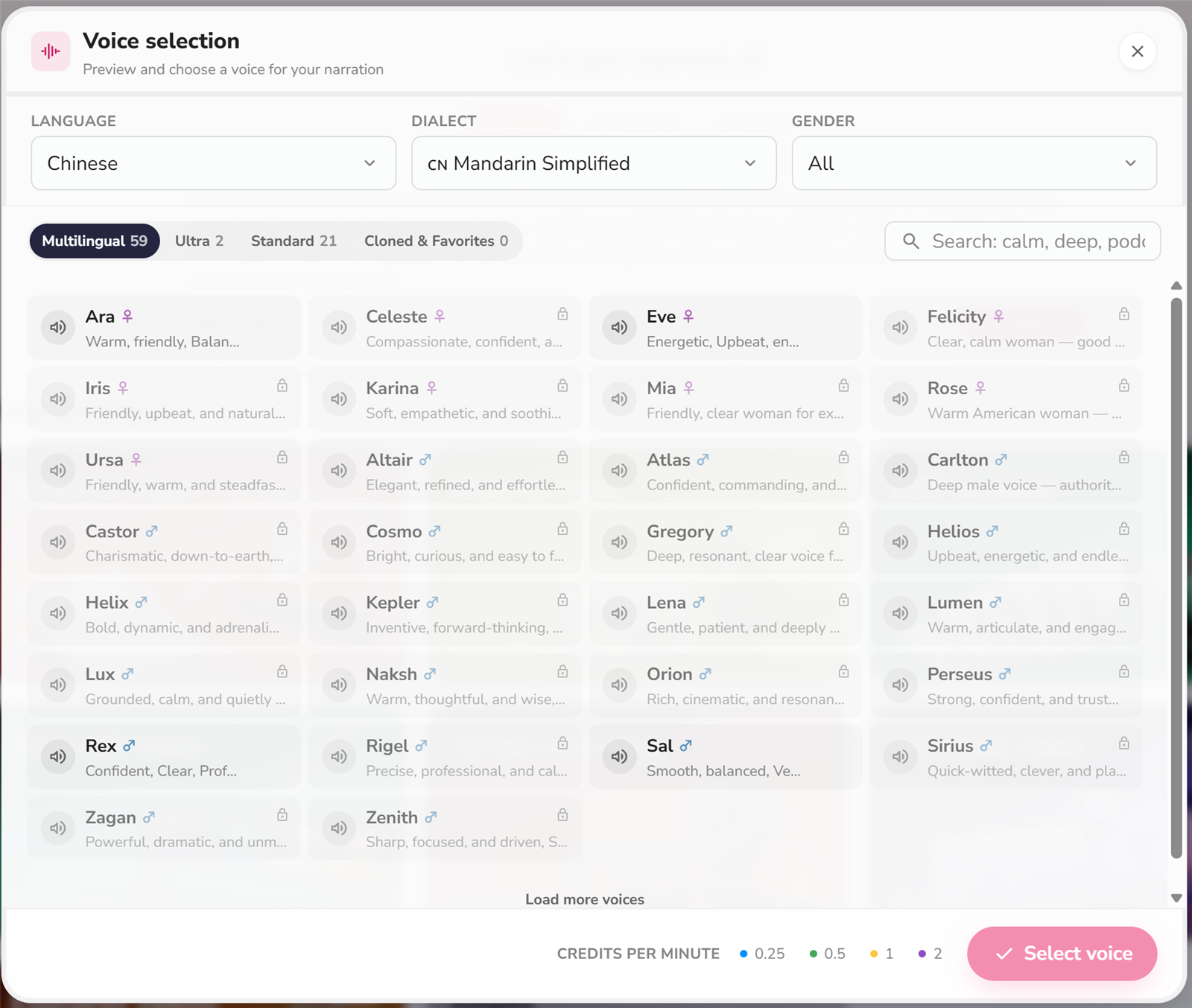
    Voice selection is where Fliki shines. 300+ voices on the free tier (2,000+ on Premium), 80+ languages. I tested an English voice.

    Fliki avatar selection

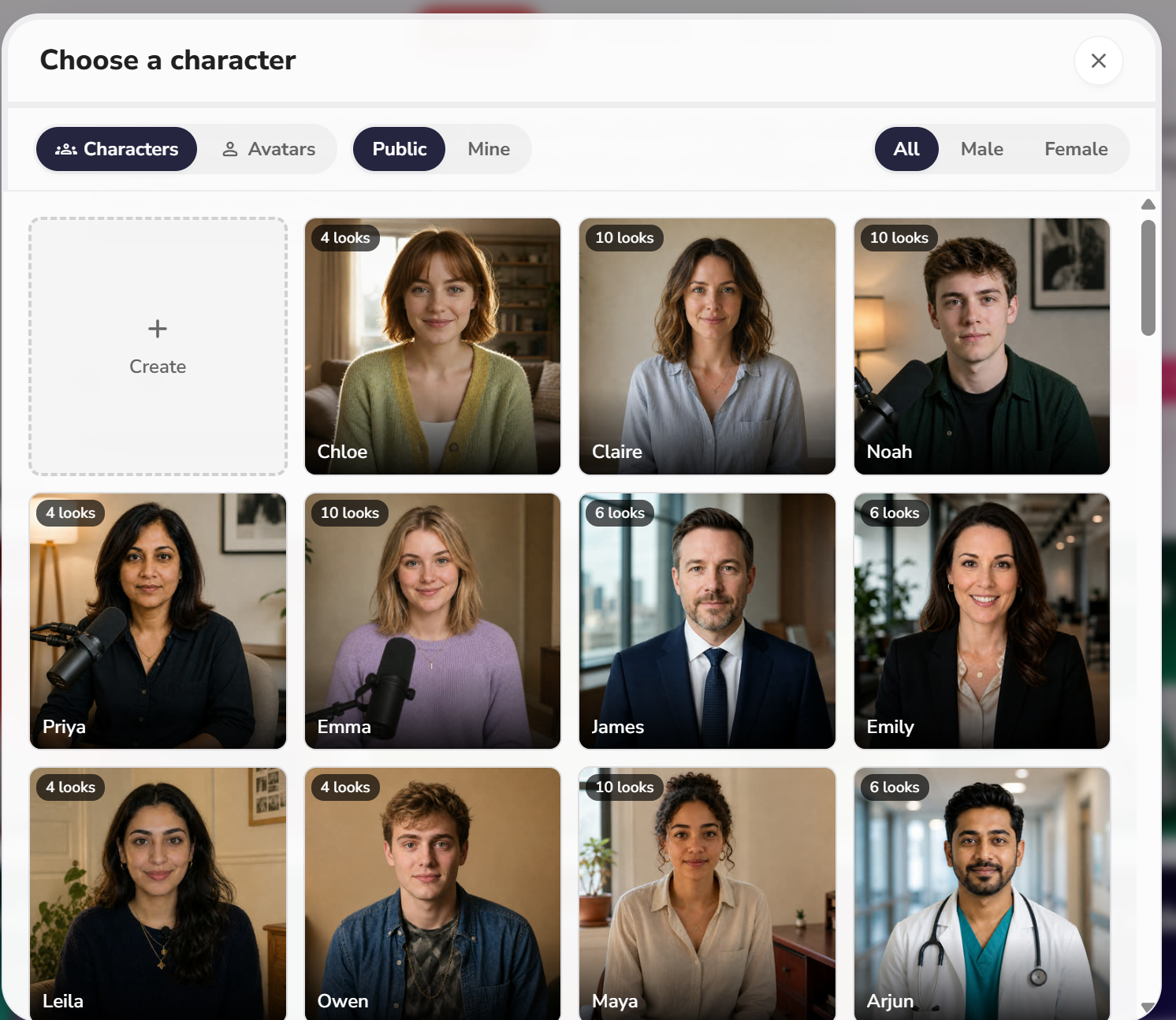
    Fliki now also offers AI avatars/characters on top of plain voiceover — a bonus if you want a talking presenter without recording yourself.

    Fliki generated result with watermark

    Result after rendering. Notice the watermark in the bottom-right corner — that's the free plan tradeoff.

    URL → video (the signature feature)

    Fliki URL to video result

    I fed it a blog URL and it pulled the content and matched images correctly. This is genuinely useful for repurposing posts.

    Export settings

    Fliki export settings

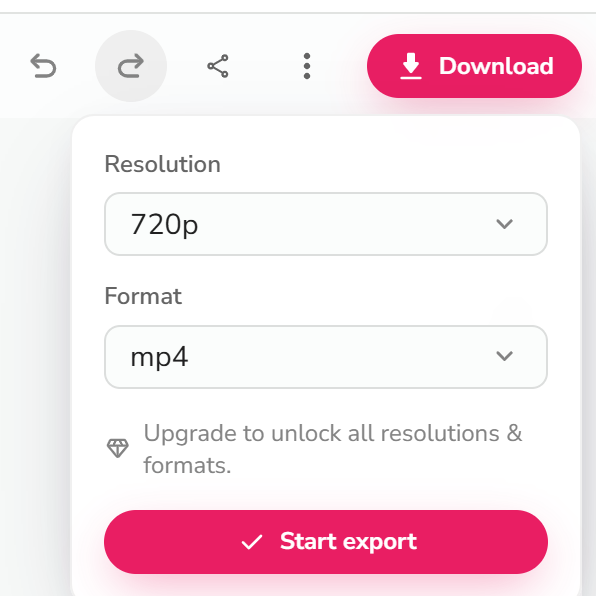
    Free plan exports at 720p. HD (1080p) is a paid-plan feature.

    Where it tripped me (the honest part)

    The rendering itself was fast and the output was good. The export flow is where Fliki lost points:

    • No intermediate state on export. You click Export and there's no clear "processing…" indicator, so you genuinely don't know if the export started. I found myself clicking again — which likely just adds more queue time.
    • Exports queue. Even on the free plan, exports can sit in a queue. Not a big deal, but there's no ETA shown.
    • Export failures happen. One of my export attempts failed outright with no obvious retry path. I had to go back and re-trigger it. For a tool whose whole pitch is "no editing skills needed," this is the roughest edge.

    Pricing (tested from the live pricing page, USD)

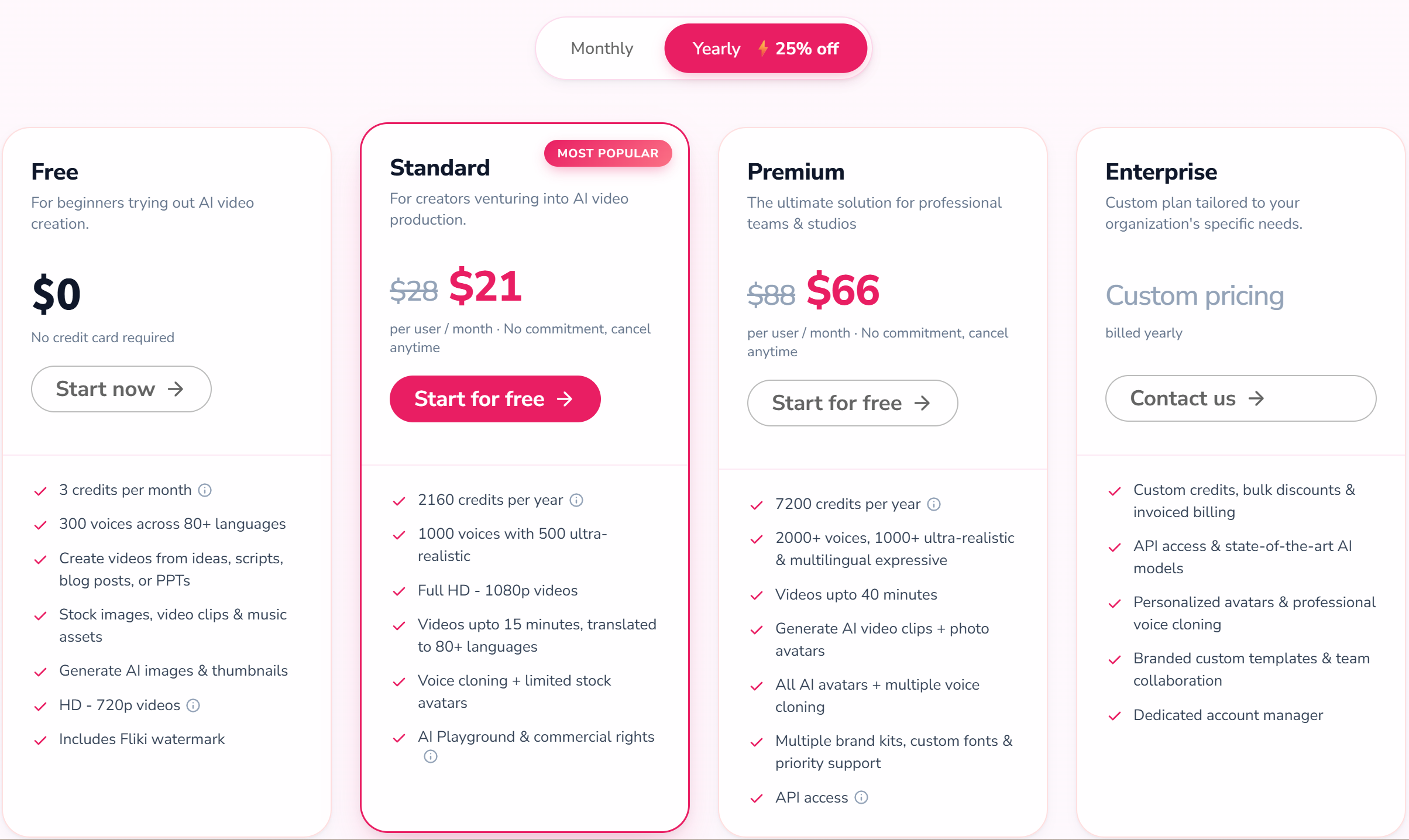
    Fliki pricing plans

    Fliki is freemium and credit-based. The free plan gives you 3 credits per month, 720p output, and a watermark — enough to test the core flow, not enough for real publishing. Prices below are USD from the live pricing page (verified 2026-08-28): Standard is US$21/month billed yearly (US$28 monthly) and Premium is US$66/month billed yearly (US$88 monthly).

    Plan Price (USD) Credits/mo What changes
    Free $0 3 720p, watermark, 300+ voices, stock media, AI images
    Standard $28 $21/user/mo (billed yearly; $28 monthly) 180 1080p, 1,000+ voices (500 ultra-realistic), 15-min videos, voice cloning + limited avatars, AI Playground + commercial rights
    Premium $88 $66/user/mo (billed yearly; $88 monthly) 600 2,000+ voices, 40-min videos, AI video clips + photo avatars, all avatars + multiple voice clones, brand kits, API access

    The paid plans are where Fliki makes sense for real publishing: no watermark, 1080p, longer videos, and commercial usage rights (Standard and up).

    Pros & Cons

    Pros Cons
    Best-in-class AI voiceover (300+ voices free, 2,000+ premium, 80+ languages) Free plan is demo-only: 3 credits/mo, 720p, watermark
    Turns a blog URL or script into a video fast (~3 min render in my test) Export flow is rough: no progress state, queuing, occasional failures
    URL-to-video grabbed content and images accurately Not a real editor; no frame-level control
    No credit card to test Credit-based pricing can confuse at first

    Fliki vs the alternatives

    Fliki Zebracat Pictory InVideo
    Best for Text + strong voiceover Marketing animations, fast output Repurposing long content AI editing suite
    Voice quality Strong (tested) Different focus (animation-first) Medium Medium
    Languages 80+ Check live site Many Many
    Entry price ~US$21/mo (yearly) · $28 (monthly) ~US$19/mo (yearly) · $39 (monthly) Check live site Check live site
    Try it Fliki free Zebracat free Pictory free InVideo free

    FAQ

    Is Fliki free?
    Yes — there's a free-forever plan with 3 credits per month. It includes a watermark and 720p output, and does not include commercial usage rights. Paid plans remove the watermark and unlock HD + commercial use.

    Does Fliki's English voiceover sound natural?
    In my test, yes — conversational lines, numbers, and prices all read naturally on an English voice. That's the quality gap Fliki has over most competitors.

    Can I use Fliki videos commercially?
    Only on paid plans (Standard and up include commercial rights). The free plan is for testing.

    Can Fliki do Chinese voiceover?
    Yes — Fliki covers 80+ languages including Chinese. The quality is good but some words can still sound robotic; it's strongest in English.

    Fliki vs Zebracat: which should I pick?
    Pick Fliki if your priority is voiceover quality and turning existing text into video. Pick Zebracat if you want fast marketing animations with a different style.

    Disclosure & CTA

    I'm an affiliate of Fliki: if you sign up through my link, I may earn a commission at no extra cost to you. I only recommend tools I've actually registered for and built with.

    Try Fliki freefliki.ai

    Grab the free checklist (2026 Solopreneur Tool Stack) → get it here

  • Systeme.io Review 2026: What a 30-Minute Real Build Taught Me

    Verdict first: Systeme.io is the best $0 entry point for solo creators who need sales funnels, email marketing, courses, and an affiliate program in one place. I built a working email funnel on the free plan in about 30 minutes and never hit a paywall. It is not a ClickFunnels replacement if you need advanced A/B testing, huge webinar funnels, or 5,000+ contacts – but at $0 vs $300/month, the tradeoff is easy to make.

    Who it's for: solopreneurs, coaches, course creators, and side-hustlers who want one tool instead of four subscriptions.

    Who it's not for: established teams with big lists, complex automation, or heavy ecommerce needs.


    New here? Grab the free 2026 Solopreneur Tool Stack Checklist — 10 tools, free tiers, and upgrade moments — before you keep reading.

    The test: what I actually built (real, unpolished)

    This review is not a rehash of Systeme.io's feature page. I registered a free account and built everything below in one sitting, on the free plan:

    Test What happened
    Landing page Published via Funnels -> Landing Page template. Took minutes from template to live URL.
    Funnel Template created 2 steps by default: Opt-in page -> Thank You / Download page. Adding a 3rd step (sales page) requires clicking "Add step" manually.
    Test email Created a newsletter, sent it to a second inbox, received it in the inbox (no custom domain configured).
    Automation rule Created "Tag added -> Send email" and "Form subscribed -> Subscribe to campaign" rules. Works, but every field must be completed before the rule can save.
    Welcome sequence Built a 3-email campaign: instant (with PDF attachment), +1 day, +3 days.
    Course Built a course shell, uploaded a test PDF, added a lesson, set a price.
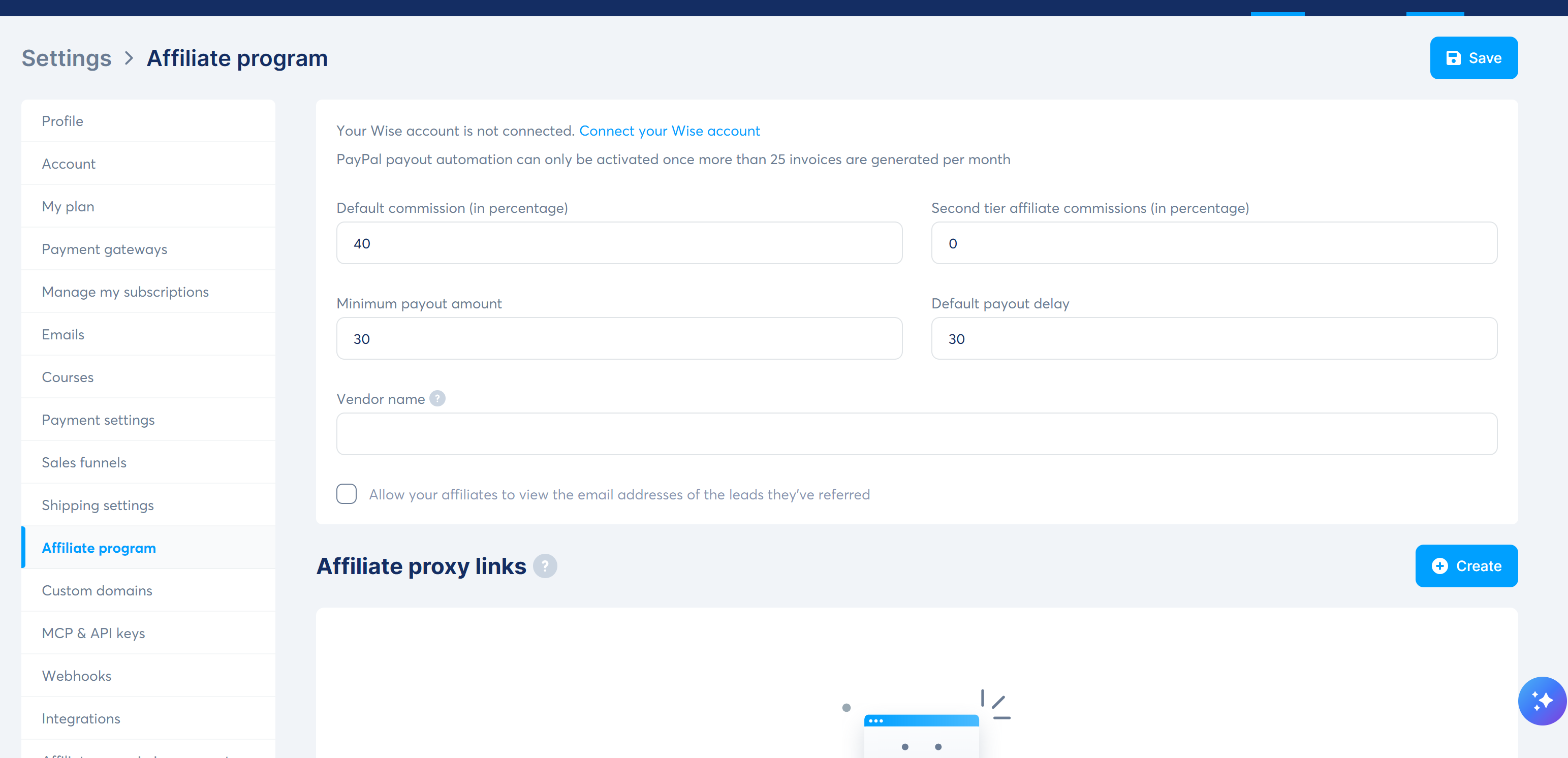
    Affiliate program Built-in, enabled from Settings. Defaults: 40% commission, $30 minimum payout, 30-day payout delay, 0% second-tier.
    Custom domain Free plan allows 1 custom domain. I skipped this in the test (optional).
    Total ~30 minutes of actual work, $0 spent.

    Screenshots from the build

    Funnel steps (the "3-step" reality check)

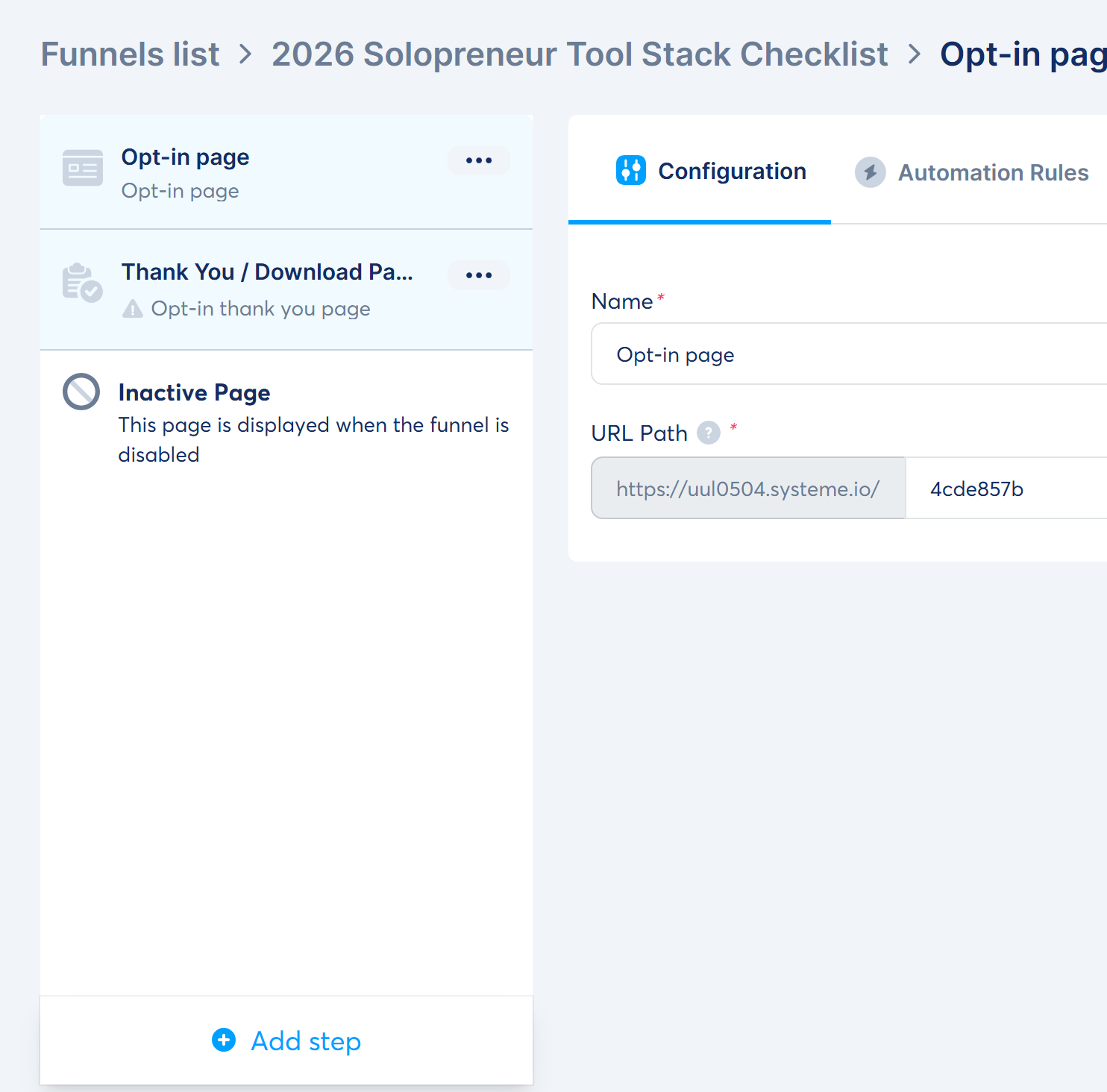
    Funnel steps

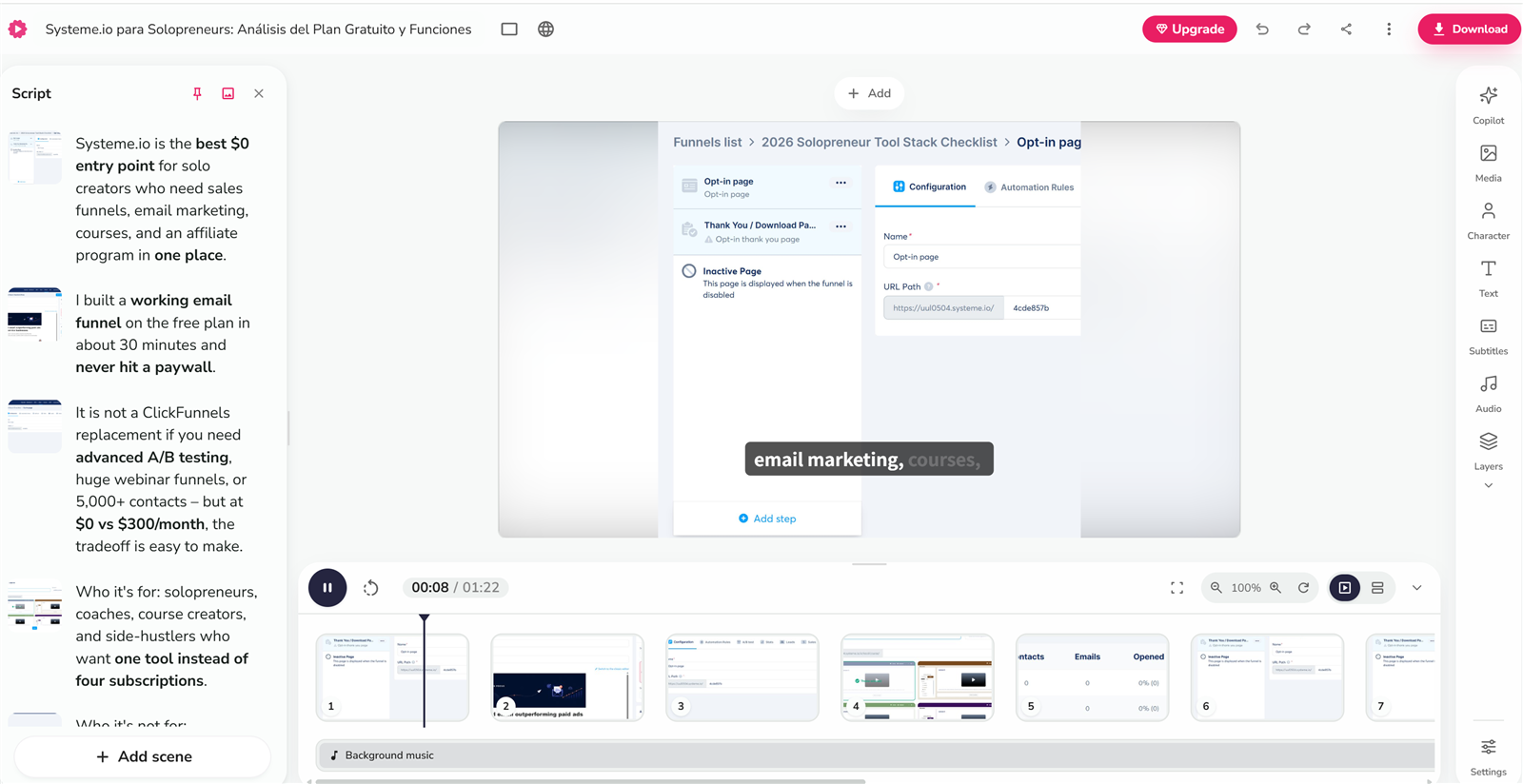
    Systeme.io does not show a fancy canvas with arrows in the default funnel view – it's a clean vertical step list: Opt-in page -> Thank You / Download Page, plus an "Inactive Page" shown when the funnel is disabled. The opt-in funnel template gives you two steps by default. To build the classic landing -> thank-you -> sales-page funnel you see in tutorials, you click "Add step" and pick a Sales page. For a lead magnet, two steps are all you need.

    Landing page editor

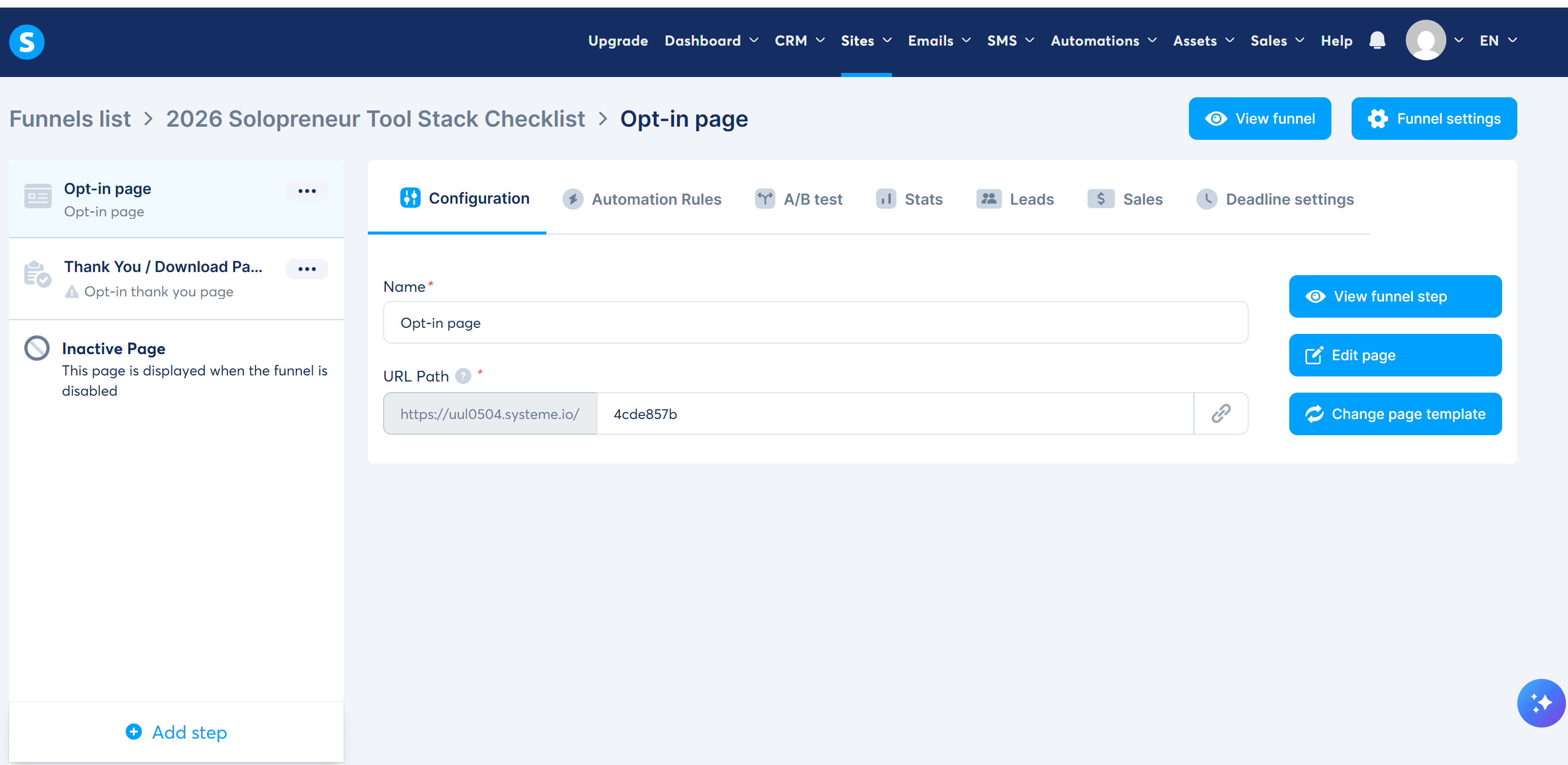
    Funnel step configuration

    The step configuration screen is where you set the page name and URL path. My funnel lives at https://uul0504.systeme.io/4cde857b – that's the URL I'd use as the CTA in this article.

    The honest "oops": template content ships with the page

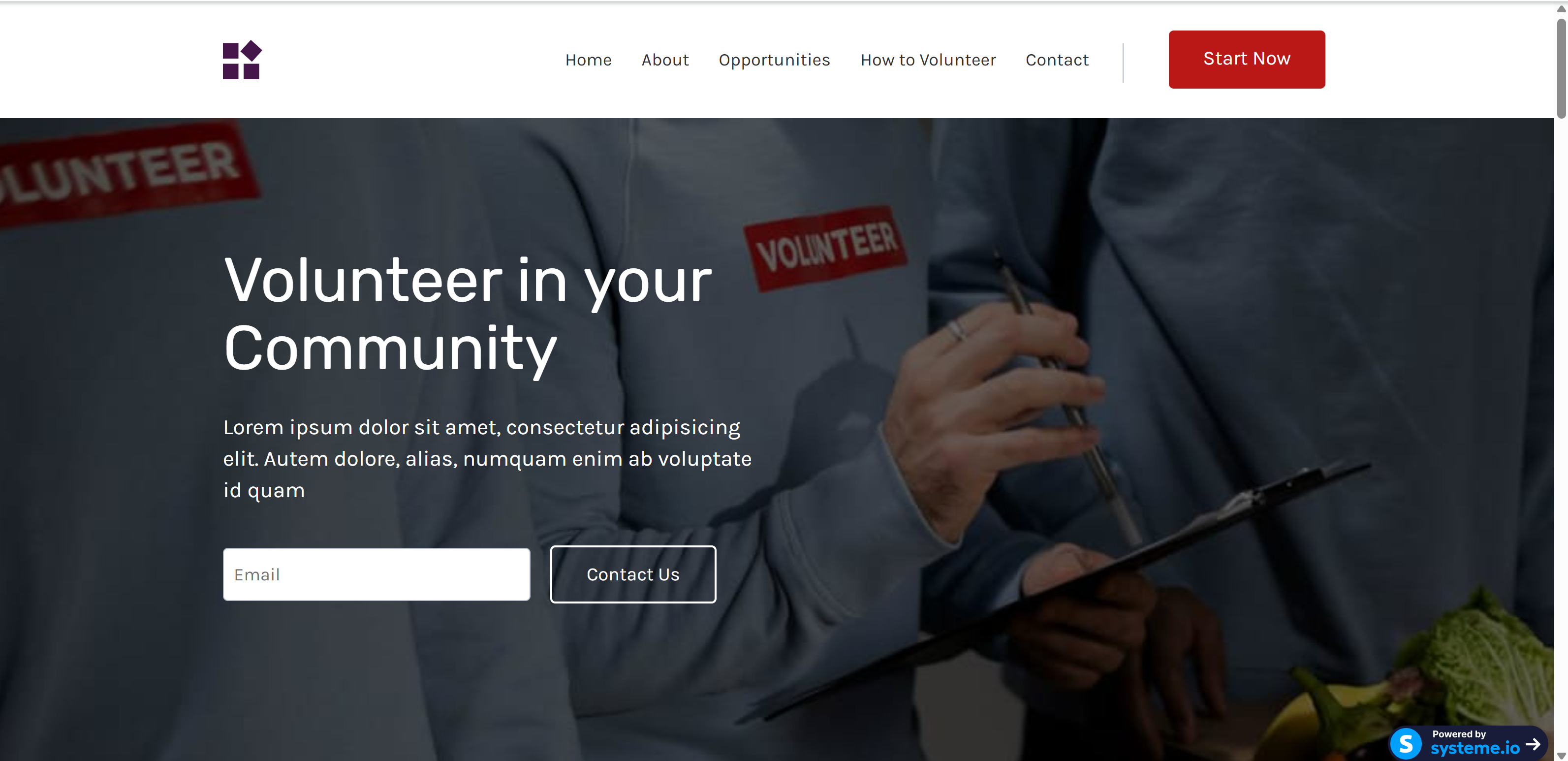
    Published landing page

    This is the real friction moment: my first "published" page still showed the template's demo content – "Volunteer in your Community", Lorem ipsum copy, and a one-field email form. Systeme.io templates are demo pages, not skeletons: every text block ships pre-filled, and publishing doesn't warn you. My takeaway: before you hit publish, walk every section and replace the demo copy. (At the time of writing, a leftover template section is still live below the new hero – the fix is deleting that one section in the editor.)

    Test email: editor and inbox

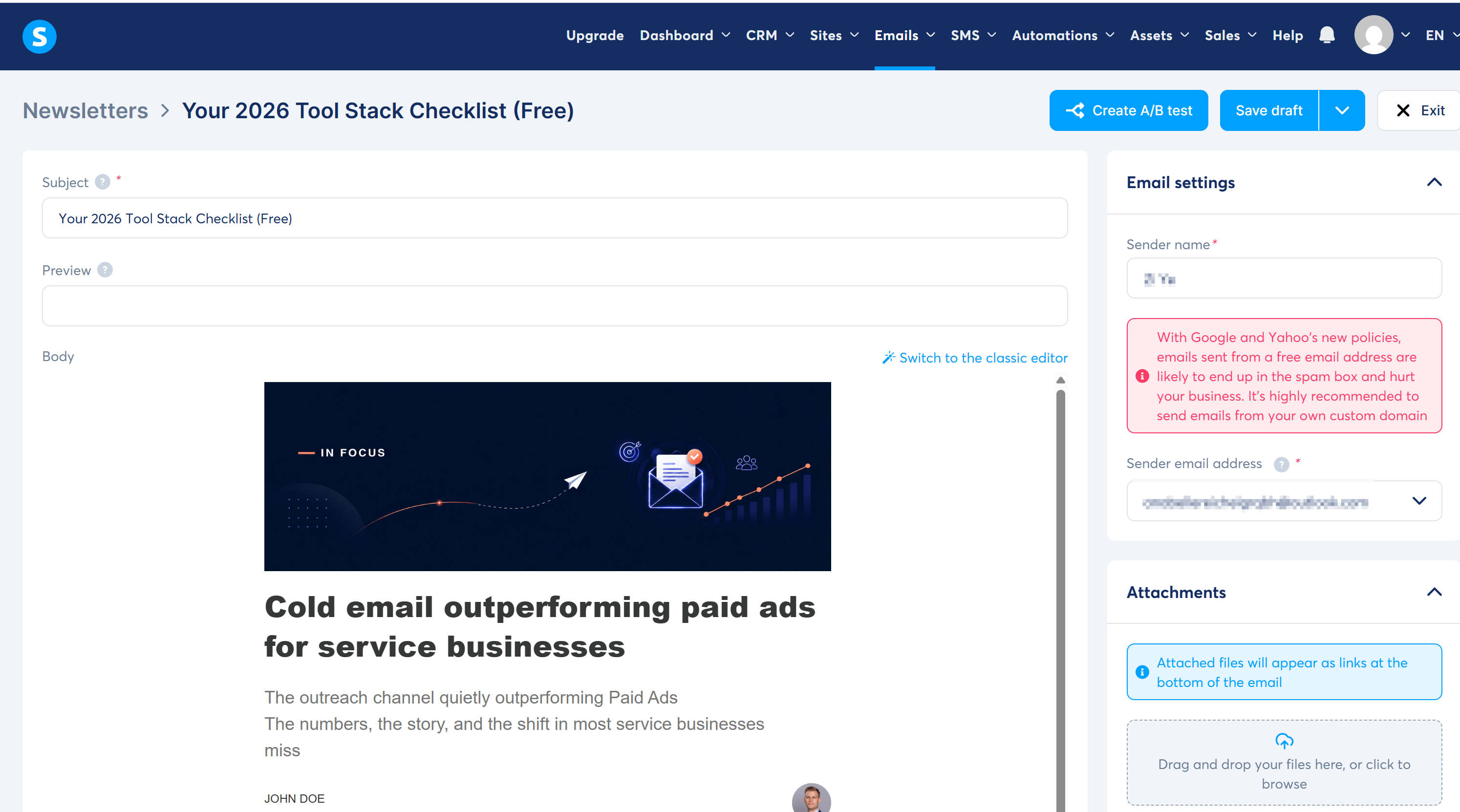
    Newsletter editor

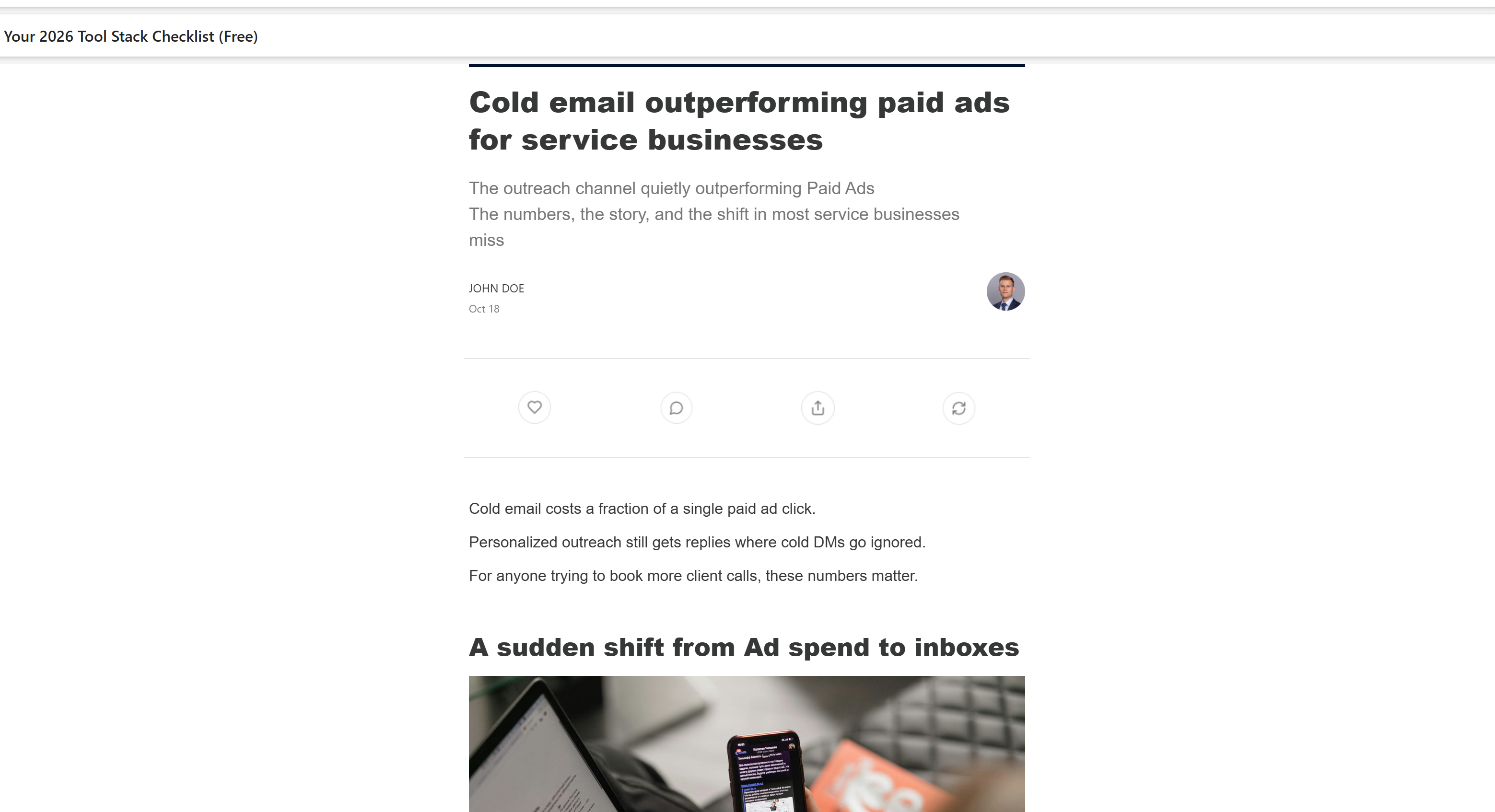
    Test email received

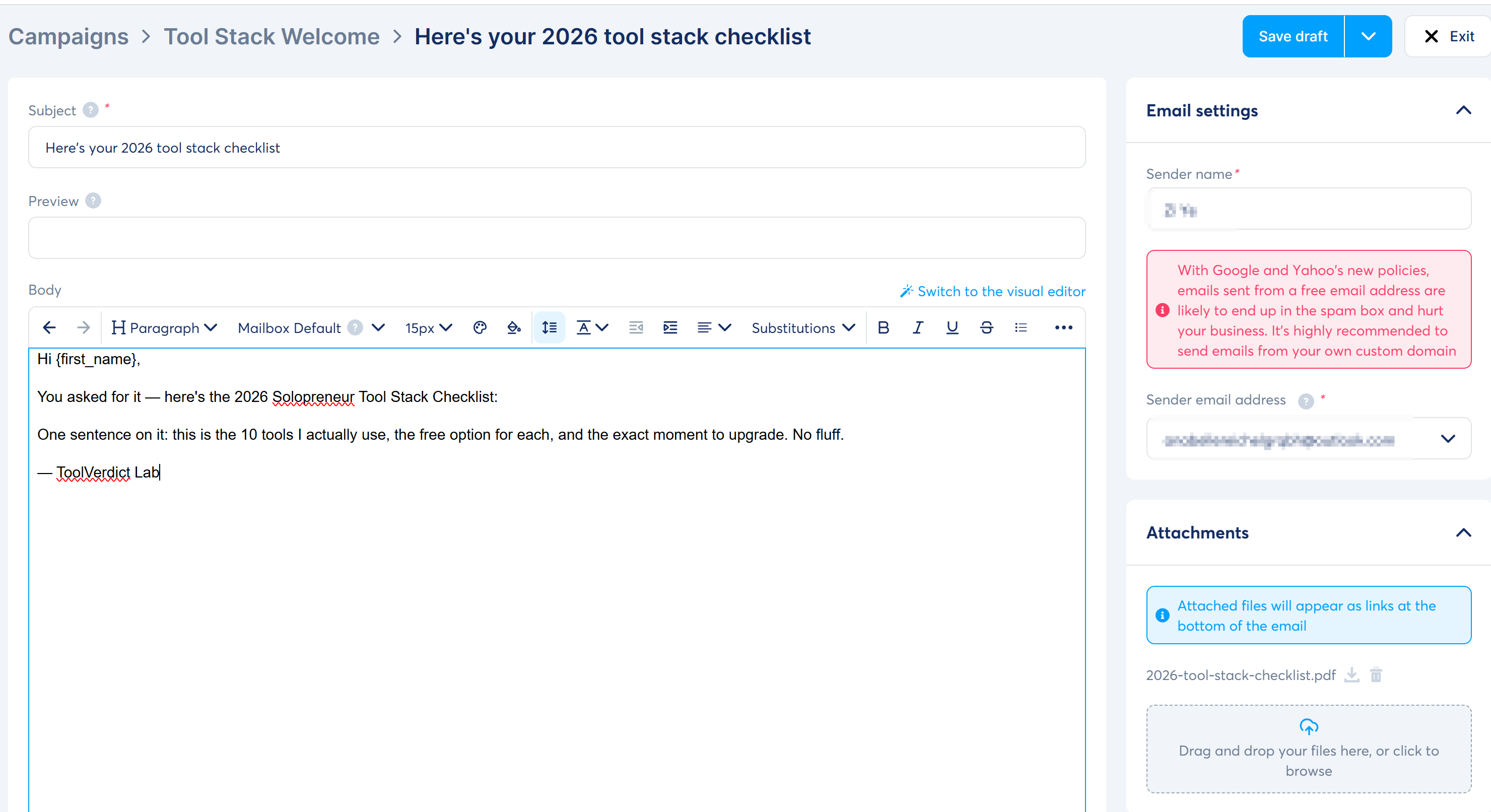
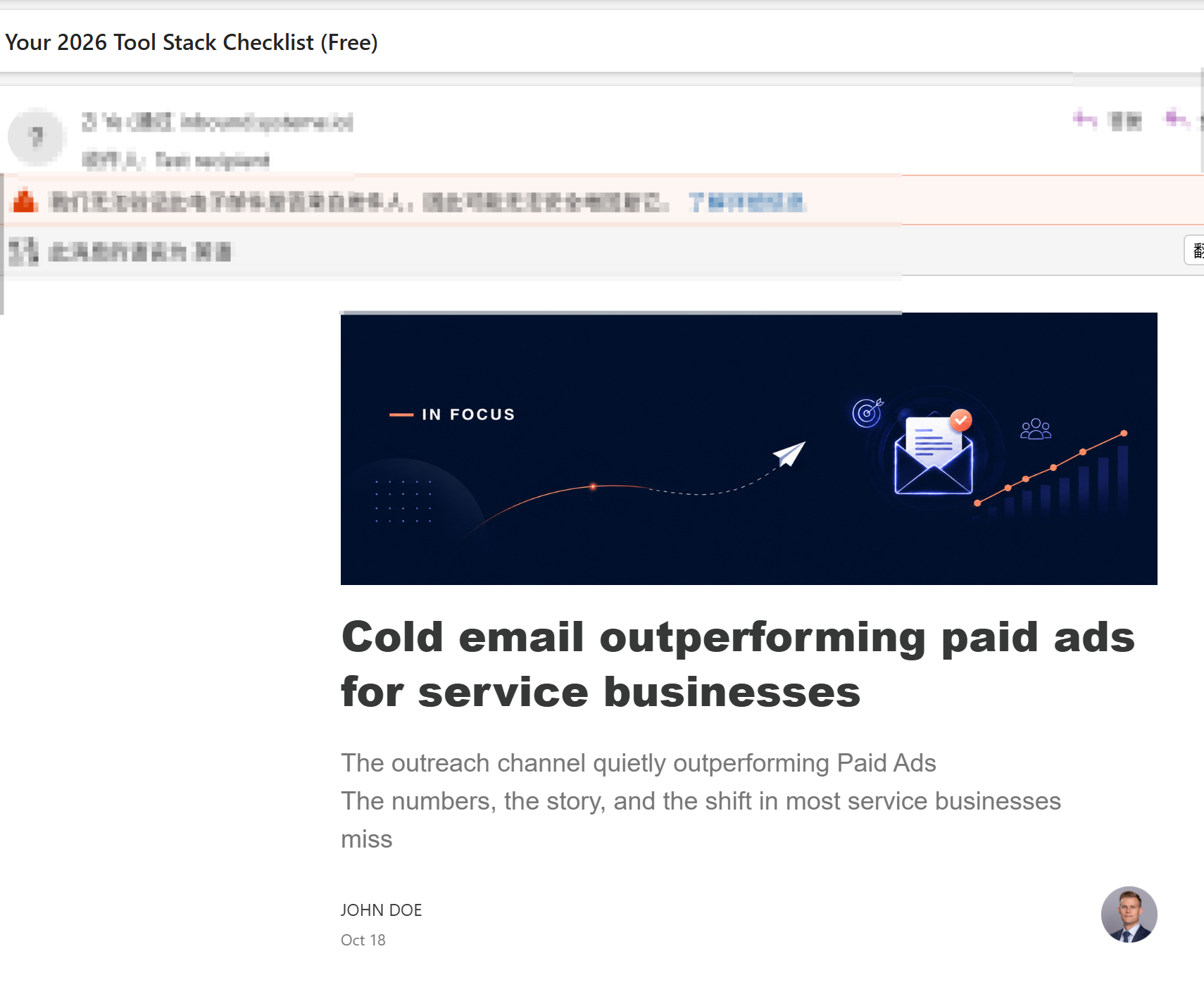
    The newsletter editor has a subject, preview text, sender name/address, and an attachments panel. Two honest notes: the template body arrived pre-filled with demo content (a "Cold email outperforming paid ads" banner and a JOHN DOE signature – replace it before sending), and Systeme.io now warns that free-mail senders (Gmail/Yahoo) are blocked or spam-flagged under 2024+ provider policies. I sent the test to a second inbox and it landed in the inbox.

    Automation rules

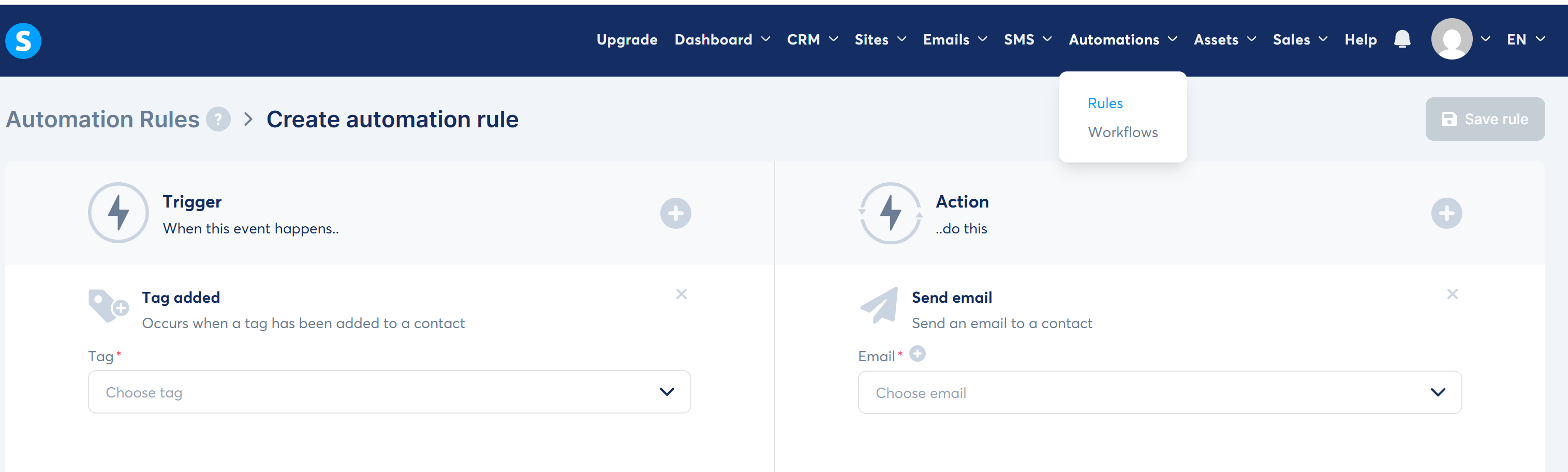
    Automation rule editor

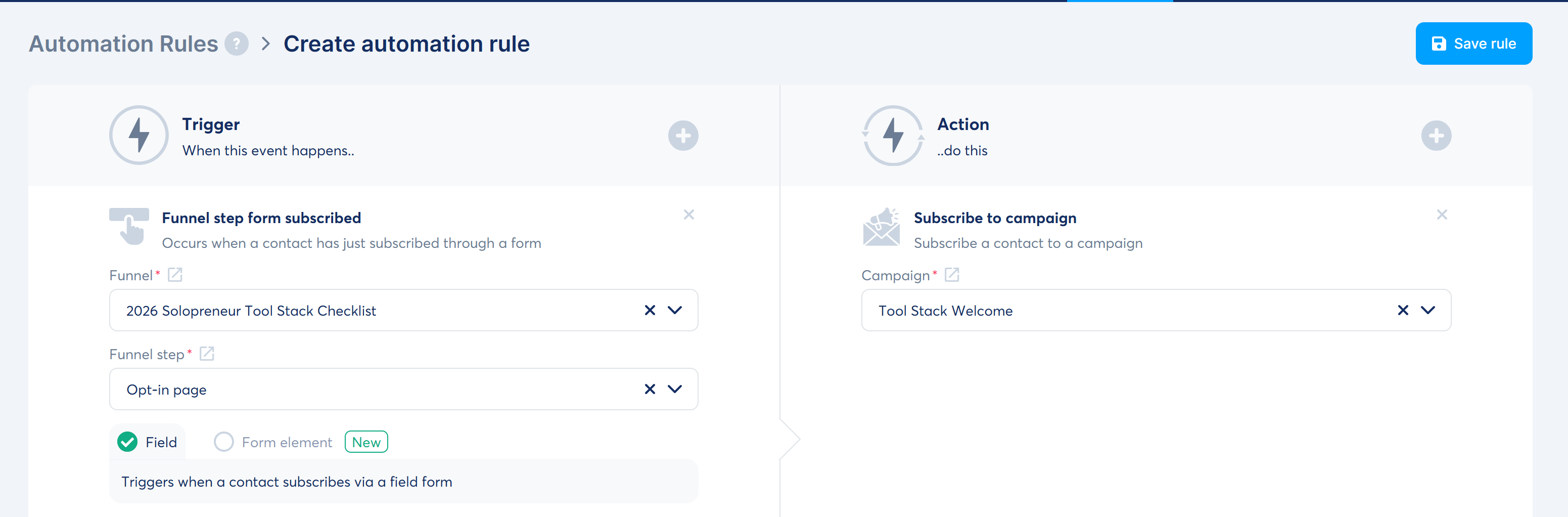
    Welcome sequence rule

    Rules are straightforward: pick a trigger (tag added, form subscribed, new sale) -> pick an action (send email, subscribe to campaign). The rule stays disabled until every required field is chosen – the screenshots show the draft state where you're still picking tag/email.

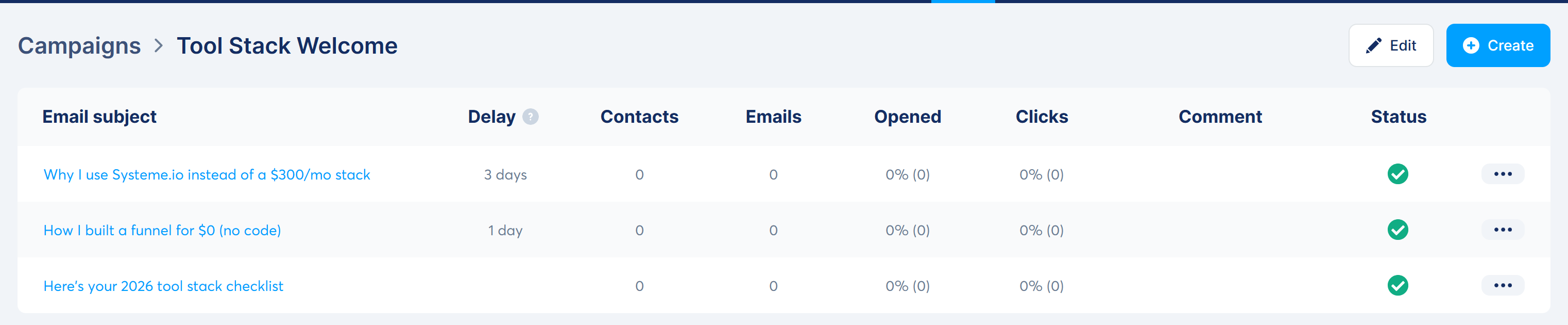
    Welcome sequence (3 emails)

    Campaign list

    Email 1 editor with attachment

    Welcome email received with PDF

    The campaign flow works as promised: email 1 sends immediately with the checklist PDF attached, email 2 goes out +1 day, email 3 at +3 days. The received email confirms the attachment arrived.

    Course + affiliate program

    Course builder

    Course front page

    Affiliate program settings

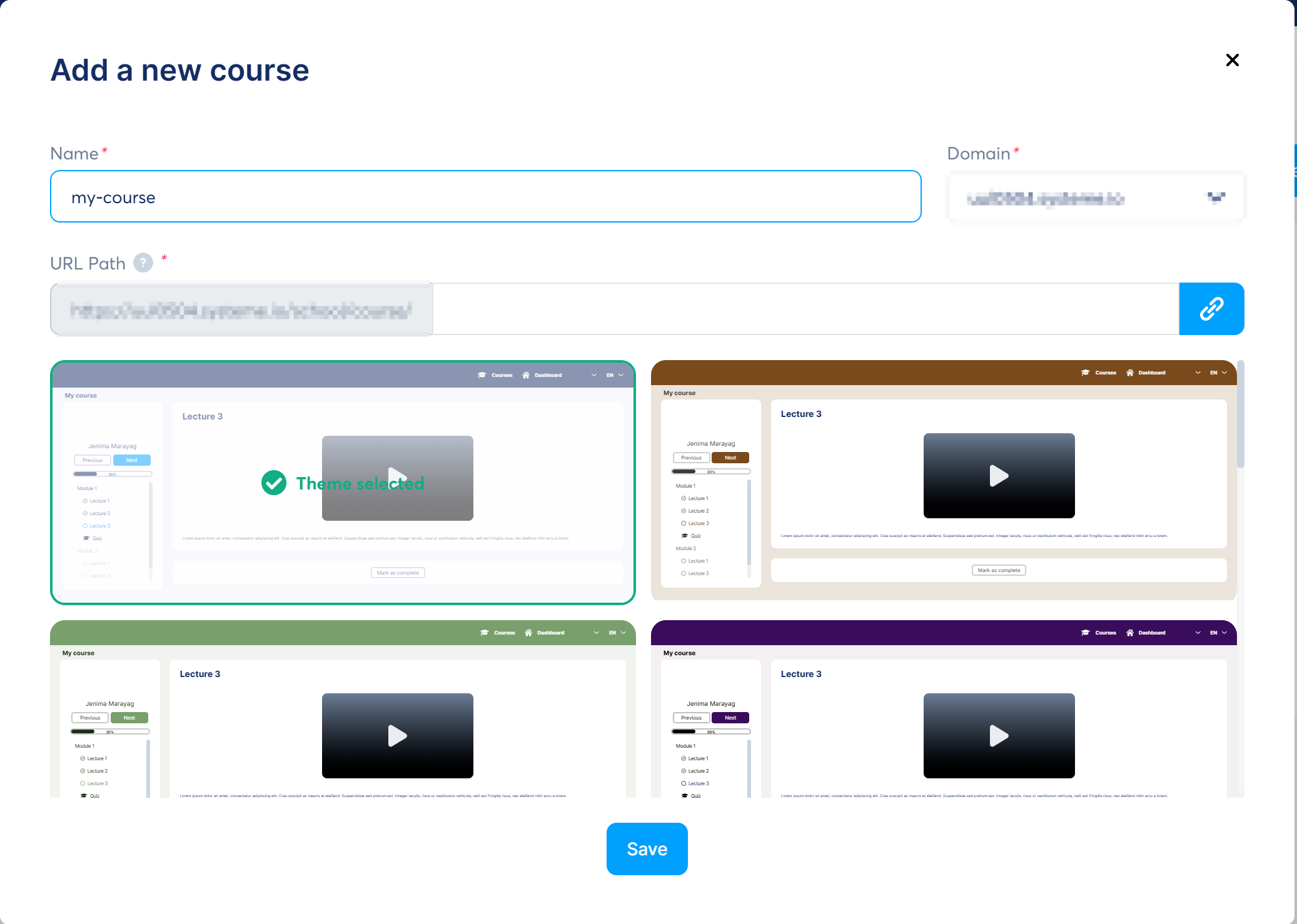
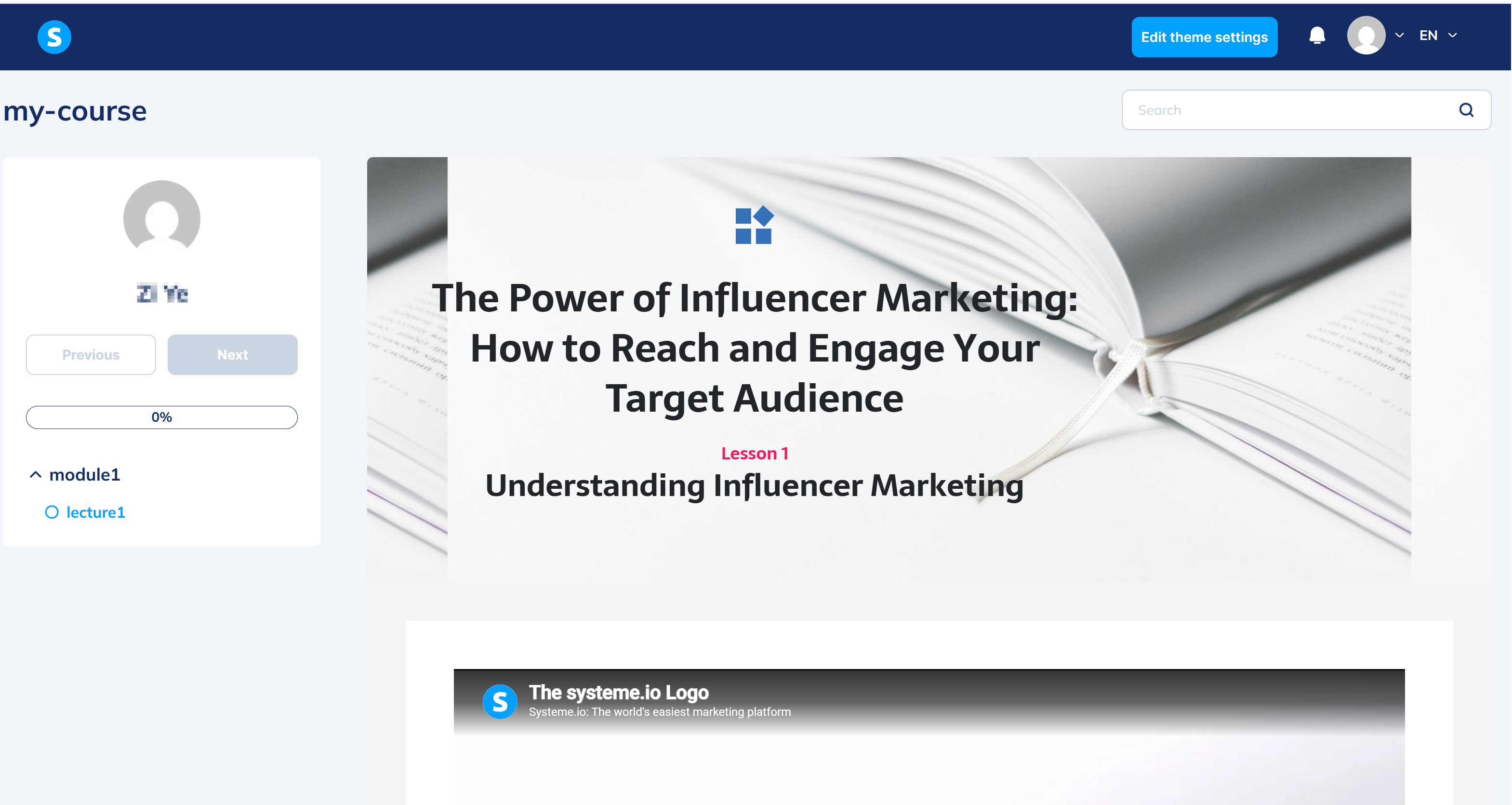
    Courses accept PDFs and files per lesson, and the front-end course page is generated automatically. The affiliate program is built in with sane defaults (40% / $30 / 30 days) – no third-party plugin, no approval process.

    What surprised me (the good kind)

    • "All-in-one" is actually true. Funnel, email, course, affiliate program, and (not tested here) blogs and webinars all live in one account. I never bounced to another tab.
    • The free plan is genuinely usable, not a 14-day trial: 2,000 contacts, 3 funnels, 1 custom domain, unlimited emails.
    • Email deliverability is taken seriously. The platform blocks Gmail/Yahoo senders outright and pushes you toward a custom domain – annoying in the moment, but it's protecting your sender reputation.
    • The affiliate program is built in and decent: 60% lifetime recurring on Systeme.io's own program, and your own program defaults to 40% with a 30-day payout delay. No affiliate plugin to buy.

    Where it tripped me (the honest part)

    • Templates ship with demo content. I published a page with "Volunteer in your Community" and Lorem ipsum still in it. Check every block before publishing.
    • "3-step funnel" is not the default. Opt-in templates create 2 steps. Adding a sales page is one click, but it's manual – and if you're following an old tutorial, you'll wonder where the canvas with arrows went. The 2026 UI is a vertical step list, not a node canvas.
    • Menu names changed and tutorials are stale. "Email Marketing -> Automation" is now "Emails -> Campaigns" + "Automations -> Rules". Small, but it ate minutes of my walkthrough.
    • Commission lives in two places. The affiliate program defaults to 40%, but each order form defaults to 0% affiliate commission. You have to set it per order form or your affiliates earn nothing.
    • Rules won't save half-configured. Every trigger/action field must be filled or Save stays greyed out. Fine once you know, confusing the first time.

    Pros & Cons

    Pros Cons
    Free plan is real and generous (2,000 contacts, 3 funnels) No advanced A/B testing / complex automation on low tiers
    Funnel + email + courses + affiliate in one tool Templates are demo-heavy and easy to publish unfinished
    Built-in affiliate program (40% default, 30-day delay) Order-form commission defaults to 0% – easy to miss
    Unlimited emails on all plans Gmail/Yahoo senders blocked; custom domain recommended
    UI in 9+ languages incl. Simplified Chinese Menu names changed; many tutorials are outdated

    Systeme.io vs the $300/month stack

    Systeme.io (free) ClickFunnels Kajabi
    Funnel builder Yes Yes (best-in-class) Yes
    Email marketing Yes (unlimited) Extra (e.g. $29/mo) Yes
    Courses / membership Yes Extra Yes (strong)
    Affiliate program Built in Extra Extra
    Typical cost $0-17/mo from $97/mo from ~$143/mo (annual)
    Contacts on entry plan 2,000 500 10,000
    Best for Solopreneurs on a budget Sales-focused marketers Course businesses with money

    FAQ

    Is Systeme.io really free?
    Yes. The free plan includes 2,000 contacts, 3 funnels, and unlimited emails, with no credit card required. Paid plans start at $17/month.

    Can I use Gmail to send emails from Systeme.io?
    No. Gmail is blocked as a sender (since July 2024) and Yahoo/ProtonMail are rejected or spam-flagged. Use a custom-domain address or an Outlook address for sending; you can still receive test emails at any address.

    Does Systeme.io have a built-in affiliate program?
    Yes, two of them: their own program (60% lifetime recurring on subscriptions) and your own program for your products (defaults to 40% commission, $30 minimum payout, 30-day delay).

    How many custom domains does the free plan allow?
    One.

    Is Systeme.io good for Chinese-language users?
    Yes – Simplified Chinese UI has been available since 2025, and Chinese-language tutorials are still scarce, which makes it a useful edge for Chinese-speaking solopreneurs.

    Disclosure & CTA

    I'm an affiliate of Systeme.io: if you sign up through my link, I may earn a commission at no extra cost to you. I only recommend tools I've actually registered for and built with – this whole funnel was built on the free plan.

    Try Systeme.io free -> systeme.io

    Grab the free checklist (2026 Solopreneur Tool Stack: 10 tools, free tiers, and upgrade moments) -> get it here
    Or skip the checklist and create a free Systeme.io account directly: systeme.io — free plan, no card required.