Blog

  • ClickFunnels Alternatives (2026): 7 Cheaper Options That Actually Work

    ClickFunnels Alternatives (2026): 7 Cheaper Options That Actually Work

    Verdict first: ClickFunnels is a genuinely powerful funnel platform, and it is also $97/month before you have made a single sale. That gap is why most people searching for a ClickFunnels alternative are really asking one question: can I get 90% of the funnel for 10% of the price? For solo creators, the answer is yes — Systeme.io is the best ClickFunnels alternative overall, because it has a real free plan (no credit card), starts at $17/month, and charges 0% transaction fees on every tier. ThriveCart is the better pick if you mainly want a high-converting checkout rather than a page builder, and Kajabi is the better pick if you are running a mature course business and price is not the constraint.

    Who this is for: solopreneurs, coaches, course creators and small agencies who want funnels and email without a $97-297/month habit, and who would rather validate an offer before paying for one.

    Who this is not for: teams who need ClickFunnels' full ecosystem — deep workspace collaboration, the highest contact/email tiers, or the agency-level features on the $297+/month plans. If you are already at 100K contacts, this article will not save you money; you have outgrown the alternatives too.


    Why people leave ClickFunnels (the honest version)

    None of this is a knock on the product. It is a pricing-shape problem:

    1. The floor is high. ClickFunnels' entry plan is $97/month ($81/month billed annually). That is the price of a paid tier at almost every alternative in this list, for the entry tier here.
    2. Email and contact caps are tiered tightly. The $97 Launch plan includes 10,000 contacts and 50,000 emails per month. Cross 50K sends in a month — easy with a modest list — and you are jumping to the $197 Scale plan or buying extra send volume.
    3. Feature bloat for simple funnels. ClickFunnels now spans funnels, websites, ecommerce, email, courses, CRM and community. If all you need is landing page → thank-you → follow-up emails, you are paying for four products you will not open.
    4. "Unlimited Funnels" is limited-time. The pricing page labels it exactly that. Plan features you can rely on, not features with an asterisk.

    ClickFunnels pricing in 2026

    Plan Monthly Annual (per month) Key limits
    Launch $97/mo $81/mo 1 workspace, 2 members, 10K contacts, 50K emails/mo, 3 courses, 5 domains
    Scale $197/mo $164/mo 5 workspaces, 5 members, 75K contacts, 300K emails/mo, 6 courses
    Optimize $297/mo $248/mo 10 workspaces, 10 members, 150K contacts, 750K emails/mo, 10 courses
    Dominate Annual only $5,997/yr (~$500/mo) 20 workspaces, 20 members, 400K contacts, 1.2M emails/mo, 20 courses

    There is no free plan. The pricing page says "Start Free Trial" but does not state the trial length or whether a card is required; ClickFunnels' own affiliate page refers to a 14-day trial. Treat the trial terms as unconfirmed until you reach the signup form. On the plus side, ClickFunnels charges 0% transaction fees — you keep what you sell — and the plans include unlimited hosting and unlimited visitors.

    The 7 ClickFunnels alternatives at a glance

    # Tool Entry price Free plan / trial Transaction fees Best for
    #1 Systeme.io $0 (paid from $17/mo) Free forever, no card 0% all tiers Cheapest working funnel + email + course in one account
    #2 ThriveCart $47/mo or $444/yr 30-day trial 0% Checkout and upsells that convert
    #3 Kartra $59/mo 14-day trial 5% on Essentials only All-in-one marketing with built-in helpdesk
    #4 SamCart $79/mo 7-day trial Payment processor fees only Digital-product checkout and order bumps
    #5 Podia $49/mo (annual $42/mo) 30-day trial, no card 5% on Mover only Simplest possible course + downloads store
    #6 Kajabi $179/mo (annual $143/mo) 14-day trial 0.5–2% on third-party gateways Mature course businesses with high-ticket offers
    #7 Teachable $39/mo (annual $29/mo) 7-day trial + 30-day refund 7.5% on Starter Selling courses only, no funnel needed

    The alternatives, one by one

    #1 Systeme.io — best overall ClickFunnels alternative for solopreneurs

    Systeme.io is the only tool in this list you can use indefinitely for $0, and I know that because I built a working funnel on the free plan myself — opt-in page, thank-you page, a 3-email welcome campaign and an automation rule, in about 30 minutes, without entering a card (full walkthrough: how to build a sales funnel for free).

    What you get free: 2,000 contacts, 3 funnels, 15 funnel steps, 1 automation rule, 1 course and 1 custom domain, with unlimited emails and unlimited file storage on every tier — that last part is rare and it is the exact thing ClickFunnels meters.

    Paid tiers: Startup $17/mo (5,000 contacts, 10 funnels), Webinar $47/mo (10,000 contacts, evergreen webinars), Unlimited $97/mo. On annual billing: $170 / $470 / $970 per year. Transaction fees are 0% on all four tiers, and the annual plans include two months free plus free migration.
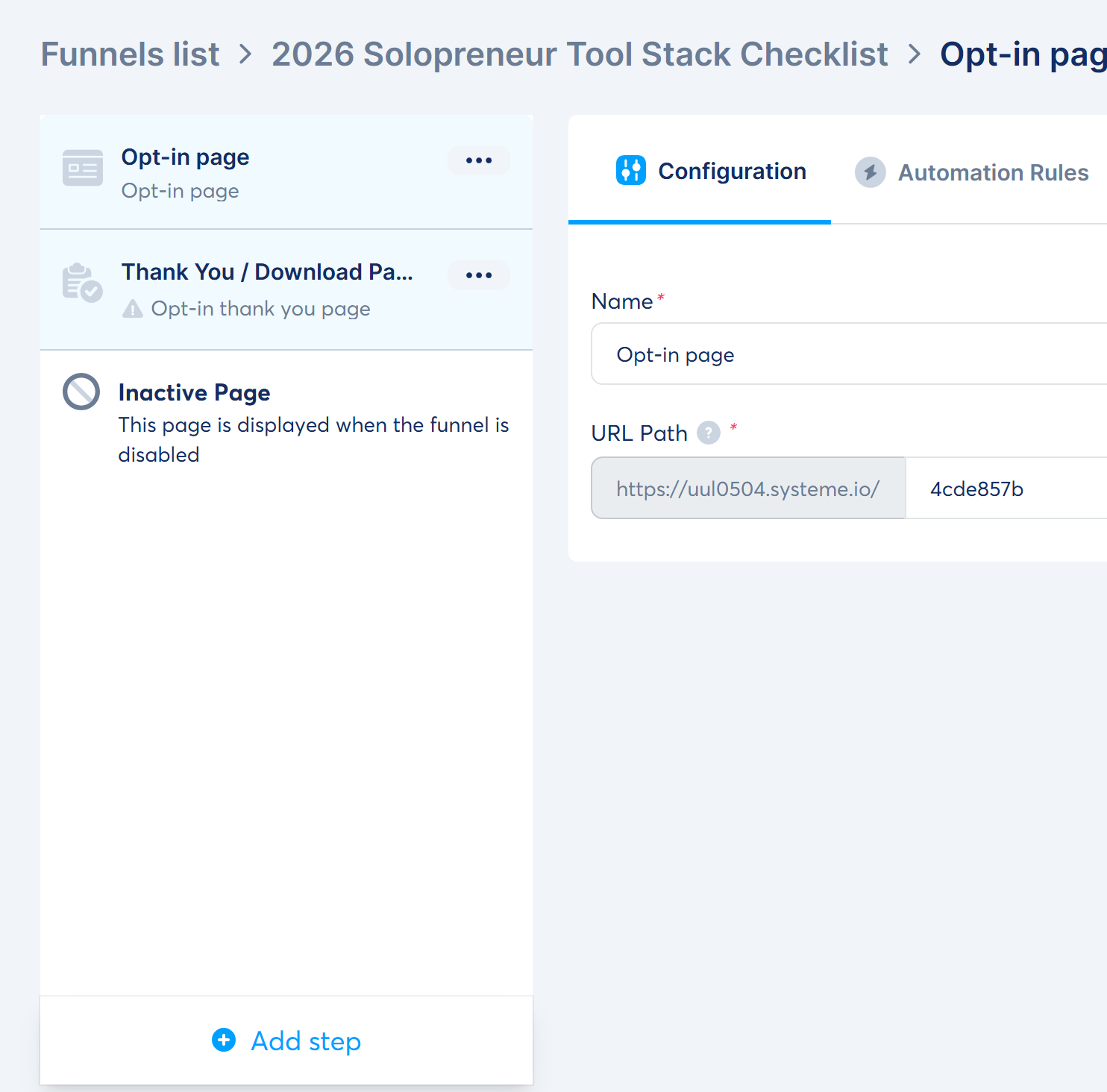
    Systeme.io funnel steps built on the free plan
    The funnel I built on Systeme.io's free plan: an opt-in step and a thank-you/download step, created from a template in one click.

    Where it loses to ClickFunnels: the page editor and templates are more basic, and the design ceiling is lower. Split-testing and webinar features sit on the $47 tier. If pixel-perfect, agency-grade funnel design is your main requirement, ClickFunnels earns its price.

    Best for: a solopreneur who wants funnels, email and a course in one login, starting at zero and growing into $17/month.

    #2 ThriveCart — best if the checkout is the product

    ThriveCart is not really a funnel-page builder; it is a conversion-focused cart that sits in front of whatever pages you have. Standard is $47/month or $444/year (~$37/month); Pro+ is $87/month or $804/year (~$67/month). There is a 30-day trial, 0% platform transaction fees, and ThriveCart also lists a lifetime one-time option — the price for that is not published on the pricing page, only available through a checkout link, so treat it as unconfirmed.

    The honest catch: the growth features that make ThriveCart interesting — multiple order bumps, subscription dunning, an affiliate centre with automatic payouts — are on Pro+, not Standard. Annual billing is not a cheap escape hatch either at $444/$804.

    Best for: creators who already get traffic and want better upsells, order bumps and cart recovery than their all-in-one platform gives them.

    #3 Kartra — best all-in-one with helpdesk and built-in marketing

    Kartra is the closest philosophical match to ClickFunnels on this list. Plans: Essentials $59/mo ($52/mo annual), Starter $119/mo ($99/mo annual), Growth $229/mo ($189/mo annual), Professional $549/mo ($429/mo annual), with a 14-day trial.

    Read the entry tier carefully, because it is the trap: Essentials carries a 5% transaction fee, 500 contacts, 10,000 emails/month and a very small allowance of pages and products (5 pages, 1 product, 1 course). The 0% fee and unlimited pages/products only start at $119/mo. In other words, the "cheap" Kartra plan is more expensive than it looks once you sell anything.

    Best for: businesses that want one platform for funnels, email, helpdesk and affiliates, and are ready to pay the $119+/month tier.

    #4 SamCart — checkout specialist for digital products

    SamCart does checkout and order bumps extremely well. Core is $79/month and Pro is $199/month, with a 7-day trial and an optional $19/month human-support add-on. There is no platform transaction fee — you pay your gateway (SamPay is 2.9% + 30¢) — but Core limits you to one seat, one marketplace and thinner AI/video allowances; the affiliate centre and advanced analytics are Pro features.

    One practical note: SamCart advertises 25% off yearly billing, but the monthly-equivalent figure did not render on the pricing page when we checked it, so we are not quoting an annual price. SamCart also does not publish a public affiliate program — the "Affiliate Center" is a feature for its merchants.

    Best for: sellers whose bottleneck is cart conversion, not page building.

    #5 Podia — best for the simplest possible start

    Podia is the most beginner-friendly option here, and the trial terms are the friendliest: 30 days free, no credit card required. Plans are Mover $49/mo ($42/mo annual), Shaker $99/mo ($84/mo annual) and Earthquaker $179/mo ($150/mo annual).

    The trade-off is the same shape as everywhere else: Mover takes a 5% transaction fee and caps you at 100 email subscribers and 50 products. The 0% fee starts at Shaker. Subscriber limits are hard walls, and annual plans are only refundable within 72 hours of payment.

    Best for: someone selling one course or a handful of downloads who wants the least intimidating interface and the longest free look.

    #6 Kajabi — for established businesses, not for starting out

    Kajabi is excellent and it is not a budget alternative. Basic $179/mo ($143/mo annual), Growth $249/mo ($199/mo annual), Pro $499/mo ($399/mo annual), 14-day trial, no free plan. It also stacks gateway fees on top: 2% on Basic, 1% on Growth, 0.5% on Pro when you use a third-party payment processor, and AI credits are metered and sold separately (500 credits for $15/mo).

    If you are choosing between Kajabi and ClickFunnels, the decision is about what you sell, not price — see our Kajabi alternatives breakdown.

    Best for: coaches and experts with a proven, high-ticket offer who want courses, community, email and CRM tightly integrated.

    #7 Teachable — courses only, and cheap if you skip the funnel

    If you do not actually need a funnel, Teachable is the cheapest credible route to selling a course: Starter $39/mo ($29/mo annual), Builder $89/mo ($69/mo annual), Growth $189/mo ($139/mo annual), with a 7-day trial and a 30-day refund guarantee.

    Starter's 7.5% transaction fee is the highest in this comparison — on $5,000 of course sales that is $375, which is most of the price difference between Starter and Builder. The 0% fee and unbranded experience start at Builder, and certificates and custom permissions sit on Growth ($139/mo annual).

    Best for: creators whose offer is simply "buy my course" with no funnel choreography.

    How we ranked (read this before you buy)

    Ranking is weighted toward cost to a solo operator who is still validating an offer, then on whether the tool can actually carry you from landing page to payment to follow-up. Prices were verified on the vendors' own pricing pages on 2026-09-14 and are quoted in USD.

    Honest disclosure about testing: of the tools above, only Systeme.io has been hands-on tested on this site — I registered the free plan and built a real funnel, email campaign and automation rule, and the screenshots in that walkthrough are from my own account (full Systeme.io review). Every other tool in this list is assessed from its official pricing page and published plan limits, not from a paid test; I have not verified their editors or deliverability first-hand. Prices change and tiers get restructured, so re-check the live page before you commit.

    On affiliate links: only Systeme.io is an affiliate partner of this site. None of the other six tools pay us anything, and they are in this list because an alternatives article that quietly drops ThriveCart, Kajabi and Teachable would be useless to you.

    FAQ

    What is the cheapest ClickFunnels alternative?
    Systeme.io, because its free plan is a permanent tier rather than a trial — 2,000 contacts, 3 funnels, 1 course, 1 automation rule and unlimited emails, with no credit card. That covers a lead-magnet funnel end to end.

    Is there a free ClickFunnels alternative?
    Yes — Systeme.io's free plan is the one we tested. Podia offers a 30-day free trial without a card but has no free tier, and ClickFunnels itself has no free plan at all.

    Why is ClickFunnels so expensive?
    It is priced as an all-in-one business platform (funnels, sites, ecommerce, email, courses, CRM, community) with 0% transaction fees, so revenue comes from subscription tiers. If you only need funnels and email, you are paying for capability you will not use.

    Can I migrate from ClickFunnels to Systeme.io?
    Systeme.io advertises free migration on annual plans. Funnel pages themselves do not port automatically between any of these platforms — plan on rebuilding pages and re-importing contacts, which is a few hours of work for a simple funnel.

    Which alternative has the best free plan?
    Systeme.io. It is the only permanent free tier here, and unlike most freemium plans it does not meter email sends or file storage.

    Do any of these charge transaction fees?
    Systeme.io (0% on all tiers), ThriveCart (0%), ClickFunnels (0%) and SamCart (no platform fee) do not. Watch the entry tiers elsewhere: Kartra Essentials 5%, Podia Mover 5%, Teachable Starter 7.5%, Thinkific Basic 5% on third-party gateways, and Kajabi 0.5–2% depending on plan.


    I'm an affiliate of Systeme.io: if you sign up through my links, I may earn a commission at no extra cost to you. I only recommend tools I have actually registered and built with — the funnel and screenshots on this site are from my own account. The other tools in this comparison are not affiliate links, and their pricing comes from their own public pricing pages.

    Start free (no credit card, 0% transaction fees) → systeme.io

    Grab the free checklist (2026 Solopreneur Tool Stack: 10 tools, free tiers, and upgrade moments) → Get the free checklist

    Related reading: Systeme.io Pricing 2026 · ClickFunnels Review 2026 · Systeme.io Review 2026 · Systeme.io vs ClickFunnels vs Kajabi · Best Funnel Builders for Solopreneurs · How to Build a Sales Funnel for Free · Best Kajabi Alternatives
  • Best AI Headshot Generators (2026): 8 Tools Tested & Ranked

    Best AI Headshot Generators (2026): 8 Tools Tested & Ranked

    Verdict first: After hands-on testing two tools and researching six more, the honest shortlist is: Aragon AI is the best pick if you want to test before paying — it's the only major tool here with free credits (16 at signup) and we generated real output with it. HeadshotPro has the strongest public track record (4.7/5 from 3,542 reviews) and the cheapest 4K option at $59, but no free tier at all. Among the researched tools: The Multiverse AI ($29.99 for 100+20 headshots) is the best value per headshot, ProPhotos AI is LinkedIn-focused ($39–$59), Secta AI delivers the most per session (300+ for $49), Fotor and Remini offer free entry points, and BetterPic targets corporate 4K packs. Entry prices range from free to $79 one-time. Full honesty note: only Aragon (full test + free generation) and HeadshotPro (flow + pricing, no paid generation) were hands-on tested by us; the other six are ranked from official pricing pages and ToolChase's August 2026 roundup — see "How we ranked".

    Who this is for: professionals, job seekers, LinkedIn users, real-estate agents, lawyers, and teams who want studio-quality headshots without booking a photographer.

    Who this is not for: anyone needing a real photo editor or video tool (these are headshot generators); anyone who needs actual studio styling beyond AI output.


    The 8-tool shortlist at a glance

    Rank Tool Entry price Headshots Free way to test Tested
    #1 Aragon AI $35 one-time 40–100 16 free credits ✅ hands-on
    #2 HeadshotPro $29 one-time 30–70 (4K top) None ⚠️ flow+pricing
    #3 The Multiverse AI $29.99 one-time 100 + 20 custom None 🔍 researched
    #4 ProPhotos AI $39 per session 40–200 Check live 🔍 researched
    #5 Secta AI $49 one-time 300+ None 🔍 researched
    #6 Fotor AI Headshot Free (watermark) Packages $19.99–$39.99 Free tier 🔍 researched
    #7 BetterPic $35 one-time 20–120 (4K) Check live 🔍 researched
    #8 Remini Free tier Enhancer + headshots Free tier 🔍 researched

    The rankings, one by one

    #1 Aragon AI — best if you want to test free (tested hands-on)

    Aragon is the only major AI headshot tool we found that lets you generate something before paying: 16 free credits at signup. I walked the full flow and completed a free-credit generation with Aragon's demo character (full review) — output was realistic and not template-y, slightly soft on detail. The professional pack is one-time $35 (Basic, 40 headshots) / $45 (Standard, 60) / $75 (Executive, 100), no subscription. Slick onboarding wizard, strict photo validation (it rejected 2 of my 6 AI-generated test photos — real photos only), and a broader photo-tool suite (editor, video, fashion packs).

    Best for: testing before paying, free-credit evaluation, broader AI photo tools.

    #2 HeadshotPro — best public track record + cheapest 4K (flow & pricing tested)

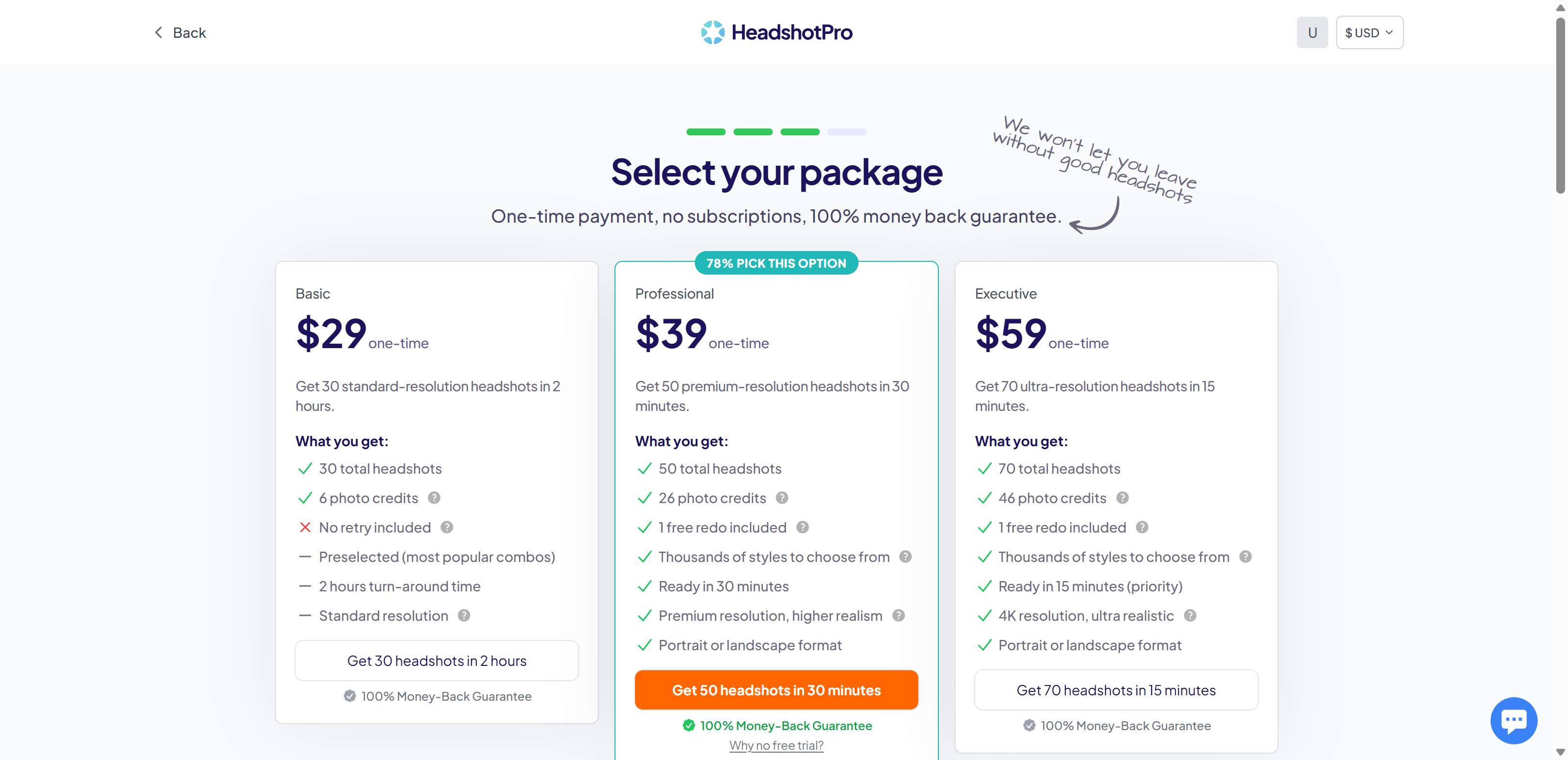
    HeadshotPro is the most-reviewed tool here (4.7/5 from 3,542 reviews, 18M+ headshots). I created an account and walked the full flow to checkout (full review) but did not pay for a generation. Pricing: Basic $29 (30 headshots) / Professional $39 (50, premium res, 1 redo) / Executive $59 (70, 4K, 1 redo), one-time. No free tier, no free trial, no credits — you pay before seeing anything, which is the biggest knock against it.

    Best for: paying users who want premium/4K output with a redo option and strong public reviews.

    #3 The Multiverse AI — best value per headshot (researched)

    $29.99 one-time gets 100 professional headshots plus 20 custom photos in ~30 minutes — the best price-per-headshot on this list. Strong for team headshots too (volume discounts from ~$21.59/person). 4.7 on Product Hunt. Not tested hands-on; price verified from the official site on 2026-09-02.

    Best for: maximum output per dollar; team headshots.

    #4 ProPhotos AI — LinkedIn-optimized (researched)

    ProPhotos positions headshots specifically for professional networking profiles. Per-session pricing: Starter $39 (40 headshots, ~90 min), Premium $49 (100, ~45 min), Professional $59 (200, ~30 min). Prices verified from the official site and ToolChase's roundup on 2026-09-02; not tested hands-on.

    Best for: LinkedIn and resume-focused headshots at scale.

    #5 Secta AI — most headshots per session (researched)

    Secta delivers 300+ headshots per session for $49 one-time, with 90+ styles and 12+ edit tools (clothing change, expression, background, retouch). 196,212+ customers, delivery within ~2 hours. Not tested hands-on; pricing per ToolChase (Aug 2026) — check the live site before buying.

    Best for: maximum variety and editing options from one upload.

    #6 Fotor AI Headshot — free entry point (researched)

    Fotor's AI headshot generator is part of its photo-editing suite. Free tier generates basic headshots with watermarks; headshot packages are one-time ($19.99 for 20, $29.99 for 40, $39.99 for 80); Fotor Pro from ~$8.99/mo unlocks the full editing suite. Lowest barrier to entry — but quality and style variety trail the dedicated tools.

    Best for: zero-cost first experiments with AI headshots.

    #7 BetterPic — corporate 4K packs (researched)

    BetterPic sells 4K packs: Basic $35 (20 headshots, 1 style) / Pro $39 (60, 3 styles) / Expert $79 (120, 6 styles, unlimited human edits, 1 free redo), all one-time. Purpose-built for corporate branding and team directories; 4.7 on Trustpilot. Pricing per ToolChase (Aug 2026) — check the live site before buying.

    Best for: teams wanting consistent 4K branding across employees.

    #8 Remini — enhancer + headshots (researched)

    Remini started as a photo enhancer (sharpen/upscale/restore) and added headshot generation. Free tier with limited daily use; premium $4.99/week or $9.99/month. Unique if you want to both enhance existing photos and generate new headshots — but it's a subscription, unlike the one-time tools above.

    Best for: salvaging existing photos + generating headshots on a subscription.

    How we ranked (read this before you buy)

    Two tools — Aragon AI and HeadshotPro — were hands-on tested on this site (Aragon: full flow + a free-credit generation; HeadshotPro: full flow + pricing, no paid generation — see each review for the honest limits). The other six are ranked from official pricing pages and ToolChase's August 2026 roundup, verified on 2026-09-02; we have not tested their output quality. Prices change and plans differ (one-time vs subscription), so re-check the live page before committing. We only earn commissions on Aragon and HeadshotPro; the other six are included because a best-of list that omits the obvious names is useless to readers.

    FAQ

    What is the best AI headshot generator?
    Of the two we hands-on tested: Aragon AI if you want to test free first (16 credits, no credit card), HeadshotPro if you're ready to pay and want premium/4K output with the strongest public reviews. See the Aragon vs HeadshotPro comparison for the full breakdown.

    Which AI headshot generator is free?
    Fotor has a free tier (basic headshots with watermarks) and Remini has limited free daily use. Aragon gives 16 free credits at signup — enough for one creative-style generation. HeadshotPro, Multiverse, Secta and BetterPic have no free tier.

    Which AI headshot generator is the cheapest?
    Free options: Fotor and Remini free tiers. Cheapest paid: The Multiverse AI at $29.99 (100+20 headshots) and HeadshotPro Basic at $29 (30 headshots) — both one-time.

    How many headshots do I get?
    Aragon 40–100 (by plan), HeadshotPro 30–70, ProPhotos 40–200, Secta 300+ per session, Multiverse 100 + 20 custom, BetterPic 20–120, Fotor packages 20–80.

    Can I use AI-generated selfies as input photos?
    Careful: Aragon's photo checker rejected 2 of our 6 AI-generated test photos and lists AI-generated images under restrictions. We didn't reach upload with HeadshotPro (paywalled); expect similar caution across these tools — use real, clear, front-facing photos.

    AI headshots or a real photographer — which is worth it?
    AI headshots cost $29–$79 one-time for 20–300 images in under 2 hours. A real studio session runs $150–$500+ and takes days. For LinkedIn, resumes, and directories, AI is dramatically cheaper; if you need art-directed, brand-critical imagery, a real photographer still wins.

    Disclosure & CTA

    I'm an affiliate of Aragon AI and HeadshotPro: if you sign up through my links, I may earn a commission at no extra cost to you. I only recommend tools I've actually registered and built with (Aragon fully tested with a free generation; HeadshotPro flow + pricing). The other tools in this list are not affiliate links for us — they're included for an honest, complete ranking.

    Try Aragon AI free (16 free credits) → aragon.ai — promo code ZI for 15% off

    Visit HeadshotPro (cheapest 4K, best reviews) → headshotpro.com

    Grab the free checklist (2026 Solopreneur Tool Stack) → Get the free checklist


  • Aragon AI vs HeadshotPro (2026): Which AI Headshot Generator Wins?

    Aragon AI vs HeadshotPro (2026): Which AI Headshot Generator Wins?

    Verdict first: Aragon AI and HeadshotPro both turn selfies into professional AI headshots for a one-time payment — but they're different in one crucial way: Aragon lets you test free, HeadshotPro doesn't. Aragon gives 16 free credits at signup (enough for one creative-style generation), while HeadshotPro has no free tier at all — you pay $29–$59 before seeing anything. I hands-on tested Aragon's full flow including a free-credit generation (output was realistic but slightly soft); for HeadshotPro I verified the flow and pricing but didn't pay for output. Price-wise HeadshotPro is cheaper (Basic $29 vs Aragon's $35) and its top tier offers 4K resolution; Aragon is pricier ($35–$75) but has free credits, an onboarding wizard, and a broader photo-tool suite. Pick Aragon if you want to test before paying or need free credits; pick HeadshotPro if you're ready to commit and want the cheapest 4K option. Details below.

    Who this is for: professionals, job seekers, LinkedIn users, real-estate agents, lawyers, and teams comparing the two leading one-time-payment AI headshot services.

    Who this is not for: anyone needing a video/animation tool (neither is for that) or expecting a free professional-headshot tier (Aragon's free credits cover creative packs only; HeadshotPro has nothing free).


    At a glance

    Aragon AI HeadshotPro
    Entry price $35 one-time (Basic, 40 headshots) $29 one-time (Basic, 30 headshots)
    Top plan $75 (Executive, 100 headshots, enhanced res) $59 (Executive, 70 headshots, 4K)
    Free way to test 16 free credits (creative packs) None — no free trial, no credits
    Billing One-time, no subscription One-time, no subscription
    Turnaround 15–45 min 15 min – 2 hrs
    Resolution Standard / enhanced Standard / premium / 4K
    Photo validation Strict — rejects AI-generated input (tested) Not tested (paid flow)
    Output (our test) ✅ Realistic, slightly soft (free-credit gen) ⚠️ Not tested — 4.7/5 from 3,542 public reviews
    Reviews 4.8/5 4.7/5 (3,542)
    Team plans Headshots for Teams page Dedicated team plans
    Extras AI photo editor, video, fashion studio Redo option, photo credits, styles
    Try it Aragon AI HeadshotPro

    Aragon AI: what it's strong at

    I registered and tested Aragon hands-on (full review) — the only one of the two I actually generated with.

    • Free credits to test. 16 credits at signup are enough for one creative-style generation — the only free way to see either tool's output before paying.
    • Slick onboarding wizard. Gender → age → hair → body → attire → background, fast and well-designed.
    • Strict photo validation. It rejected 2 of my 6 AI-generated test photos — annoying for synthetic input, but it means real photos get quality-checked before you spend money.
    • Broader photo-tool suite. Beyond headshots: AI photo editor, fashion studio, AI video, 100+ style packs.

    Aragon pricing

    Basic $35 (40 headshots), Standard $45 (60), Executive $75 (100) — one-time.

    HeadshotPro: what it's strong at

    I created an account and walked HeadshotPro's full flow to checkout, but did not pay for a generation (full review).

    • Cheaper entry. Basic is $29 vs Aragon's $35 — and the top Executive plan ($59) undercuts Aragon's ($75) while offering 4K.
    • Higher-resolution tiers. Premium (Pro) and 4K ultra-realistic (Executive) with portrait/landscape formats.
    • Redo option. Professional and Executive include 1 free redo — useful if the first batch misses.
    • Strong public trust signals. 4.7/5 from 3,542 reviews, 18M+ headshots created, 250,000+ customers.

    HeadshotPro pricing

    Basic $29 (30 headshots), Professional $39 (50), Executive $59 (70) — one-time, no free trial.

    The differences that matter

    1. Free testing. This decides it for cautious buyers: Aragon gives 16 free credits; HeadshotPro gives nothing. If you want to see any output before paying, only Aragon allows it.

    2. Price. HeadshotPro is cheaper at every level ($29/$39/$59 vs $35/$45/$75). But note Aragon's free credits can offset that for a one-off test.

    3. Output quality. Only Aragon's free-credit output was tested by us — realistic, not template-y, slightly soft on detail. HeadshotPro's output is untested by us but publicly rated 4.7/5 (3,542 reviews); its 4K Executive tier is its quality argument.

    4. Input validation. Aragon actively rejects AI-generated or low-quality input (we saw it flag 2 of 6 photos). HeadshotPro's upload checks are behind the paywall, so we couldn't verify.

    5. Resolution & extras. HeadshotPro's top tier is 4K with a redo option; Aragon's is "enhanced resolution" but no redo mention, and it compensates with a wider tool suite (editor, video, fashion packs).

    6. Turnaround. Comparable at the top: Aragon Executive ~15 min, HeadshotPro Executive ~15 min (priority). HeadshotPro's Basic is slower (2 hours vs Aragon's 45 min).

    7. Trust & maturity. HeadshotPro shows more reviews (3,542 vs Aragon's ~4.8-score base) and customer counts; Aragon is backed by a $2.1B valuation. Both are established.

    Who should buy which

    • Want to test before paying → Aragon. 16 free credits are the only zero-risk way to see AI headshot output from either tool.
    • Cheapest one-time buy → HeadshotPro. Basic $29; Executive $59 with 4K.
    • 4K / ultra-realistic output → HeadshotPro Executive ($59).
    • Need a redo option → HeadshotPro (Professional/Executive include 1 free redo).
    • Want a broader AI photo suite (editor, video, style packs) → Aragon.
    • Have AI-generated or low-quality photos → caution: Aragon's checker rejects them; HeadshotPro untested on this.
    • For a team → both have team options; HeadshotPro's team plans are more explicit.

    FAQ

    Which is cheaper, Aragon or HeadshotPro?
    HeadshotPro at every tier: Basic $29 vs Aragon's $35, Executive $59 (4K) vs Aragon's $75. Aragon partially offsets this with 16 free credits at signup.

    Which has a free way to test?
    Only Aragon. It gives 16 free credits (enough for one creative-style generation). HeadshotPro has no free trial and no free credits — the pricing page itself asks "Why no free trial?"

    Which produces better headshots?
    We hands-on tested only Aragon's free-credit output: realistic and not template-y, but slightly soft on detail. HeadshotPro's output is untested by us; it's publicly rated 4.7/5 from 3,542 reviews, and its Executive plan advertises 4K ultra-realistic output.

    Can I use AI-generated photos with these tools?
    Aragon rejected 2 of our 6 AI-generated test photos and lists AI-generated images under photo restrictions. HeadshotPro's photo checks sit behind its paywall, so we couldn't verify — expect similar caution.

    Which is better for teams?
    HeadshotPro has dedicated team plans and a "set up a team account" flow. Aragon also offers headshots for teams, but HeadshotPro's team offering is more front-and-center.

    Aragon vs HeadshotPro: which should I pick?
    Pick Aragon if you want to test free first, need a free-credit path, or want a broader AI photo suite (full Aragon review). Pick HeadshotPro if you're ready to commit one-time, want the cheapest entry or 4K output with a redo option (full HeadshotPro review).

    Disclosure & CTA

    I'm an affiliate of both Aragon AI and HeadshotPro: if you sign up through my links, I may earn a commission at no extra cost to you. I only recommend tools I've actually registered and built with — Aragon was fully tested including a free generation; HeadshotPro's review covers flow and pricing (no paid generation).

    Try Aragon AI free (16 free credits) → aragon.ai — promo code ZI for 15% off

    Visit HeadshotPro (cheapest 4K option) → headshotpro.com

    Grab the free checklist (2026 Solopreneur Tool Stack) → Get the free checklist


  • HeadshotPro Review 2026: Solid AI Headshots, But No Free Way to Try

    HeadshotPro Review 2026: Solid AI Headshots, But No Free Way to Try

    Verdict first: HeadshotPro is a well-established AI headshot generator — 4.7/5 from 3,542 reviews, 18M headshots created, transparent one-time pricing with a money-back guarantee. But it has the strictest paywall of the tools I've tested on this site: there is no free trial and no free credits — every plan costs $29–$59 one-time before you see a single generated image. I created an account and walked the full flow to checkout (pricing verified from the live page), but I did not pay for a generation, so this review covers the flow, pricing, and trust signals — with the honest caveat that I could not verify output quality hands-on. Verdict: promising and well-reviewed, but the all-or-nothing paywall makes it hard to evaluate before buying; if you want to test an AI headshot tool free first, Aragon's 16 free credits are a lower-risk start.

    Who it's for: people who already know they want AI headshots and are ready to pay one-time; teams (they have team plans); users who value high-resolution output and a redo option.

    Who it's not for: anyone who wants to see output quality before paying (you can't — no free tier); budget-first users comparing options (Aragon gives free credits to test with); people needing video or full photo editing.


    The test: what I actually did (honest, no paid generation)

    This is not a rehash of HeadshotPro's feature page — but unlike my other reviews, I did not pay for a generation. Here's exactly what was tested:

    Step What happened
    Account creation Created a new account with [email protected] (the old registration from our records had never completed — a heads-up if your signup stalls on reCAPTCHA).
    App flow Logged into the app; asked "just for myself" vs team → plan selection.
    Pricing Verified live: Basic $29 / Professional $39 / Executive $59, all one-time, no subscription, 100% money-back guarantee.
    Free tier check None. The pricing page explicitly asks "Why no free trial?" — there is no free generation path.
    Generation Not performed — requires payment. Output claims below come from public reviews, not our own test.
    Trust signals 4.7/5 (3,542 reviews), 18M headshots, 196,987+ customers.

    The honest caveat: I could not verify output quality myself. This review rates the flow, pricing transparency, and trust signals — treat output-quality claims as unverified.

    Screenshots from the build

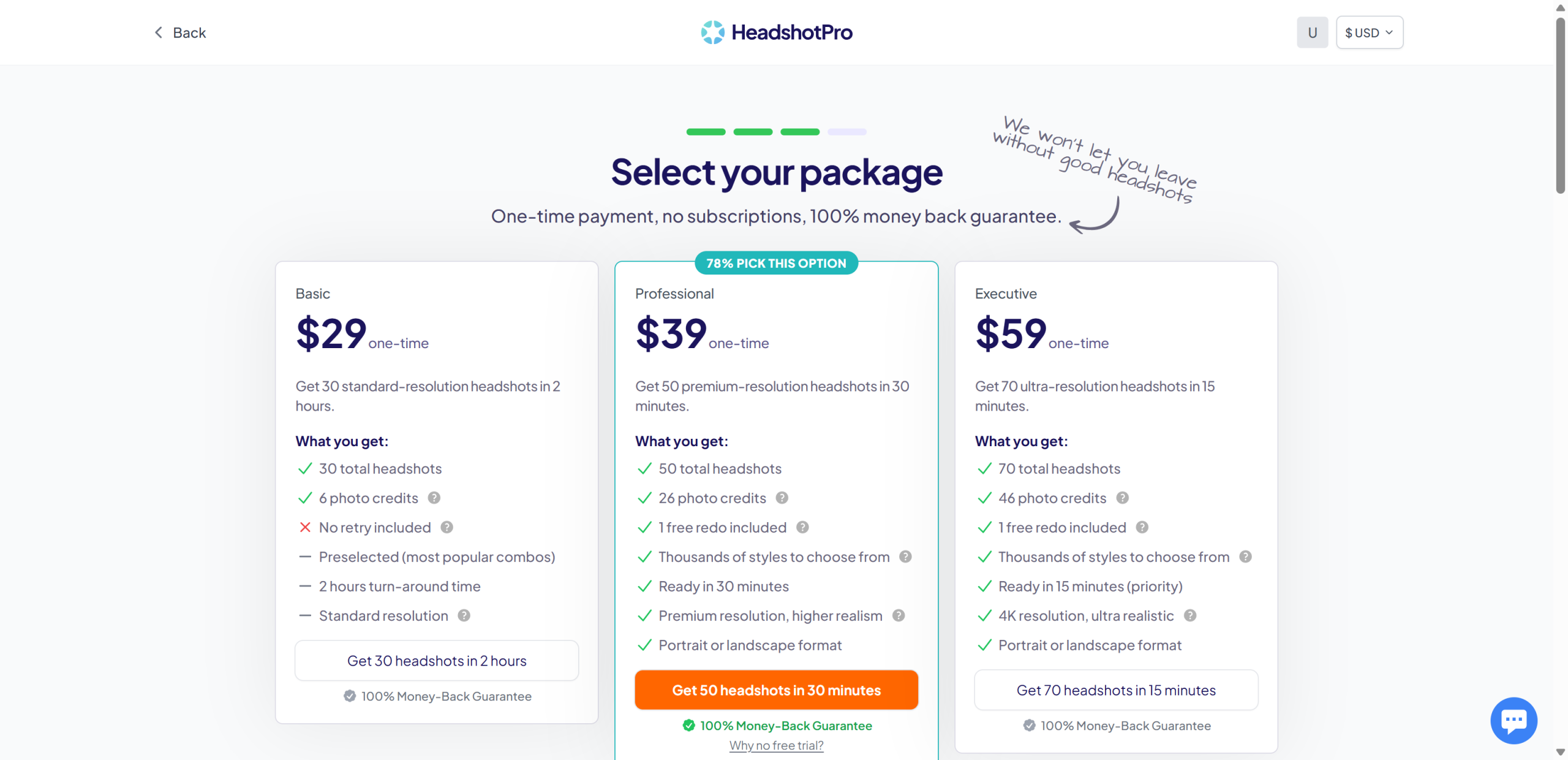
    HeadshotPro pricing

    The plan-selection screen inside the app: Basic $29, Professional $39, Executive $59 — one-time payments, no subscription, 100% money-back guarantee.

    Where it tripped me (the honest part)

    • No free trial, no free credits — full stop. You cannot see a single generated image without paying $29+. For a review site that values hands-on testing, that's the single biggest barrier, and for a buyer it's the single biggest risk.
    • The "Why no free trial?" question is asked but not answered on the page. Fair or not, the FAQ doesn't explain it.
    • Credits feel like an upsell. The plans include "photo credits" (6 / 26 / 46) and redo options — clear enough, but you're buying a bundle, not just headshots.
    • Our old signup never actually completed. Our records said the affiliate account was registered, but the product account didn't exist (the signup had stalled on the human-verification step). If you signed up long ago and never confirmed, double-check you can actually log in.

    Pricing (verified from the live pricing page, 2026-09-02)

    Plan Price (one-time) Headshots Turnaround Includes
    Basic $29 30 (standard res) ~2 hours 6 photo credits, no redo, preselected combos
    Professional $39 50 (premium res) ~30 minutes 26 photo credits, 1 free redo, thousands of styles, portrait/landscape
    Executive $59 70 (4K ultra-realistic) ~15 minutes (priority) 46 photo credits, 1 free redo, portrait/landscape

    One-time payment, no subscription, no hidden fees, 100% money-back guarantee. Team plans available for businesses.

    Pros & Cons

    Pros Cons
    Strong trust signals: 4.7/5, 3,542 reviews, 18M headshots No free trial and no free credits — cannot evaluate before paying
    Transparent one-time pricing ($29–$59), no subscription Output quality unverified in this review (we didn't pay)
    Money-back guarantee on all plans Photo-credit bundles can confuse at first
    Fast turnarounds: 15 min (Executive) to 2 hours (Basic) "Why no free trial?" is asked but not explained
    30% affiliate commission, 60-day cookie Paid plans are one-time — no ongoing value after purchase

    HeadshotPro vs the alternatives

    HeadshotPro Aragon AI Real photographer
    Price $29–$59 one-time $35–$75 one-time $150–$500+ per session
    Free way to test None 16 free credits (creative packs) —
    Turnaround 15 min – 2 hrs 15–45 min Days
    Reviews 4.7/5 (3,542) 4.8/5 (Trustpilot/Google) —
    Tested by us Flow + pricing only (no output) Full flow + free-credit generation —
    Try it HeadshotPro Aragon AI —

    FAQ

    Is HeadshotPro free?
    No. There is no free plan, no free trial, and no free credits. All plans are one-time payments starting at $29. The pricing page itself asks "Why no free trial?" — there is no free generation path.

    How much does HeadshotPro cost?
    One-time: Basic $29 (30 headshots), Professional $39 (50), Executive $59 (70). No subscription. 100% money-back guarantee.

    Is HeadshotPro any good?
    It's highly rated — 4.7/5 from 3,542 reviews and 18M+ headshots created. In this review we verified the flow and pricing but did not pay for a generation, so we can't personally vouch for output quality yet.

    What photos do I need for HeadshotPro?
    HeadshotPro uses your selfies/uploaded photos to generate professional headshots. (Upload requirements are set in the paid flow; we did not reach the upload step without paying.)

    HeadshotPro vs Aragon: which should I pick?
    If you want a free way to see output first, Aragon gives 16 free credits (full review here). If you're ready to pay and want premium/4K resolution with a redo option, HeadshotPro's Professional ($39) and Executive ($59) plans are competitive — but you pay before you see anything.

    Does HeadshotPro need a credit card to sign up?
    No — I created an account with just an email and password, no credit card required until you pick a paid plan.

    Disclosure & CTA

    I'm an affiliate of HeadshotPro: if you sign up through my link, I may earn a commission at no extra cost to you. I only recommend tools I've actually registered for and built with — note that this review did not include a paid generation. Use the free-credit route on Aragon if you want a zero-risk test first.

    Visit HeadshotPro → headshotpro.com

    Try Aragon AI free first (16 free credits) → aragon.ai

    Grab the free checklist (2026 Solopreneur Tool Stack) → Get the free checklist


  • Aragon AI Review 2026: Is the AI Headshot Generator Worth It?

    Aragon AI Review 2026: Is the AI Headshot Generator Worth It?

    Verdict first: Aragon AI is a polished, easy-to-use AI headshot generator — the signup and onboarding wizard are slick, the pricing is transparent one-time payment (no subscription), and the platform's photo-checking is genuinely strict. But two things matter before you buy: the actual professional headshot generation costs $35–$75 one-time (there is no free generation for the flagship pack), and Aragon's photo checker actively rejects low-quality or AI-generated input photos — in my test it flagged 2 of 6 AI-generated photos. I tested the full free flow (onboarding, photo upload with AI validation, pricing) and completed one free-credit creative-style generation using Aragon's demo character; the output was realistic but slightly soft in detail. Verdict: worth it if you need professional headshots fast and accept the one-time cost; not for you if you want to evaluate the flagship pack free (you can't) or if you plan to feed it AI-generated photos (they may be rejected).

    Who it's for: professionals, job seekers, LinkedIn users, real-estate agents, lawyers, and teams who need studio-quality headshots without booking a photographer; people OK with a one-time $35+ payment.

    Who it's not for: anyone expecting a usable free tier for the professional pack; anyone wanting to use AI-generated or heavily filtered photos (the checker rejects them); teams needing a real video or animation tool (Aragon is photos).


    The test: what I actually did (real, on a free account)

    This review is not a rehash of Aragon's feature page. I registered a free account (no credit card) and ran the full flow. Here's the honest play-by-play:

    Step What happened
    Free signup Google login, straight into the dashboard. No credit card requested.
    Onboarding wizard Gender → age → hair color → hair length → body type → attire → background. Fast, well-designed.
    Photo upload Uploaded 6 photos (AI-generated fictional person — see the honest note below). Aragon's photo checker flagged 2 of 6 with "too similar", "face at an unnatural angle", "subject not looking at the camera".
    Photo guidelines Aragon explicitly lists AI-generated images under "Photo restrictions".
    Pricing page One-time plans: Basic ~~$59~~ $35 / Standard ~~$79~~ $45 / Executive ~~$129~~ $75. No subscription. A discount banner appeared on our account.
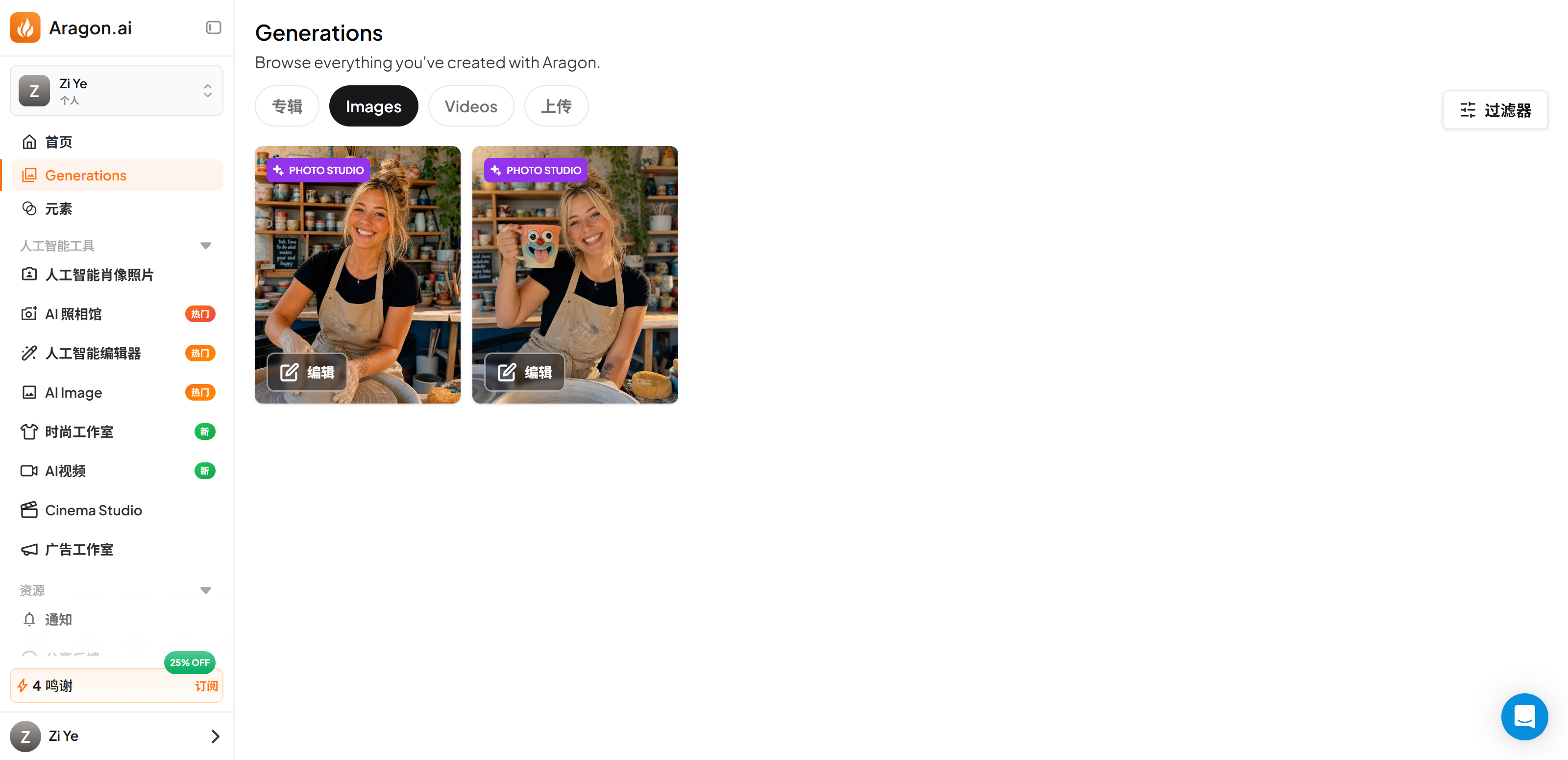
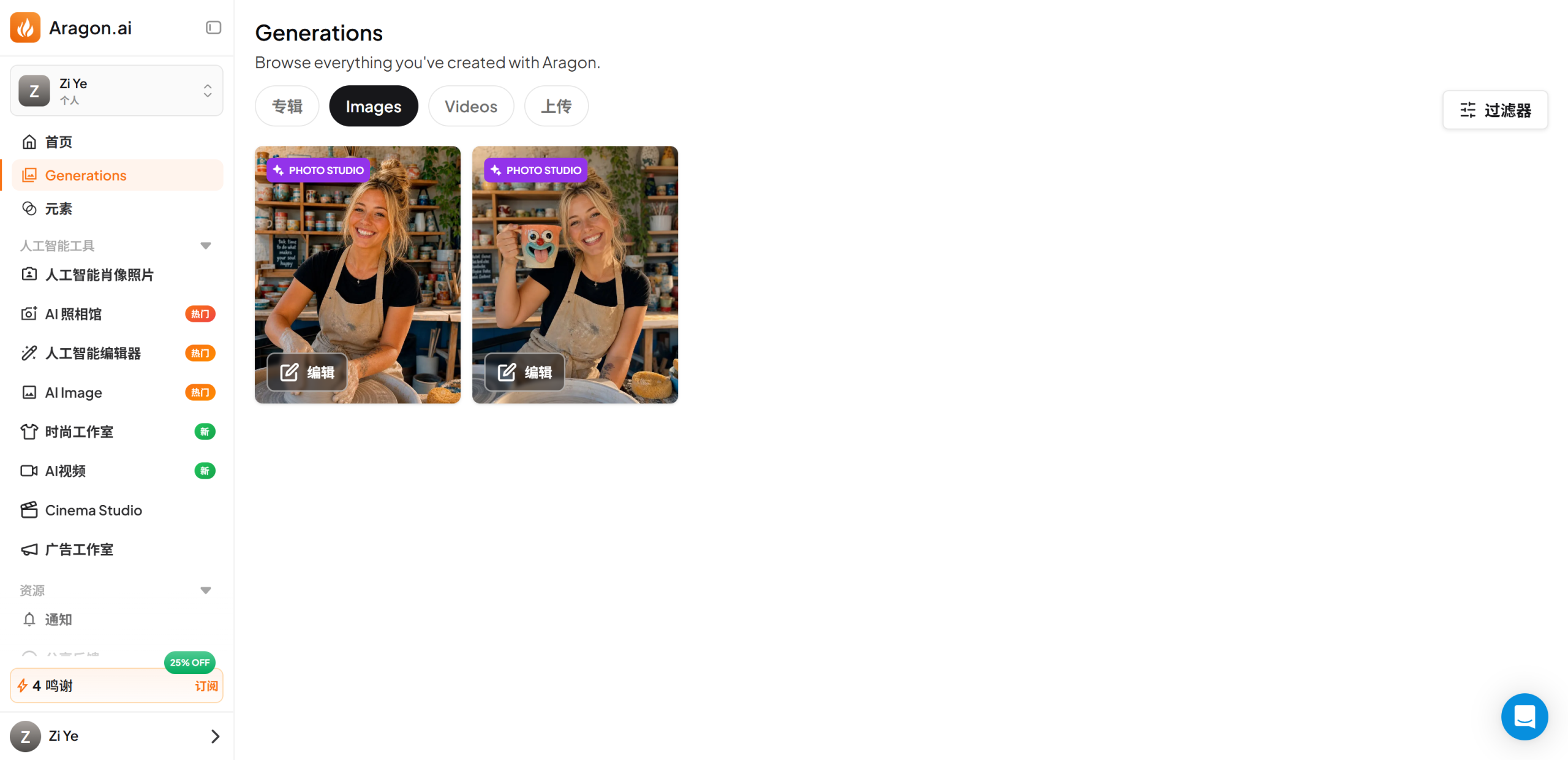
    Free-credit generation With the 16 free credits, I generated 2 photos in a creative style pack ("Pottery Workshop Mug") using Aragon's demo character — output was realistic, slightly soft on detail.
    Affiliate program 30% commission on all payments; no free test credits for affiliates.

    The honest note about test photos: I did not want to upload real personal photos, so the input was an AI-generated fictional person. Aragon's checker rejected a portion of them — which is actually the finding: Aragon actively gates AI-generated input, so you really should use real, clear, front-facing photos of yourself. The free-credit generation therefore used Aragon's built-in demo character instead of my uploads.

    Screenshots from the build

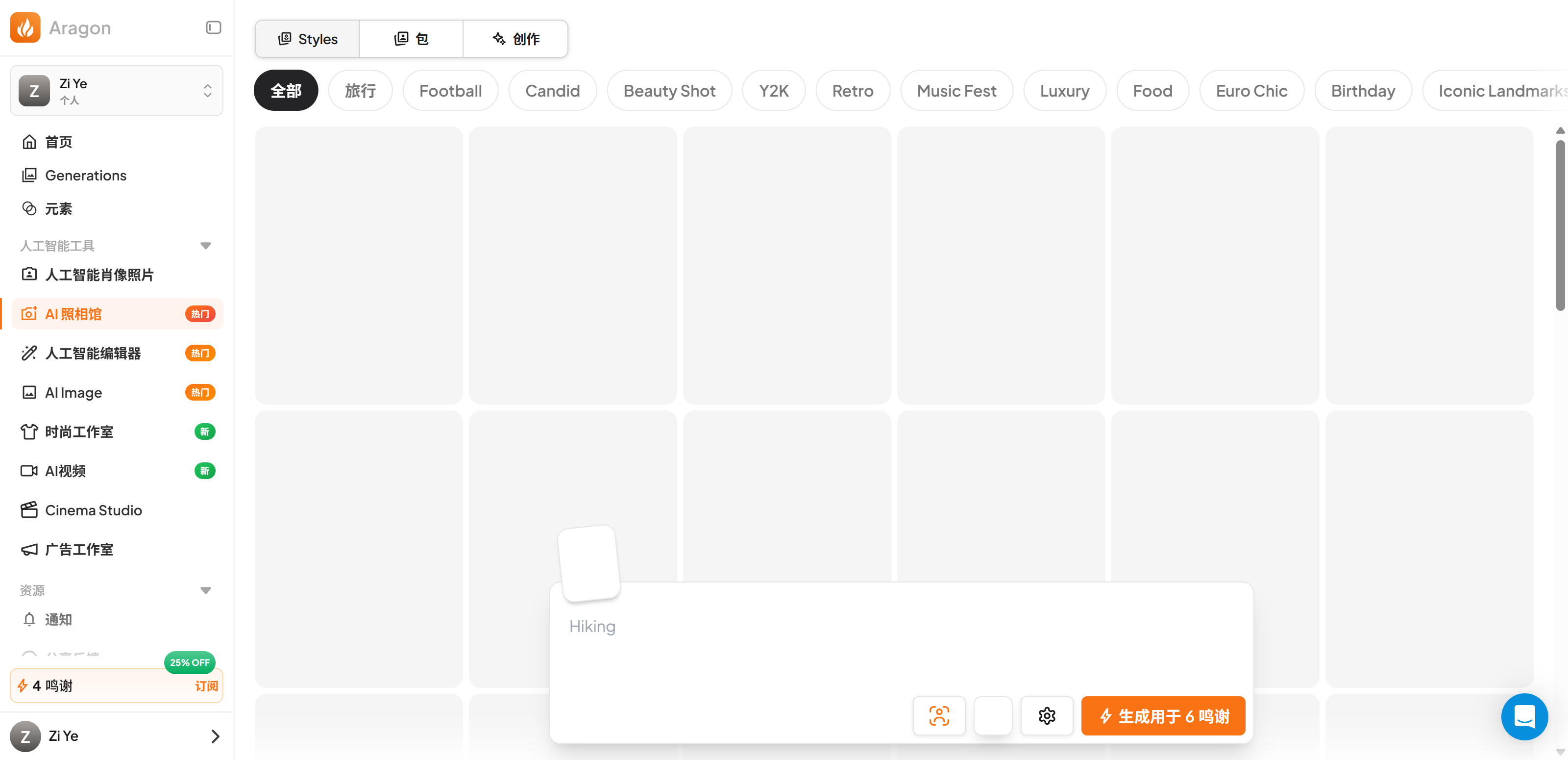
    Aragon dashboard

    The dashboard after login. 16 free credits are granted at signup — enough for one creative-style generation.

    Aragon pricing

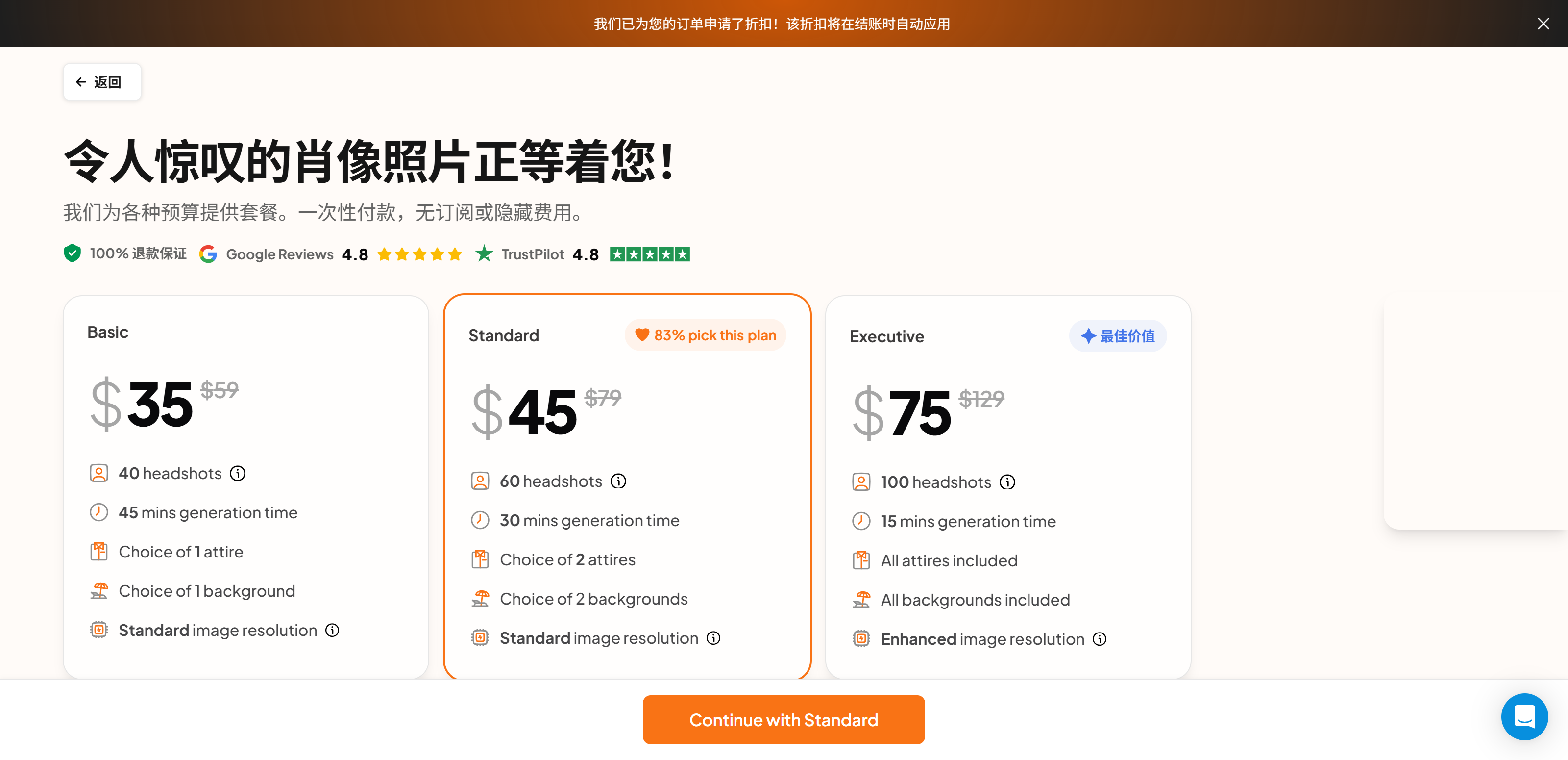
    One-time pricing: Basic $35 (40 headshots), Standard $45 (60 headshots), Executive $75 (100 headshots). No subscription, 100% refund guarantee.

    Aragon result gallery

    The free-credit creative-style generation completed: 2 images generated using a demo character.

    Aragon generated result

    Sample output from the free-credit generation — realistic, but detail is slightly soft compared to a real camera photo.

    Where it tripped me (the honest part)

    • The flagship pack is paywalled — no free evaluation. You can walk the whole flow free, but generating actual professional headshots requires $35+. The free credits only cover the creative photo packs. If you want to judge the core product before paying, you can't.
    • AI-generated photos get rejected. My AI-generated test photos were flagged by the photo checker ("too similar", "unnatural angle"). Aragon's own guidance lists AI-generated images as restricted input — so if you were hoping to cheat the system with synthetic photos, don't: it checks.
    • Free-credit output is decent, not amazing. The creative-pack generation looked realistic and didn't feel template-y, but was a bit soft on detail. The paid professional pack likely produces better results (we didn't pay to verify).
    • The wizard is slightly pushy. A discount banner auto-applies at checkout and the flow defaults you toward the "Standard" plan — fine, but read the plans before clicking.

    Pricing (verified from the live pricing page, 2026-09-02)

    Plan Price (one-time) Headshots Generation time Includes
    Basic $59 $35 40 ~45 min 1 attire, 1 background, standard resolution
    Standard $79 $45 60 ~30 min 2 attires, 2 backgrounds, standard resolution (83% pick this)
    Executive $129 $75 100 ~15 min All attires, all backgrounds, enhanced resolution

    One-time payment, no subscription, no hidden fees, 100% refund guarantee. A discount is auto-applied at checkout for first-time orders.

    Pros & Cons

    Pros Cons
    Slick onboarding wizard (fast, well-designed) Flagship headshot pack is paywalled — no free evaluation
    Transparent one-time pricing ($35–$75), no subscription Photo checker rejects AI-generated / low-quality photos
    Strict photo validation catches bad inputs early Free-credit creative output is slightly soft on detail
    30% affiliate commission available Creative packs are secondary to the paid headshot product
    Realistic output in the free-credit test Can't verify the paid pack's quality without paying

    Aragon vs the alternatives

    Aragon AI HeadshotPro Real photographer
    Price $35–$75 one-time ~$25–$50 one-time (check live) $150–$500+ per session
    Turnaround 15–45 min ~1–2 hrs (check live) Days (booking + session + edit)
    Input 6–10 photos, strict validation Photos (check live) In-person session
    Free tier 16 credits for creative packs Check live site —
    Try it Aragon AI HeadshotPro —

    FAQ

    Is Aragon AI free?
    There's a free account with 16 credits, but they cover only the creative photo packs. The professional AI headshot pack is a paid, one-time purchase ($35–$75). You cannot generate professional headshots for free.

    How much does Aragon AI cost?
    One-time payments: Basic $35 (40 headshots), Standard $45 (60), Executive $75 (100). No subscription. Discounts are auto-applied at checkout.

    Can I use AI-generated photos with Aragon?
    Not recommended — Aragon's photo checker flagged 2 of my 6 AI-generated test photos, and the platform's own guidelines list AI-generated images under photo restrictions. Use real, clear, front-facing photos.

    Does Aragon need a credit card to sign up?
    No. I registered with just a Google login on the free plan, no credit card.

    Is Aragon AI good quality?
    In my free-credit test the output was realistic and not template-y, but slightly soft on detail. The paid professional pack is the flagship product; we did not pay to test it.

    Can I use Aragon headshots commercially?
    Paid headshot packs are for your professional use (LinkedIn, resumes, real-estate listings, etc.). Confirm the exact commercial terms in Aragon's Acceptable Use Policy for your use case.

    Disclosure & CTA

    I'm an affiliate of Aragon AI: if you sign up through my link, I may earn a commission at no extra cost to you. I only recommend tools I've actually registered for and built with. Use promo code ZI for 15% off.

    Try Aragon AI → aragon.ai

    Grab the free checklist (2026 Solopreneur Tool Stack) → Get the free checklist


  • Best AI Video Generators (2026): 8 Tools Tested & Ranked

    Best AI Video Generators (2026): 8 Tools Tested & Ranked

    Verdict first: The best AI video generator depends on the job, but after hands-on testing plus pricing research on eight tools, here's the honest shortlist: Fliki is the best all-rounder for turning existing text (blog posts, scripts, URLs) into talking videos with the strongest AI voiceover (2,000+ voices, 80+ languages, real free plan). Zebracat is the best for fast marketing animations and ad creatives. Beyond those two, Pictory (long-form repurposing), Synthesia (AI avatars for business), HeyGen (talking-head avatars), InVideo AI (all-in-one AI suite), Descript (podcast/text-based editing) and VEED (online editor + subtitles) each own a niche. Important: we've fully registered and tested only Fliki and Zebracat on this site — the other six are ranked from live-site pricing and feature research, not hands-on testing (see "How we ranked"). Entry prices range from $12/mo (VEED) to $29/mo (HeyGen); all verified from official pricing pages on 2026-08-28.

    Who this is for: solopreneurs, bloggers, course creators, cross-border sellers, and small marketing teams who want to produce short videos without hiring an editor.

    Who this is not for: anyone who needs frame-level editing, multi-camera timelines, or a full Premiere-class suite — the tools below generate videos from text; you still want a real editor (CapCut, Premiere, Descript for podcasts) for heavy post-production.


    The 8-tool shortlist at a glance

    Rank Tool Best for Entry price Free plan Tested
    #1 Fliki Text / URL → talking video + voiceover ~US$21/mo (yearly) 3 credits/mo (real) ✅ hands-on
    #2 Zebracat Marketing animations / ad creatives ~US$19/mo (yearly) 1 generation (trial) ✅ hands-on
    #3 Pictory Long-form repurposing (blogs → videos) US$25/mo (annual) 14-day trial 🔍 researched
    #4 InVideo AI All-in-one AI video suite, model-powered US$17/mo (yearly) check live site 🔍 researched
    #5 HeyGen AI avatars / talking-head presenters US$29/mo 3 videos/mo 🔍 researched
    #6 Synthesia Enterprise AI avatars, scale US$18/mo (yearly) 10 min/mo 🔍 researched
    #7 Descript Podcast / text-based editing US$16/mo (annual) 60 min/mo 🔍 researched
    #8 VEED Online editor + auto subtitles US$12/mo (yearly) free tier 🔍 researched

    The rankings, one by one

    #1 Fliki — best all-rounder for text → video (tested)

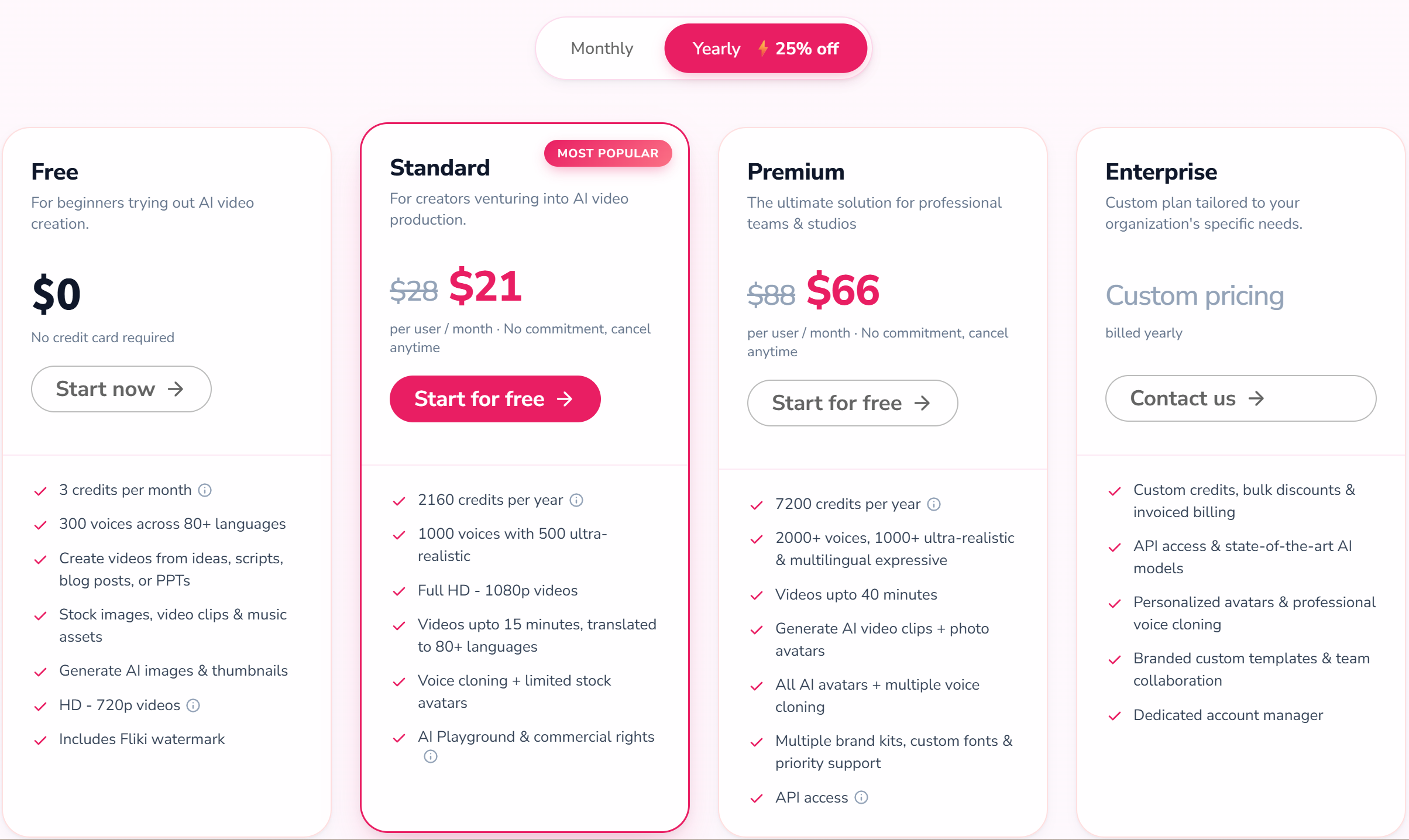
    Fliki is the tool I've registered for and built with on this site (full review). Paste a script or a blog URL, pick from 300+ voices on the free plan (2,000+ premium), and it renders a talking video in about 3 minutes in my test. URL-to-video grabbed my content accurately. 80+ languages with dedicated voice sets make it the safest pick for Chinese and other non-English output. Free plan: 3 credits/month with watermark + 720p — enough to actually evaluate. Standard is ~US$21/mo billed yearly (US$28 monthly), Premium ~US$66/mo (US$88 monthly).

    Best for: bloggers repurposing posts, course creators, cross-border sellers, anyone who needs strong AI voiceover.

    #2 Zebracat — best for marketing animations (tested)

    Zebracat is the surprise of the two I tested (full review): a ~70-word marketing script became a 22-second video in ~3 minutes, and the output didn't look template-y — it read like a real ad. Its default AI voice sounded more natural than Fliki's in my comparison. Cat Mode is US$19/mo billed yearly (US$39 monthly) for 15 videos and 350 credits — more credits per dollar than Fliki Standard. Weaknesses: the free plan is exactly one generation, the credit system is opaque on the free tier, and the ecosystem is young.

    Best for: marketers and solopreneurs making ad creatives and short marketing videos fast.

    #3 Pictory — best for long-form repurposing (researched)

    Pictory is Fliki's closest competitor on repurposing: turn long blog posts, scripts, or even recorded meetings into short videos. Pricing (annual): Starter US$25/mo, Professional US$35/mo, Team US$119/mo — with ElevenLabs voices and Getty/Storyblocks footage included. Only a 14-day free trial, no free-forever tier. We have not tested it hands-on; pricing verified from the official page on 2026-08-28.

    Best for: repurposing long written content at volume.

    #4 InVideo AI — best all-in-one suite (researched)

    InVideo AI is the platform approach: access to a wide model catalog (including Seedance, Veo, Kling generations) and workflows, credit-based. Entry is Plus at US$17/mo billed yearly (US$200/yr) for 750 credits/month. The output is powerful but the model-style pricing can be confusing, and we have not tested it hands-on.

    Best for: creators who want one platform with many AI video models.

    #5 HeyGen — best for AI avatars / talking heads (researched)

    HeyGen is the avatar specialist: 500+ stock avatars, custom digital twins, 175+ languages, voice cloning. Free plan: 3 videos/month up to 1 minute. Creator is US$29/mo (600 credits), Pro US$49/mo (1,000 credits, 4K). If your videos need a presenter that isn't you, HeyGen is the category leader — but it's pricier per video than text-to-video tools. Not tested hands-on yet.

    Best for: avatar-based talking-head videos.

    #6 Synthesia — best for enterprise avatars (researched)

    Synthesia is the business-grade avatar platform (50,000+ teams, G2 4.7): 125+ avatars on Starter, AI dubbing, 160+ languages, SCORM/SSO on higher tiers. Basic is free (10 min of video/month, 9 avatars); Starter is US$18/mo billed yearly (US$29 monthly) for 120 minutes/year; Creator US$64/mo billed yearly. Overkill for casual short-form, ideal for training/onboarding videos at scale. Not tested hands-on.

    Best for: teams producing training, onboarding, and internal videos.

    #7 Descript — best for podcast / text-based editing (researched)

    Descript isn't a text-to-video generator — it's a text-based video editor (edit video by editing a doc), which is why it's lower on a generator list. Free plan: 60 min/month. Hobbyist US$16/mo billed annually (US$24 monthly) for 10 media hours + 400 AI credits; Creator US$24/mo (annual). If you edit podcasts or long recordings, Descript is the tool; if you want to generate video from a script, the others above fit better.

    Best for: podcasters and editors who want doc-style editing.

    #8 VEED — best online editor + subtitles (researched)

    VEED is a browser editor with strong auto-subtitles, plus AI video generation features. Entry Creator is US$12/user/mo billed yearly (US$147/yr) for 6,000 credits; Pro US$22/mo (US$265/yr); Studio US$39/mo. It's a great subtitle/quick-edit tool, but as a pure AI video generator the text-to-video output is secondary. Not tested hands-on.

    Best for: quick online edits and auto-subtitled social clips.

    How we ranked (read this before you buy)

    Two of the eight — Fliki and Zebracat — were registered and built with hands-on on this site; the rankings above for those two come from real tests (signup, script → video, render time, free-plan limits, watermark, export). The other six were ranked from official pricing and feature pages (verified 2026-08-28); we have not tested their output quality. Prices change and billing modes differ (monthly vs annual/yearly), so re-check the live page before committing. We only earn commissions on Fliki and Zebracat; the other six are included because "best of" lists that omit the obvious names are useless to readers.

    FAQ

    What is the best AI video generator overall?
    For turning existing text into a talking video with strong AI voiceover: Fliki. For fast marketing animations and ad creatives: Zebracat. Those are the only two on this list we've tested hands-on; the rest are ranked from research. See our head-to-head comparison for the detailed breakdown.

    Which AI video generator is free?
    Fliki gives a real free plan (3 credits/month, watermark + 720p — enough to evaluate). Synthesia (10 min/month), Descript (60 min/month), HeyGen (3 videos/month) and VEED (free tier) also have free plans. Zebracat's free plan is a single generation — a trial, not an evaluation. Pictory only offers a 14-day trial.

    Which AI video generator is best for Chinese voiceover?
    Fliki. It covers 80+ languages with dedicated voice sets, and Chinese output is well supported (English remains its strongest language). Among the researched tools, HeyGen and Synthesia also list Chinese among their languages, but we haven't tested their Chinese quality.

    Which AI video generator is the cheapest?
    By entry price: VEED (US$12/mo billed yearly), Descript (US$16/mo annual), InVideo AI (US$17/mo yearly), Synthesia (US$18/mo billed yearly), Zebracat (US$19/mo billed yearly), Fliki (US$21/mo billed yearly), Pictory (US$25/mo annual), HeyGen (US$29/mo). Cheapest isn't the same as best value — Fliki and Zebracat are the ones we can vouch for from testing, and Fliki is the only one with a free plan you can genuinely evaluate on.

    Can I use AI-generated videos commercially?
    Generally yes on paid plans. Fliki includes commercial usage rights from Standard up. For the researched tools, commercial use is standard on paid tiers, but confirm the exact terms on the live pricing page — and note that some free tiers restrict commercial use (e.g., watermark or no commercial license).

    How do I choose between Fliki and Zebracat?
    Pick Fliki if you repurpose existing text, need multi-language voiceover, or want a real free plan to test. Pick Zebracat if you make marketing videos/ad creatives, want a more natural default voice and more credits per dollar, and can commit yearly. The full Fliki vs Zebracat comparison covers all seven differences.

    Disclosure & CTA

    I'm an affiliate of Fliki and Zebracat: if you sign up through my links, I may earn a commission at no extra cost to you. I only recommend tools I've actually registered for and built with. The other tools in this list are not affiliate links for us — they're included for an honest, complete ranking.

    Try Fliki free (best all-rounder, real free plan) → fliki.ai

    Try Zebracat free (best for marketing animations) → zebracat.ai

    Grab the free checklist (2026 Solopreneur Tool Stack) → Get the free checklist


    Related reading: Synthesia Alternatives ·

  • Fliki vs Zebracat (2026): Which Text-to-Video Tool Wins?

    Fliki vs Zebracat (2026): Which Text-to-Video Tool Wins?

    Verdict first: Fliki and Zebracat both turn text into video, but they are different tools for different jobs — and my side-by-side test made that clear. Pick Fliki if you already have the words (blog posts, scripts, product pages) and want a talking video with the strongest AI voiceover library (2,000+ voices, 80+ languages), a real free plan to evaluate, and a mature ecosystem. Pick Zebracat if you make marketing videos / ad creatives and want fast, animation-first output with a surprisingly natural default voice — and you're OK paying from day one (entry at US$19/month billed yearly). In my tests both rendered a short video in about 3 minutes; Fliki won on voice selection, URL-to-video repurposing and free-plan usability, Zebracat won on default-voice naturalness and marketing-style output. Neither is a video editor. Details and numbers below.

    Who should use Fliki: bloggers repurposing posts, course creators, cross-border sellers making multi-language product videos, anyone who needs strong AI voiceover or a usable free plan.

    Who should use Zebracat: marketers and solopreneurs making short marketing videos / ad creatives fast, early adopters who don't need a huge tutorial library, buyers who are ready to commit yearly from day one.


    The short version: one decision, two paths

    Fliki Zebracat
    Best for Blog post / script / URL → talking video with strong voiceover Marketing script → animated short video / ad creative
    Entry price ~US$21/mo billed yearly (US$28 monthly) US$19/mo billed yearly (US$39 monthly)
    Free plan 3 credits/mo — watermark + 720p, enough to actually test 1 generation total — a trial, not an evaluation
    Voices 300+ free · 2,000+ premium (500 ultra-realistic) Standard AI voice, 175+ languages; premium voice + cloning at Super Cat
    Languages 80+ 175+ (standard voice); video translation into 25+ on Super Cat
    Video style Stock media + AI voiceover + avatars; URL/blog repurposing Marketing animation first; output reads like a real ad
    Billing model Credit-based, monthly (3 / 180 / 600 per month) Credit-based, monthly (1 gen / 350 / 1,400 / 3,600 per month)
    Render speed (my test) ~3 min for a short clip ~3 min for a 22s video (with a confusing ~1-min pause first)
    Ecosystem 12M+ users, G2 4.8, large tutorial library Young tool, smaller community, fewer tutorials
    Try it Fliki free Zebracat free

    Fliki: what it's genuinely strong at

    Fliki's core is "I have the words, I need the voice and the video." It is the strongest text-to-video + voiceover combo of the two, and it's built for people who already write.

    • Voiceover is the moat. 300+ voices on the free plan, 2,000+ on Premium, 80+ languages, voice cloning on paid plans. No other tool in this comparison comes close on selection.
    • URL → video is the signature feature. Paste a blog URL and Fliki grabs the content and matches images — I tested it and it pulled my post accurately. That's repurposing on autopilot.
    • A free plan you can actually judge. 3 credits/month with watermark + 720p is enough to build a real video and decide. Zebracat's free plan is one generation and done.
    • Mature ecosystem. 12M+ users, G2 4.8, and a big library of tutorials — you will never be stuck.

    Fliki voice selection

    Voice selection is where Fliki pulls ahead: 300+ voices on the free tier alone.

    Fliki URL to video

    The URL-to-video flow: paste a link, get a video. I ran a blog post through it and the content came out accurate.

    Zebracat: what it's genuinely strong at

    Zebracat's core is "marketing script → short animated video," and it's aimed at people who need ad creatives, not repurposed blogs.

    • The output doesn't look template-y. This was the first surprise in my test: my 22-second video read like a real ad, not a stock template with a voiceover slapped on.
    • The default AI voice is natural. In my comparison it sounded more natural than Fliki's default voice on a marketing script — the first thing I noticed. Premium voice + voice cloning start at Super Cat.
    • More credits per dollar. Cat Mode packs 350 credits/month at US$19/mo (billed yearly) — roughly double Fliki Standard's 180 credits at a similar price. For bulk short-video production, the math favors Zebracat.
    • A real niche, not another clone. Marketing-animation-first is genuinely different from generic text-to-video.

    Zebracat style selection

    Style selection is where Zebracat differentiates — marketing-animation templates first.

    Zebracat result editor

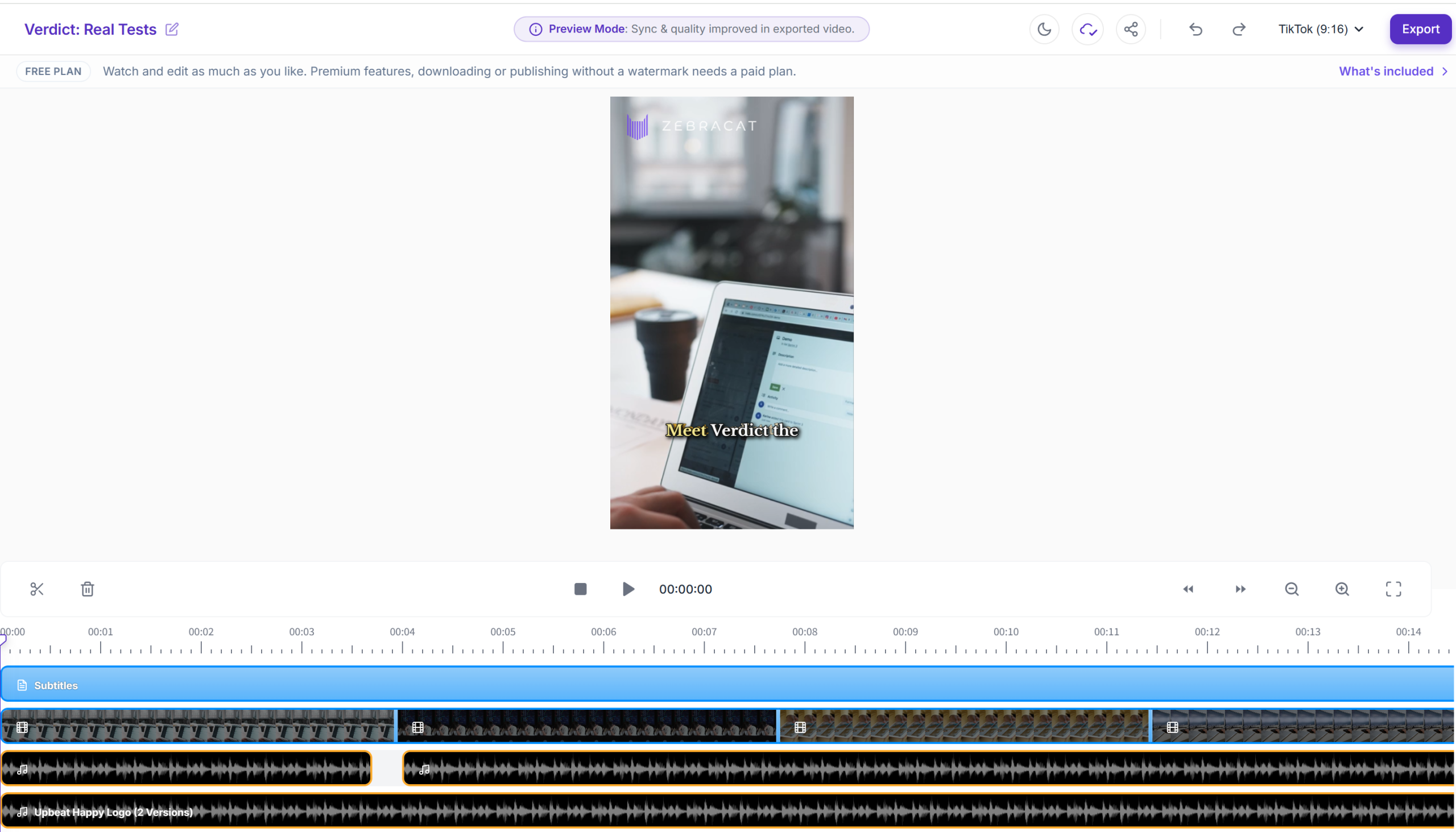
    The generated video opens in an edit view. 22 seconds, rendered in ~3 minutes in my test.

    The 7 differences that actually matter

    1. Voiceover quality and choice. Fliki wins on selection (2,000+ voices, 80+ languages, cloning). But in my actual test, Zebracat's default voice sounded more human on a marketing script. If you want a great voice out of the box for English marketing lines, Zebracat surprises; if you want a library and per-language choice, Fliki.

    2. Video style. Fliki = stock media + voiceover + avatars, built for repurposing written content. Zebracat = animation-first, ad-style output. Different output, different intent.

    3. Multi-language support. Fliki: 80+ languages with dedicated voice sets — the safer bet for Chinese and non-English output. Zebracat: standard voice covers 175+ languages, but video translation into 25+ languages only starts at Super Cat (US$49/mo billed yearly).

    4. Pricing model. Both are credit-based, and yearly billing puts them within ~US$2 of each other: Fliki Standard is US$21/mo billed yearly (US$28 monthly), Zebracat Cat is US$19/mo billed yearly (US$39 monthly). The old "Zebracat costs US$19 a year" reading was wrong — that's per month, billed yearly. The real gaps: Fliki's no-commitment monthly rate (US$28) is cheaper than Zebracat's (US$39), and Zebracat packs more credits per dollar at the entry tier.

    5. Free plan usability. Fliki: 3 credits/month, watermark + 720p — enough to build and evaluate. Zebracat: exactly one generation, full stop. If evaluating before paying matters, that alone decides it.

    6. Render speed. Both hit ~3 minutes in my tests. Zebracat had a confusing ~1-minute dead pause after clicking generate (nothing visible happening); Fliki's rough edge was the export flow (queuing, no progress state, occasional failures).

    7. Ecosystem and tutorials. Fliki: 12M+ users, G2 4.8, huge tutorial library. Zebracat: young tool, smaller community, fewer tutorials — fine if you're comfortable figuring things out.

    Pricing: the honest math

    Fliki pricing plans

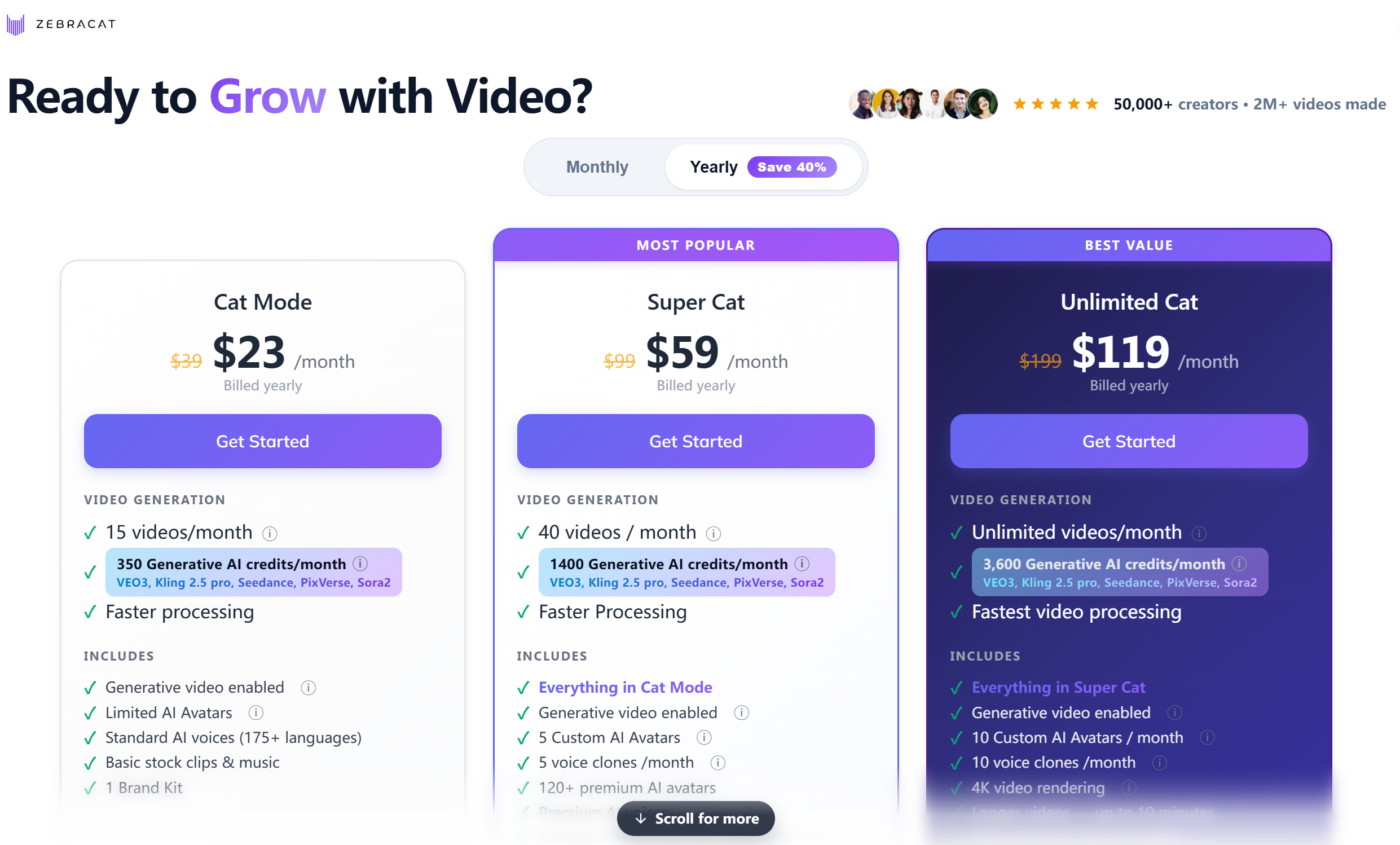
    Zebracat pricing plans

    Fliki (USD, credit-based; prices verified from the live pricing page, 2026-08-28):

    Plan Price Credits/mo What changes
    Free $0 3 720p, watermark, 300+ voices
    Standard $28 $21/mo (billed yearly; $28 monthly) 180 1080p, 1,000+ voices (500 ultra-realistic), 15-min videos, 80+ languages, voice cloning, commercial rights
    Premium $88 $66/mo (billed yearly; $88 monthly) 600 2,000+ voices, 40-min videos, AI video clips + photo avatars, brand kits, API

    Zebracat (USD, credit-based; per-month prices when billed yearly, verified 2026-08-28):

    Plan Price Videos / credits per month Key differences
    Free $0 1 generation (total) Trial only
    Cat Mode $39 $19/mo (billed yearly; $39 monthly) 15 videos · 350 credits Standard AI voice (175+ languages), basic stock + music, 1 brand kit
    Super Cat $99 $49/mo (billed yearly; $99 monthly) 40 videos · 1,400 credits Premium AI voice, 5 voice clones/mo, 120+ premium avatars, translation into 25+ languages
    Unlimited Cat $199 $99/mo (billed yearly; $199 monthly) Unlimited videos · 3,600 credits Fastest processing, 10 voice clones/mo, unlimited brand kits, priority support
    Enterprise $599+/mo Unlimited · custom credits Custom plans, API access, "Talk to Sales"

    The honest math: with yearly billing, the two land within ~US$2 of each other — Fliki Standard US$21/mo vs Zebracat Cat US$19/mo. The idea that Zebracat is "a whole year for US$19" was a misread: that's US$19 per month when billed yearly. The real pricing differences are (1) commitment — Fliki's monthly rate (US$28) is cheaper than Zebracat's (US$39) if you don't want to commit for a year, and (2) credits — Zebracat Cat gives 350 credits/month (15 videos) for ~the same money as Fliki Standard's 180 credits. Neither tool is dramatically cheaper; the free plan and feature fit should decide.

    Who should buy which

    • Blogger repurposing posts into video → Fliki. The URL-to-video feature is built for exactly this.
    • Course creator turning scripts into lessons → Fliki. Strong voiceover, avatars, and a free plan to test with.
    • Cross-border seller making multi-language product videos → Fliki. 80+ languages with real voice selection is the safer bet for Chinese and other non-English output.
    • Marketer / solopreneur making ad creatives and short marketing videos → Zebracat. Animation-first output, natural default voice, and more credits per dollar.
    • Bulk short-video production on a yearly budget → Zebracat. 350 credits/month at ~US$19/mo beats Fliki Standard's 180 credits at a similar price.
    • Must evaluate on a free plan first → Fliki. 3 credits/month is enough to build a real video; Zebracat's one generation is not.

    FAQ

    Is Fliki cheaper than Zebracat?
    Similar numbers, different billing. With yearly billing: Fliki Standard is US$21/mo, Zebracat Cat is US$19/mo — essentially a tie. Without a yearly commitment (monthly billing): Fliki is US$28/mo, Zebracat is US$39/mo — Fliki is cheaper. Note: Zebracat's US$19 is a per-month price billed yearly, not a per-year total.

    Which has better AI voiceover, Fliki or Zebracat?
    In my test, Zebracat's default AI voice sounded more natural than Fliki's on a marketing script. But Fliki has the far bigger library — 300+ voices free, 2,000+ on Premium, 80+ languages, voice cloning — and more per-language choice. Zebracat's premium voice and cloning start at Super Cat (US$49/mo billed yearly).

    Which is better for Chinese voiceover?
    Fliki. It covers 80+ languages with dedicated voice sets, and while English is its strongest language, Chinese output is well supported. Zebracat's standard voice covers 175+ languages, but its video translation feature into 25+ languages only starts at Super Cat (US$49/mo billed yearly), and I tested English only. If Chinese output is critical, Fliki is the safer pick.

    Can I use Fliki and Zebracat videos commercially?
    Fliki includes commercial usage rights from the Standard plan up; the free plan is for testing. For Zebracat, the paid plans are positioned for real marketing use and the free plan is a trial — confirm the exact commercial terms for your plan on the live pricing page before publishing.

    Do Fliki and Zebracat need a credit card to sign up?
    No. I registered both with just an email on the free plan. No credit card anywhere in either signup flow.

    Fliki vs Zebracat: which should I pick?
    Pick Fliki if you repurpose existing text (blogs, scripts, URLs), need strong voiceover in many languages, want a real free plan to test, or value a mature ecosystem (full Fliki review here). Pick Zebracat if you make marketing videos/ad creatives, want animation-first output with a natural default voice and more credits per dollar, and are OK committing yearly from day one (full Zebracat review here).

    Disclosure & CTA

    I'm an affiliate of both Fliki and Zebracat: if you sign up through my links, I may earn a commission at no extra cost to you. I only recommend tools I've actually registered for and built with.

    Try Fliki free (best for repurposing text → video with strong voiceover) → fliki.ai

    Try Zebracat free (best for fast marketing animations) → zebracat.ai

    Grab the free checklist (2026 Solopreneur Tool Stack) → Get the free checklist


  • Zebracat Review 2026: Is This New AI Video Tool Worth It?

    Zebracat Review 2026: Is This New AI Video Tool Worth It?

    Verdict first: Zebracat is a new text-to-video tool that genuinely delivers on its core promise — turning a marketing script into a short animated video — and in my real test the result surprised me in two ways: the output didn't look template-y, and the AI voiceover sounded more natural than Fliki's. I signed up with just an email (no credit card), pasted a ~70-word marketing script, and got a 22-second video in about 3 minutes. But the free plan gives you exactly one generation and then stops, the credit system is opaque on the free tier, and the tool is young — fewer tutorials, a smaller community. Worth it if you make marketing videos/ads and are ready to pay from day one; not for you if you need a real video editor or a usable free tier to evaluate.

    Who it's for: marketers and solopreneurs who need short marketing videos / ad creatives fast; people who want "type a script, get a video" with a more natural AI voice; early adopters who don't need a huge tutorial library.

    Who it's not for: anyone who wants to evaluate on the free plan (one generation is not enough); people who need frame-level editing or motion-graphics control (this is not an editor); buyers who value a mature ecosystem and lots of community tutorials.


    The test: what I actually built (real, unpolished)

    This is not a rehash of Zebracat's feature page. I registered a free account and built one video end-to-end, all on the free plan:

    Step What happened
    Free signup Email only. No credit card anywhere in the flow.
    Free plan allowance Exactly one video generation — after that, no more free renders.
    Script → video Pasted a ~70-word SaaS marketing script.
    Output A 22-second video.
    Render time About 3 minutes from clicking generate to the result.
    Voiceover The default AI voice sounded more natural than Fliki's in my comparison (subjective, but it was the first thing I noticed).
    Template feel Weak — the output didn't look like a generic stock template; it read like a real ad.
    Credit visibility Not visible on the free plan — you can't see how many credits a video costs (see "Where it tripped me").

    Screenshots from the build

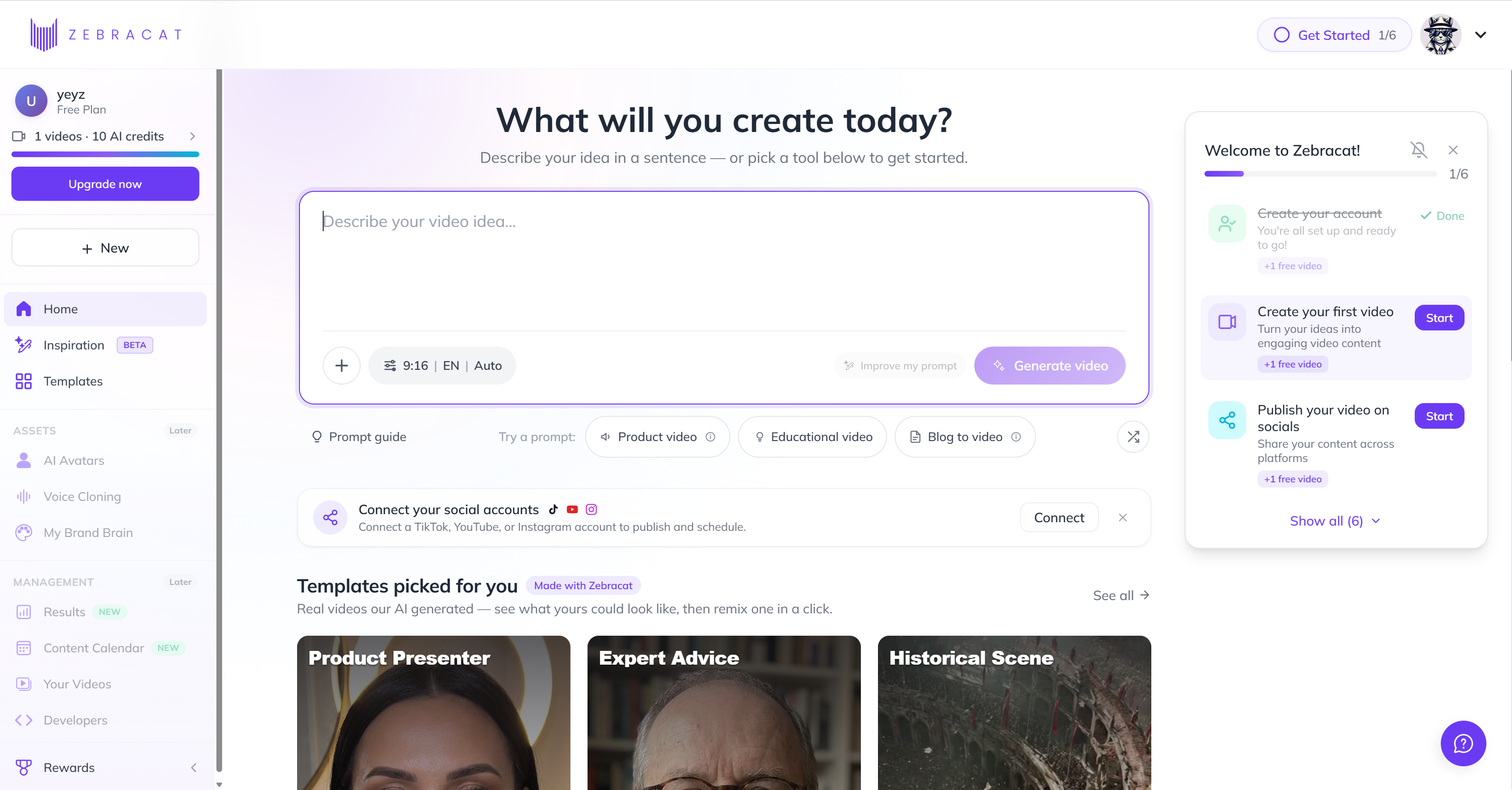
    Signup: email only, no credit card

    Zebracat signup page

    No credit card anywhere. Email signup and you're in — but note the free allowance before you get excited (one generation, more below).

    The workspace

    Zebracat workspace dashboard

    Clean dashboard. The free plan's limits are not shouted at you — I found out the "one generation" reality when I tried to render a second video.

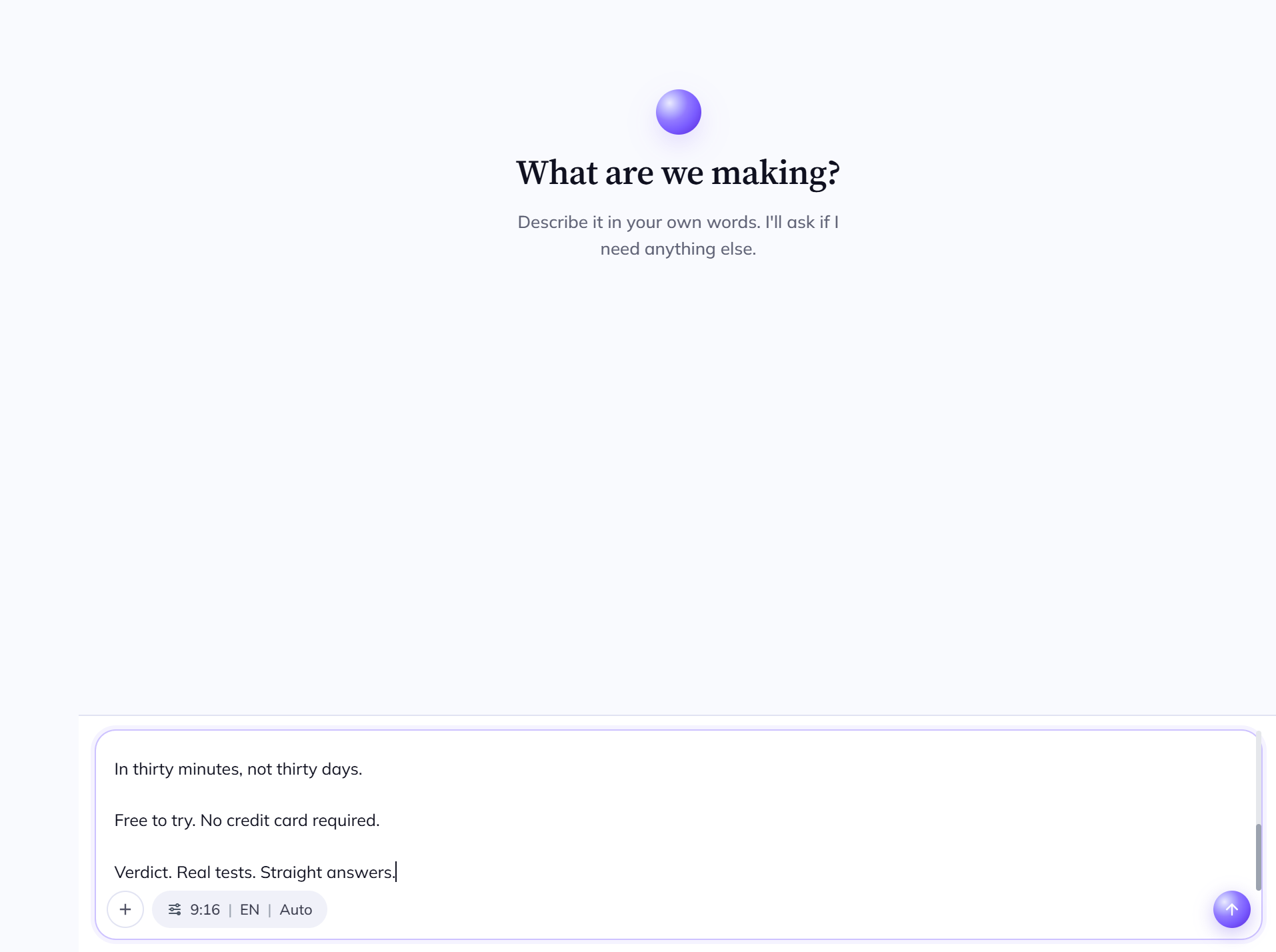
    Script → video (the core flow)

    Zebracat script input

    Paste your script. Short lines become scenes. This is the "type a script, get a video" step.

    Zebracat style selection

    Pick a video style/template. The style options are where Zebracat differentiates — marketing-animation first.

    Zebracat result editor

    The generated video opens in an edit view. 22 seconds, rendered in ~3 minutes.

    Pricing

    Zebracat pricing plans

    Prices below are the per-month rates when billed yearly (discounted), verified from the live English pricing page on 2026-08-28. Monthly-billing (no commitment) prices are $39 / $99 / $199.

    Where it tripped me (the honest part)

    • The free plan is one generation, full stop. I clicked generate once, got my 22-second video — and that was the end of the free evaluation. You cannot realistically evaluate this tool without paying. That's a real barrier, and it should be said out loud.
    • A confusing dead minute before rendering. After clicking generate, nothing visibly happens for about a minute before the "generating" screen appears. I genuinely wasn't sure whether it was waiting for me to pick a voiceover/background-music option or just slow. The on-screen guidance didn't explain it.
    • The credit system is not transparent. On the free plan I could not see how many credits a generation consumed or what remained. Pricing pages describe credits (350/mo on Cat, 1,400 on Super Cat, 3,600 on Unlimited), but you have to go look it up yourself.

    Pricing (verified from the live English pricing page — re-check at publishing)

    Plan Price (per month, billed yearly) Videos / credits per month Key differences
    Free $0 1 generation (total) Enough to try once, not to evaluate
    Cat Mode $39 $19/mo 15 videos · 350 credits Standard AI voice (175+ languages), limited AI avatars, basic stock + music, 1 brand kit
    Super Cat $99 $49/mo 40 videos · 1,400 credits Faster processing, 5 custom avatars, 5 voice clones/mo, 120+ premium avatars, premium AI voice, video translation into 25+ languages
    Unlimited Cat $199 $99/mo Unlimited videos · 3,600 credits Fastest processing, 10 custom avatars/mo, 10 voice clones/mo, unlimited brand kits, priority support
    Enterprise $599+/mo Unlimited · custom credits Unlimited avatars/voice clones, enterprise-grade, "Talk to Sales"

    Practical takeaway: the paid entry is $19 per month (billed yearly — about $228/year). For that you get 15 videos/month — a fair price for someone who already makes marketing content, and comparable to Fliki's $21/mo yearly rate. Without a yearly commitment the monthly price jumps to $39, and the free plan gives you almost nothing to judge by.

    Pros & Cons

    Pros Cons
    Voiceover sounded more natural than Fliki in my test Free plan = exactly one generation (can't evaluate properly)
    Output doesn't feel template-y; reads like a real ad ~1-minute dead wait after clicking generate, unclear guidance
    Email-only signup, no credit card Credit system opaque on the free tier
    Fast: 22s video in ~3 minutes Young tool: fewer tutorials, smaller community
    Marketing-animation focus is a real niche (vs generic text-to-video) Not an editor — no frame-level control

    Zebracat vs the alternatives

    Zebracat Fliki Pictory InVideo
    Best for Marketing animations + natural AI voice Repurposing existing text into video Long-content repurposing AI editing suite
    Voice quality Strong (tested — more natural than Fliki) Strong (tested) Medium Medium
    Free plan 1 generation (trial only) 3 credits/mo (real, watermark+720p) Limited Limited
    Ecosystem/tutorials Small (new tool) Large (12M users, G2 4.8) Medium Medium
    Entry price ~$19/mo (billed yearly) ~$21/mo (yearly) · $28 (monthly) Check live site Check live site
    Try it Zebracat free Fliki review Pictory free InVideo free

    FAQ

    Is Zebracat free?
    There is a free plan, but it's a trial in practice: it includes exactly one video generation. If you want to actually evaluate the tool, budget for the $19/mo Cat plan (billed yearly).

    Does Zebracat need a credit card to sign up?
    No. I registered with just an email on the free plan.

    How long does Zebracat take to generate a video?
    In my test, a 22-second video from a ~70-word script rendered in about 3 minutes — plus a confusing ~1-minute pause right after clicking generate before the rendering screen appeared.

    Is Zebracat's AI voiceover good?
    In my comparison it sounded more natural than Fliki's default voice. Standard AI voice covers 175+ languages; premium AI voice and voice cloning start at Super Cat ($49/mo billed yearly).

    Zebracat vs Fliki: which should I pick?
    Pick Zebracat if you want marketing-style animation with a more natural default voice and are OK paying from day one. Pick Fliki if you want to repurpose blog posts/URLs into video, need a real free plan to test first, or value a mature ecosystem (full Fliki review here).

    How many videos can I make per month?
    Cat Mode: 15/month. Super Cat: 40/month. Unlimited Cat: unlimited.

    Disclosure & CTA

    I'm an affiliate of Zebracat: if you sign up through my link, I may earn a commission at no extra cost to you. I only recommend tools I've actually registered for and built with.

    Try Zebracat free → zebracat.ai

    Grab the free checklist (2026 Solopreneur Tool Stack) → Get the free checklist


    Related reading: Synthesia Alternatives ·

  • Fliki Review 2026: Is It Still the Best Text-to-Video Tool?

    Verdict first: Fliki is still the best "text to video with voiceover" tool I've tested for solo creators who already write — blog posts, scripts, product pages — and want to turn that writing into a talking video without learning to edit. I registered on the free plan (no credit card), built a video from a script, and ran a URL through the URL-to-video feature, all in one sitting. It is not a video editor, and the export flow has rough edges (more below). But if your bottleneck is "I have the words, I need the voice and the video," Fliki does that faster than anything I've tried at this price.

    Who it's for: bloggers repurposing posts into video, course creators, cross-border sellers making product explainers, and anyone who needs AI voiceover in 80+ languages.

    Who it's not for: people who need frame-level editing, custom motion graphics, or a full video suite (CapCut, Premiere, Descript are for that).


    The test: what I actually built (real, unpolished)

    This review is not a rehash of Fliki's feature page. I registered a free account and built everything below in one sitting, on the free plan:

    Test What happened
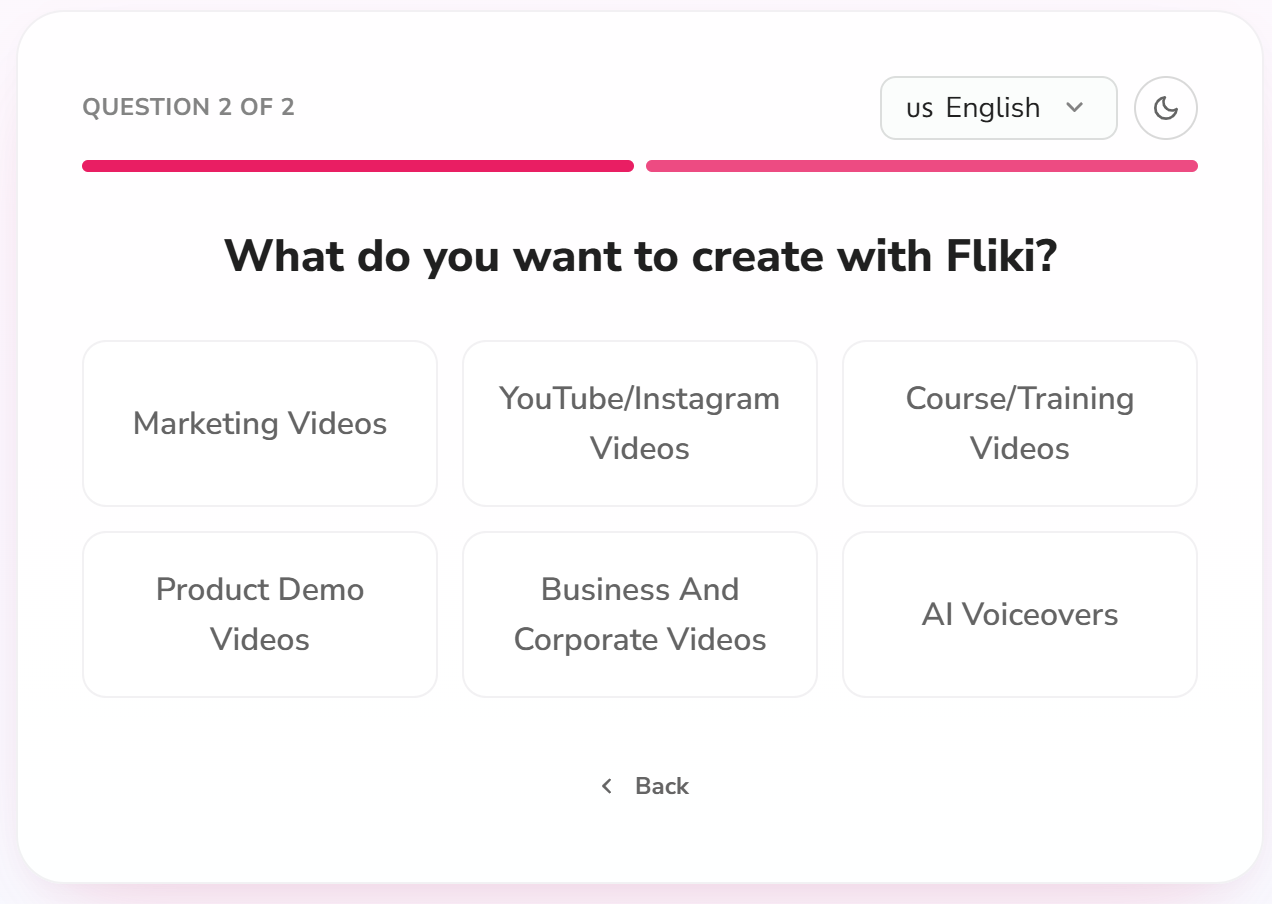
    Free signup No credit card required. Email signup → a short background step → "what do you want to use Fliki for" → straight into the workspace.
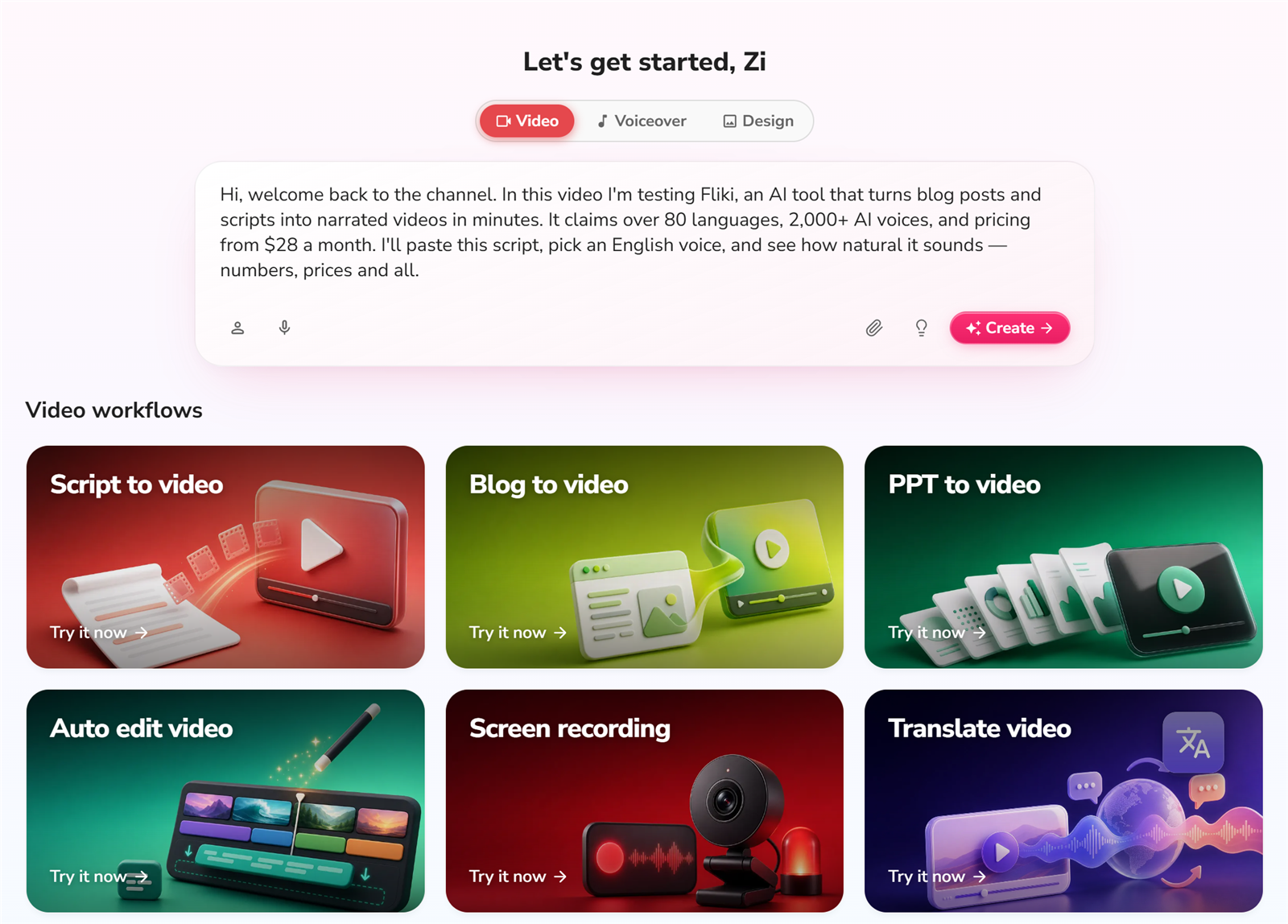
    Script → video Pasted a ~60-word English script, picked a voice, hit generate. Rendered in about 3 minutes for a short clip.
    URL → video Pasted a blog URL. Content was grabbed accurately and the auto-matched images actually fit the topic.
    English voiceover Natural on conversational lines; numbers and prices read correctly in my test.
    Export Free plan exports at 720p only with a Fliki watermark in the bottom-right corner.
    Export reliability The weak spot — see "Where it tripped me" below.

    Screenshots from the build

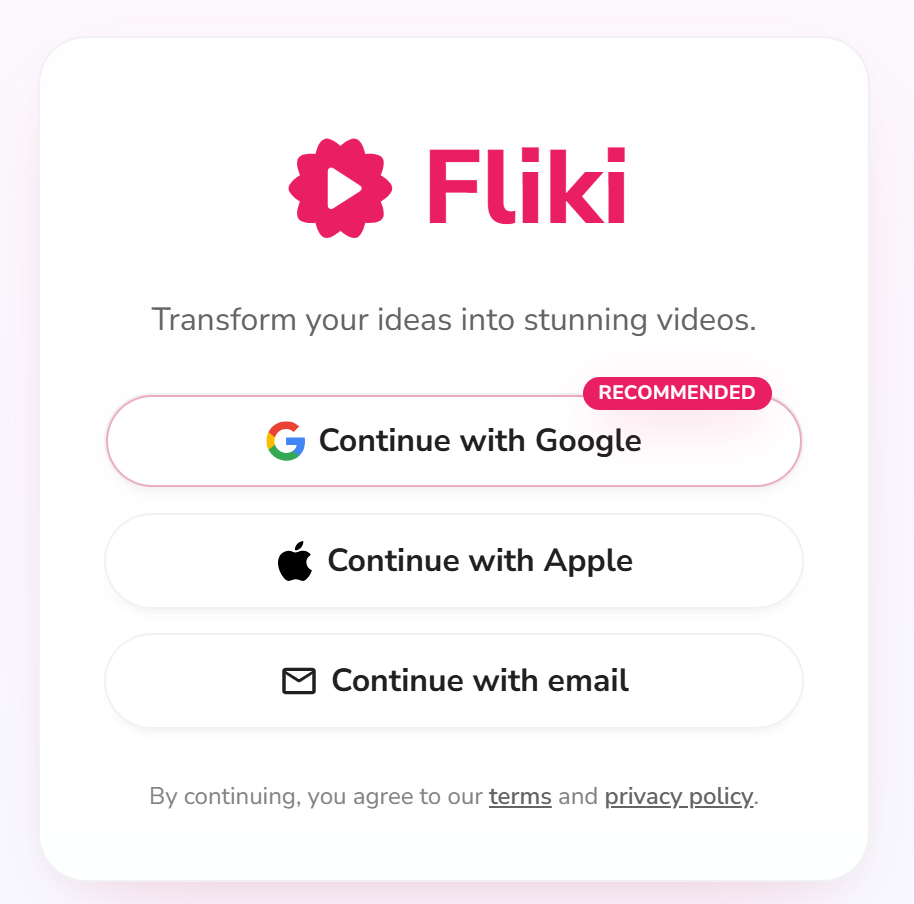
    Signup: no credit card, straight in

    Fliki signup page

    Registration asks for an email first — no credit card anywhere on the flow. Pick email signup (or an SSO option) and you're moving in seconds.

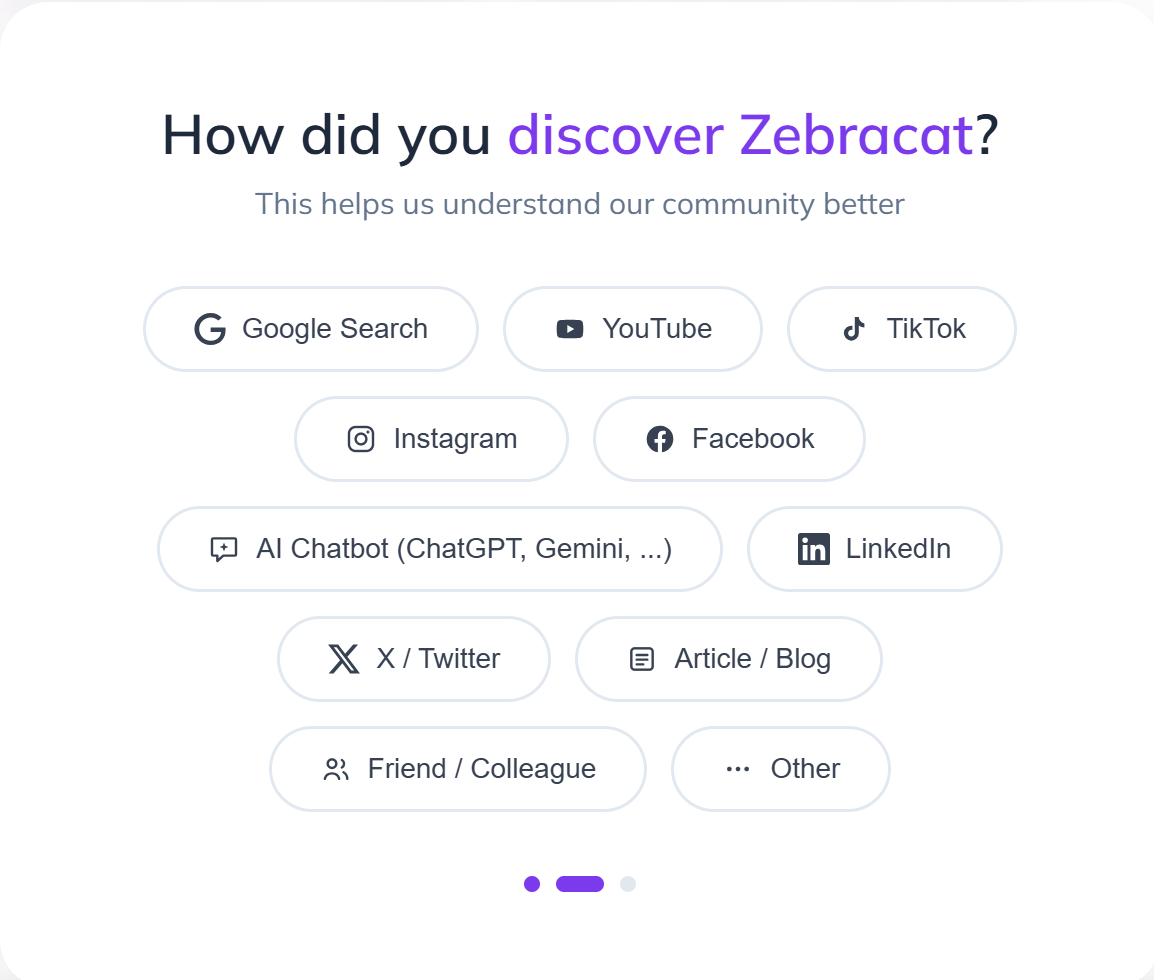
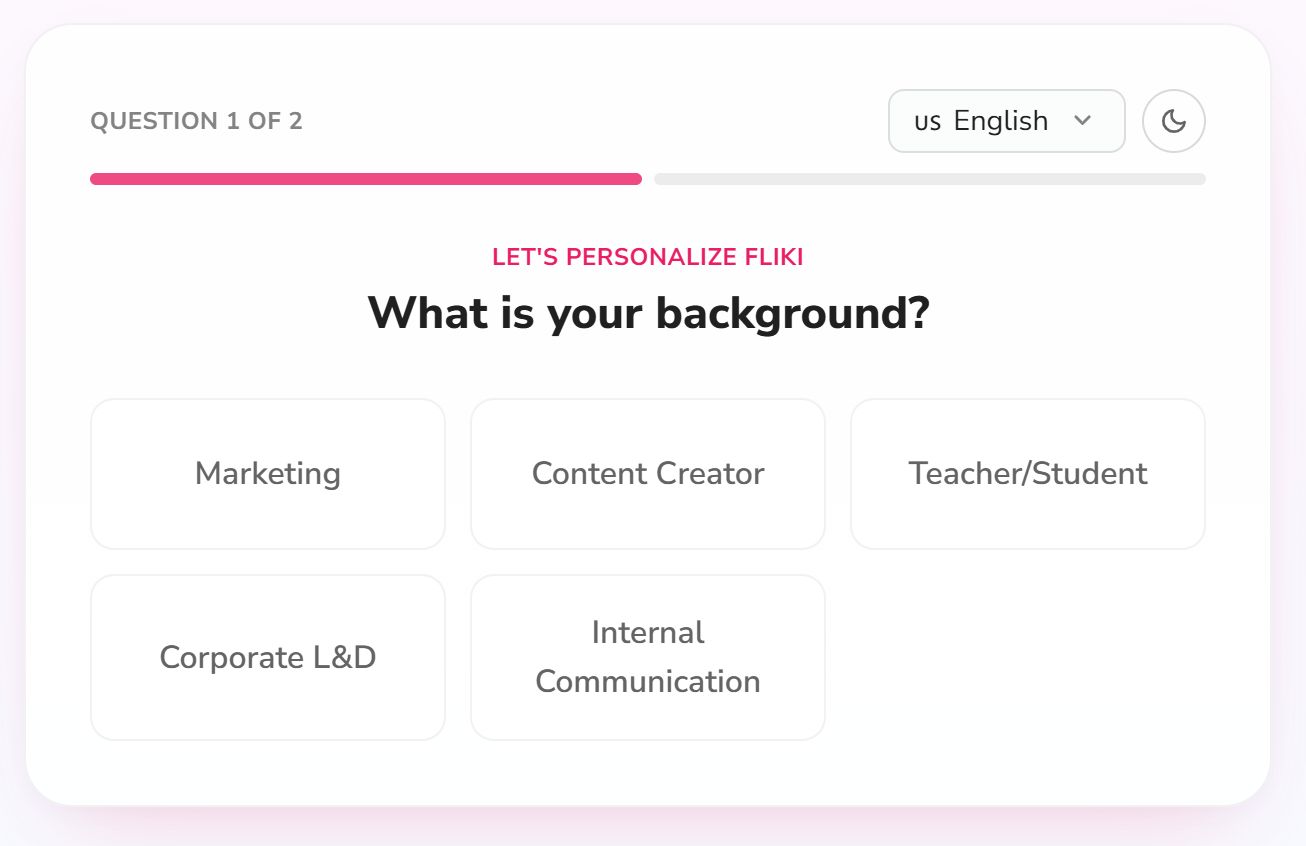
    Fliki signup background step

    There's a quick background question before you're in. It's optional-feeling but takes 10 seconds.

    Fliki signup use-case step

    Then it asks what you want to use Fliki for — creator, marketer, educator. This feeds the onboarding suggestions later.

    The workspace and the core flow

    Fliki workspace dashboard

    The free dashboard shows your credit balance (3 credits/month on the free plan) and your projects. Everything you need to start is one click away.

    Fliki script input page

    This is the core screen: paste your script (or a blog post), and Fliki breaks it into scenes. This is the "I have the words" → video step.

    Fliki voice selection

    Voice selection is where Fliki shines. 300+ voices on the free tier (2,000+ on Premium), 80+ languages. I tested an English voice.

    Fliki avatar selection

    Fliki now also offers AI avatars/characters on top of plain voiceover — a bonus if you want a talking presenter without recording yourself.

    Fliki generated result with watermark

    Result after rendering. Notice the watermark in the bottom-right corner — that's the free plan tradeoff.

    URL → video (the signature feature)

    Fliki URL to video result

    I fed it a blog URL and it pulled the content and matched images correctly. This is genuinely useful for repurposing posts.

    Export settings

    Fliki export settings

    Free plan exports at 720p. HD (1080p) is a paid-plan feature.

    Where it tripped me (the honest part)

    The rendering itself was fast and the output was good. The export flow is where Fliki lost points:

    • No intermediate state on export. You click Export and there's no clear "processing…" indicator, so you genuinely don't know if the export started. I found myself clicking again — which likely just adds more queue time.
    • Exports queue. Even on the free plan, exports can sit in a queue. Not a big deal, but there's no ETA shown.
    • Export failures happen. One of my export attempts failed outright with no obvious retry path. I had to go back and re-trigger it. For a tool whose whole pitch is "no editing skills needed," this is the roughest edge.

    Pricing (tested from the live pricing page, USD)

    Fliki pricing plans

    Fliki is freemium and credit-based. The free plan gives you 3 credits per month, 720p output, and a watermark — enough to test the core flow, not enough for real publishing. Prices below are USD from the live pricing page (verified 2026-08-28): Standard is US$21/month billed yearly (US$28 monthly) and Premium is US$66/month billed yearly (US$88 monthly).

    Plan Price (USD) Credits/mo What changes
    Free $0 3 720p, watermark, 300+ voices, stock media, AI images
    Standard $28 $21/user/mo (billed yearly; $28 monthly) 180 1080p, 1,000+ voices (500 ultra-realistic), 15-min videos, voice cloning + limited avatars, AI Playground + commercial rights
    Premium $88 $66/user/mo (billed yearly; $88 monthly) 600 2,000+ voices, 40-min videos, AI video clips + photo avatars, all avatars + multiple voice clones, brand kits, API access

    The paid plans are where Fliki makes sense for real publishing: no watermark, 1080p, longer videos, and commercial usage rights (Standard and up).

    Pros & Cons

    Pros Cons
    Best-in-class AI voiceover (300+ voices free, 2,000+ premium, 80+ languages) Free plan is demo-only: 3 credits/mo, 720p, watermark
    Turns a blog URL or script into a video fast (~3 min render in my test) Export flow is rough: no progress state, queuing, occasional failures
    URL-to-video grabbed content and images accurately Not a real editor; no frame-level control
    No credit card to test Credit-based pricing can confuse at first

    Fliki vs the alternatives

    Fliki Zebracat Pictory InVideo
    Best for Text + strong voiceover Marketing animations, fast output Repurposing long content AI editing suite
    Voice quality Strong (tested) Different focus (animation-first) Medium Medium
    Languages 80+ Check live site Many Many
    Entry price ~US$21/mo (yearly) · $28 (monthly) ~US$19/mo (yearly) · $39 (monthly) Check live site Check live site
    Try it Fliki free Zebracat free Pictory free InVideo free

    FAQ

    Is Fliki free?
    Yes — there's a free-forever plan with 3 credits per month. It includes a watermark and 720p output, and does not include commercial usage rights. Paid plans remove the watermark and unlock HD + commercial use.

    Does Fliki's English voiceover sound natural?
    In my test, yes — conversational lines, numbers, and prices all read naturally on an English voice. That's the quality gap Fliki has over most competitors.

    Can I use Fliki videos commercially?
    Only on paid plans (Standard and up include commercial rights). The free plan is for testing.

    Can Fliki do Chinese voiceover?
    Yes — Fliki covers 80+ languages including Chinese. The quality is good but some words can still sound robotic; it's strongest in English.

    Fliki vs Zebracat: which should I pick?
    Pick Fliki if your priority is voiceover quality and turning existing text into video. Pick Zebracat if you want fast marketing animations with a different style.

    Disclosure & CTA

    I'm an affiliate of Fliki: if you sign up through my link, I may earn a commission at no extra cost to you. I only recommend tools I've actually registered for and built with.

    Try Fliki free → fliki.ai

    Grab the free checklist (2026 Solopreneur Tool Stack) → get it here


    Related reading: Synthesia Alternatives ·

  • Systeme.io vs ClickFunnels vs Kajabi (2026): Which Should a Solopreneur Pick?

    Systeme.io vs ClickFunnels vs Kajabi (2026): Which One Should a Solopreneur Actually Pick?

    Verdict first: If you are a solopreneur starting from zero — or bootstrapping on a budget — pick Systeme.io. Its permanent free plan covers a full funnel, unlimited emails, courses, and an affiliate program, and I built a working email funnel on it in about 30 minutes. ClickFunnels is the pick only if your whole business is high-ticket sales funnels and you already have revenue. Kajabi is the pick only if your business is courses/memberships first and you can comfortably spend $140+/month before launch.

    There is no “best” here — there’s “best for your stage.” This page compares the three from a solopreneur’s perspective: what you actually get at each price point, where each platform hurts, and which one you should start with in 2026.

    How this was tested: Systeme.io was hands-on tested on the free plan — real account, real funnel, real emails, real course shell, with screenshots. ClickFunnels and Kajabi are assessed from their current 2026 pricing, official documentation, and public reviews. I do not claim a paid hands-on test of either — this page is updated as we test more. Pricing below is what each vendor lists today; check before you buy.

    The 30-second comparison

    Systeme.io ClickFunnels Kajabi
    Starting price $0 (free plan) / from $17/mo from $97/mo from ~$143/mo (annual)
    Free plan Yes, permanent (2,000 contacts, 3 funnels) No (14-day trial) No (14-day trial)
    Funnel builder Yes Yes (best-in-class) Yes
    Email marketing Unlimited on all plans Included, capped by plan Included
    Courses / memberships Yes Add-on ecosystem Yes (strongest)
    Built-in affiliate program Yes Add-on (Backpack) Yes (Affiliate system)
    Ease for a beginner Simple, menu-driven Steeper; powerful Simple but opinionated
    Best for Bootstrapped solopreneurs Sales-focused marketers with revenue Course & membership businesses with budget

    Systeme.io: the $0 stack that actually works

    I registered a free account and built a complete mini-business in one sitting: a landing page, a 2-step opt-in funnel, a 3-email welcome sequence with a PDF attached, a course shell, and the built-in affiliate program — about 30 minutes of real work, $0 spent, and no paywall appeared.

    What’s genuinely good:

    • The free plan is permanent and usable — 2,000 contacts, 3 funnels, unlimited emails. It’s a real product, not a trial.
    • Funnel + email + course + affiliate program in one place. You never leave the app.
    • The affiliate program is built in — both Systeme.io’s own 60% lifetime-recurring program and your own program for your products.

    Where it tripped me:

    • Templates ship with demo content (“Volunteer in your Community”, Lorem ipsum). You must replace every block before publishing — it won’t warn you.
    • “3-step funnel” is not the default: opt-in templates create 2 steps; adding a sales page is manual.
    • Your own affiliate program defaults to 40%, but each order form defaults to 0% affiliate commission. Easy to miss.

    Full hands-on details, screenshots, and the honest oops-moments are in the Systeme.io review.

    ClickFunnels: the funnel-first industry standard

    ClickFunnels was built around one job: selling through funnels. Its templates, upsell flows, and checkout design are still the benchmark the others copy. In 2026 pricing is simpler than it used to be: Launch from $97/mo, Scale $197/mo, Optimize $297/mo (annual billing drops Launch to about $81/mo). There is no free plan — a 14-day trial is the only free taste.

    Who it’s actually for: marketers and coaches whose revenue already depends on conversion funnels and who will spend hours a week in the builder. If a funnel page’s conversion rate is your business, ClickFunnels earns its price.

    Who it’s not for: a bootstrapped founder who just needs email + a landing page. You’re paying for power you won’t use yet, and email/membership features live in an add-on ecosystem that raises the true cost above the sticker price.

    Kajabi: the course-and-membership heavyweight

    Kajabi’s superpower is courses: video hosting, student management, progress tracking, communities, and payments all built around teaching. It’s the most polished all-in-one for a knowledge business. After its January 2026 restructure, plans start around $143/mo (annual Basic), with Growth at $199/mo and Pro at $399/mo; monthly billing is higher. A 14-day trial is available.

    Who it’s actually for: course creators and coaches who already have (or are confident in) an audience — the platform pays for itself once you’re selling courses at a real price.

    Who it’s not for: anyone who hasn’t validated a first offer yet. Paying $140+/month before you have a single student is how solo projects die quietly.

    Which one should you pick? (decision guide)

    Your situation Pick Why
    Zero revenue, one idea, tight budget Systeme.io Free until you’ve validated demand; upgrade only when limits bite.
    Already selling and funnels are your lever ClickFunnels Best templates and upsell flows; the cost is an investment in conversion.
    Courses/memberships are the core business, budget available Kajabi Best integrated course + community + payments experience.
    Not sure yet — test demand first Systeme.io Build the lead magnet + welcome sequence free, then decide with data.

    What I’d actually do: start on Systeme.io’s free plan, publish the lead magnet, collect emails, and run one offer. If the offer converts, upgrade Systeme.io or migrate to ClickFunnels/Kajabi — with real numbers justifying the $100-140/month, not hope.

    FAQ

    Is Systeme.io really free?

    Yes. The free plan includes 2,000 contacts, 3 funnels, unlimited emails, and courses, with no credit card required. Paid plans start around $17/month.

    Is ClickFunnels worth it for a beginner?

    Usually not as a first tool. At $97+/month with no free plan, it makes sense once you’re already selling and need proven funnel templates and upsell flows. Start free elsewhere until revenue justifies it.

    Is Kajabi good for solopreneurs?

    Yes, if courses are the business and you have budget. It’s the strongest all-in-one for teaching, but at ~$143/month it’s expensive before you have students.

    Can I migrate from Systeme.io to ClickFunnels or Kajabi later?

    Yes. Contacts (CSV export), funnels, and email sequences can all be exported and rebuilt. Starting on Systeme.io doesn’t lock you in.

    Which platform has the best affiliate program?

    Systeme.io’s is built in and generous (60% lifetime recurring on their own program, plus you can run your own program). ClickFunnels uses Backpack (add-on); Kajabi has a native affiliate system for your courses.

    Grab the free checklist first: The 2026 Solopreneur Tool Stack — 10 tools, free tiers, and the exact moments to upgrade. Get the free checklist

    Or start free with Systeme.io (free plan, no card required).

    Disclosure: I’m an affiliate of Systeme.io — if you sign up through my link I may earn a commission at no extra cost to you. I only recommend tools I’ve actually registered for and built with.

    Related reading: Systeme.io Pricing 2026 ·