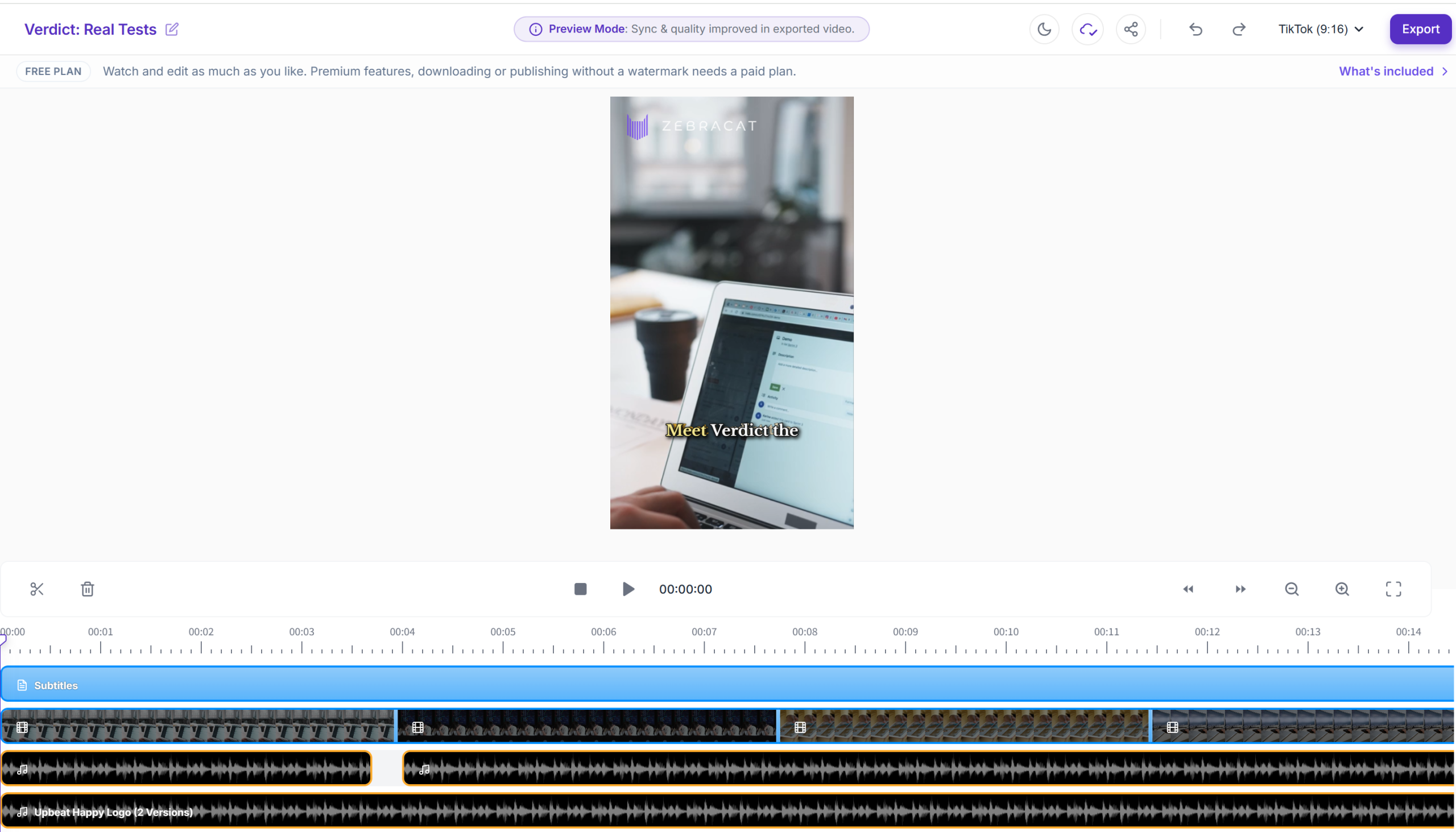
Verdict first: Zebracat is a new text-to-video tool that genuinely delivers on its core promise — turning a marketing script into a short animated video — and in my real test the result surprised me in two ways: the output didn't look template-y, and the AI voiceover sounded more natural than Fliki's. I signed up with just an email (no credit card), pasted a ~70-word marketing script, and got a 22-second video in about 3 minutes. But the free plan gives you exactly one generation and then stops, the credit system is opaque on the free tier, and the tool is young — fewer tutorials, a smaller community. Worth it if you make marketing videos/ads and are ready to pay from day one; not for you if you need a real video editor or a usable free tier to evaluate.
Who it's for: marketers and solopreneurs who need short marketing videos / ad creatives fast; people who want "type a script, get a video" with a more natural AI voice; early adopters who don't need a huge tutorial library.
Who it's not for: anyone who wants to evaluate on the free plan (one generation is not enough); people who need frame-level editing or motion-graphics control (this is not an editor); buyers who value a mature ecosystem and lots of community tutorials.
The test: what I actually built (real, unpolished)
This is not a rehash of Zebracat's feature page. I registered a free account and built one video end-to-end, all on the free plan:
| Step | What happened |
|---|---|
| Free signup | Email only. No credit card anywhere in the flow. |
| Free plan allowance | Exactly one video generation — after that, no more free renders. |
| Script → video | Pasted a ~70-word SaaS marketing script. |
| Output | A 22-second video. |
| Render time | About 3 minutes from clicking generate to the result. |
| Voiceover | The default AI voice sounded more natural than Fliki's in my comparison (subjective, but it was the first thing I noticed). |
| Template feel | Weak — the output didn't look like a generic stock template; it read like a real ad. |
| Credit visibility | Not visible on the free plan — you can't see how many credits a video costs (see "Where it tripped me"). |
Screenshots from the build
Signup: email only, no credit card
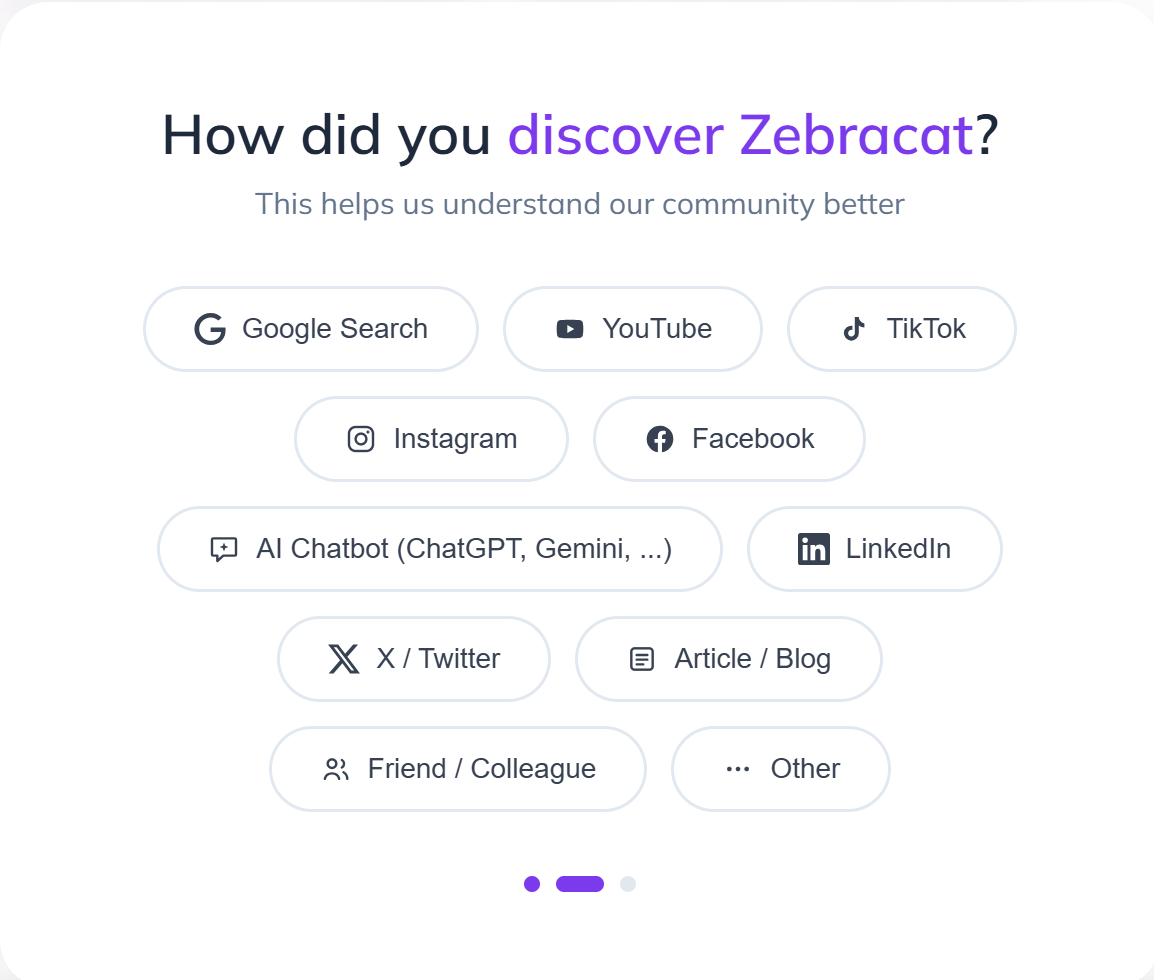
No credit card anywhere. Email signup and you're in — but note the free allowance before you get excited (one generation, more below).
The workspace
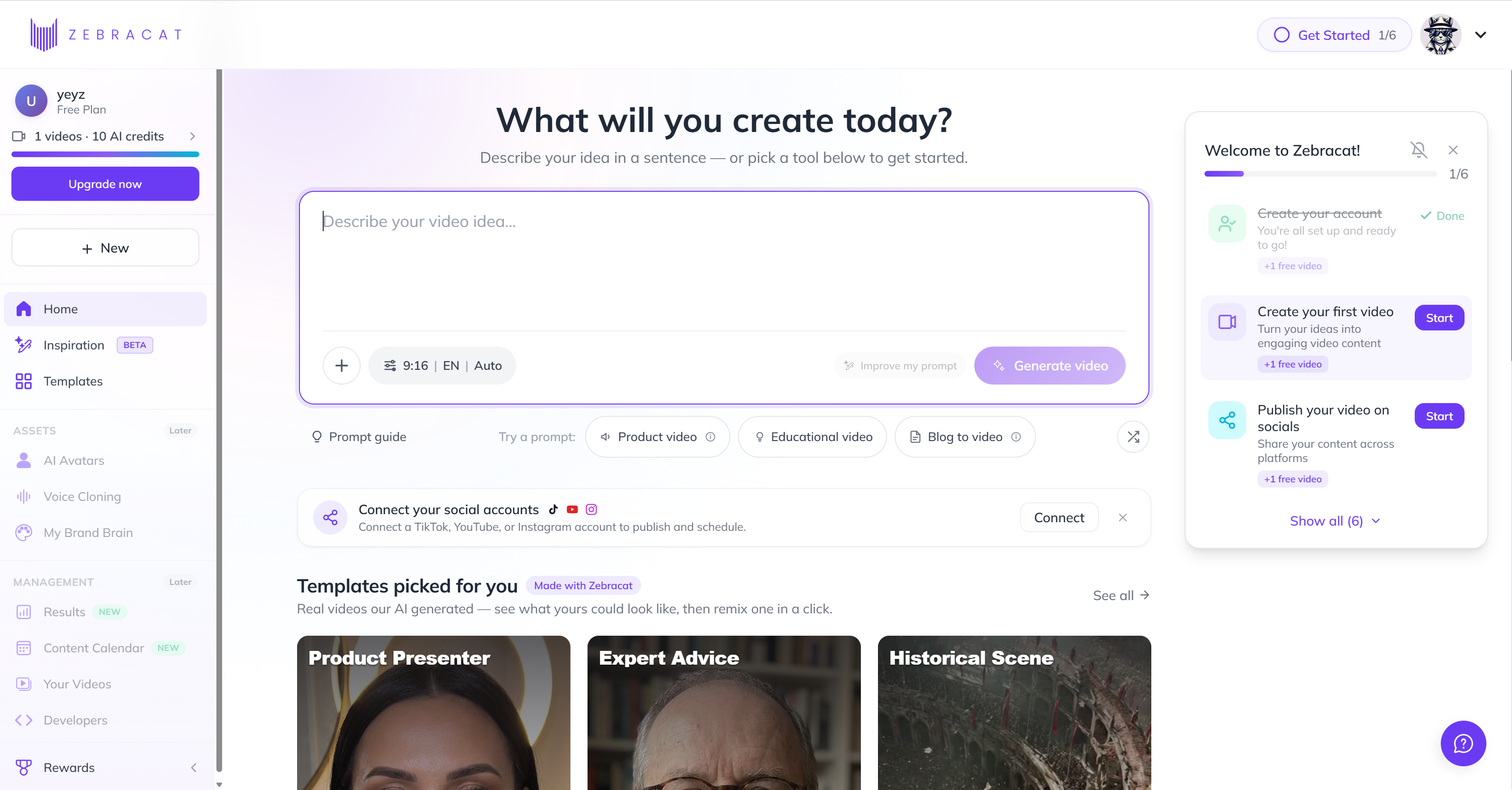
Clean dashboard. The free plan's limits are not shouted at you — I found out the "one generation" reality when I tried to render a second video.
Script → video (the core flow)
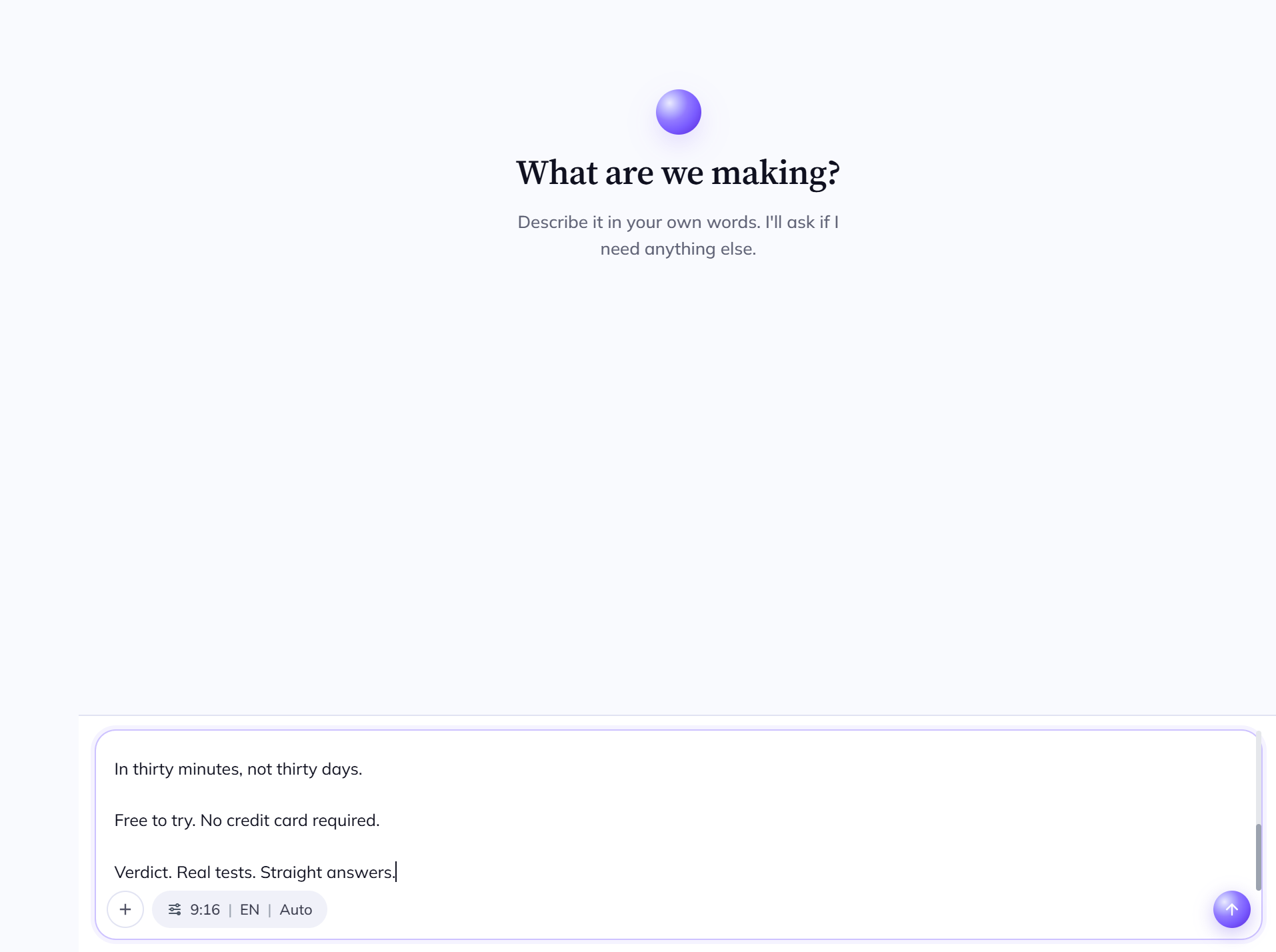
Paste your script. Short lines become scenes. This is the "type a script, get a video" step.
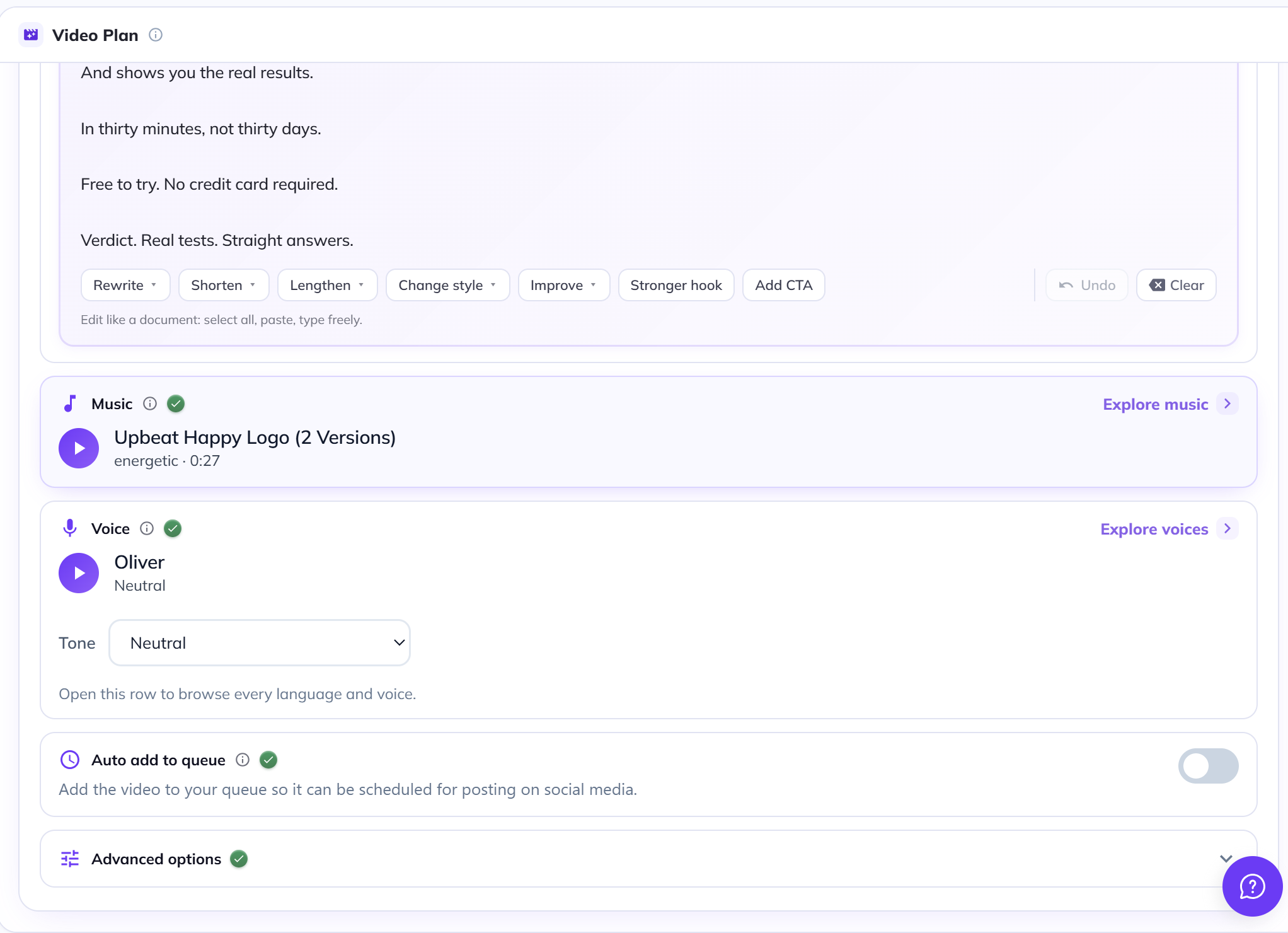
Pick a video style/template. The style options are where Zebracat differentiates — marketing-animation first.
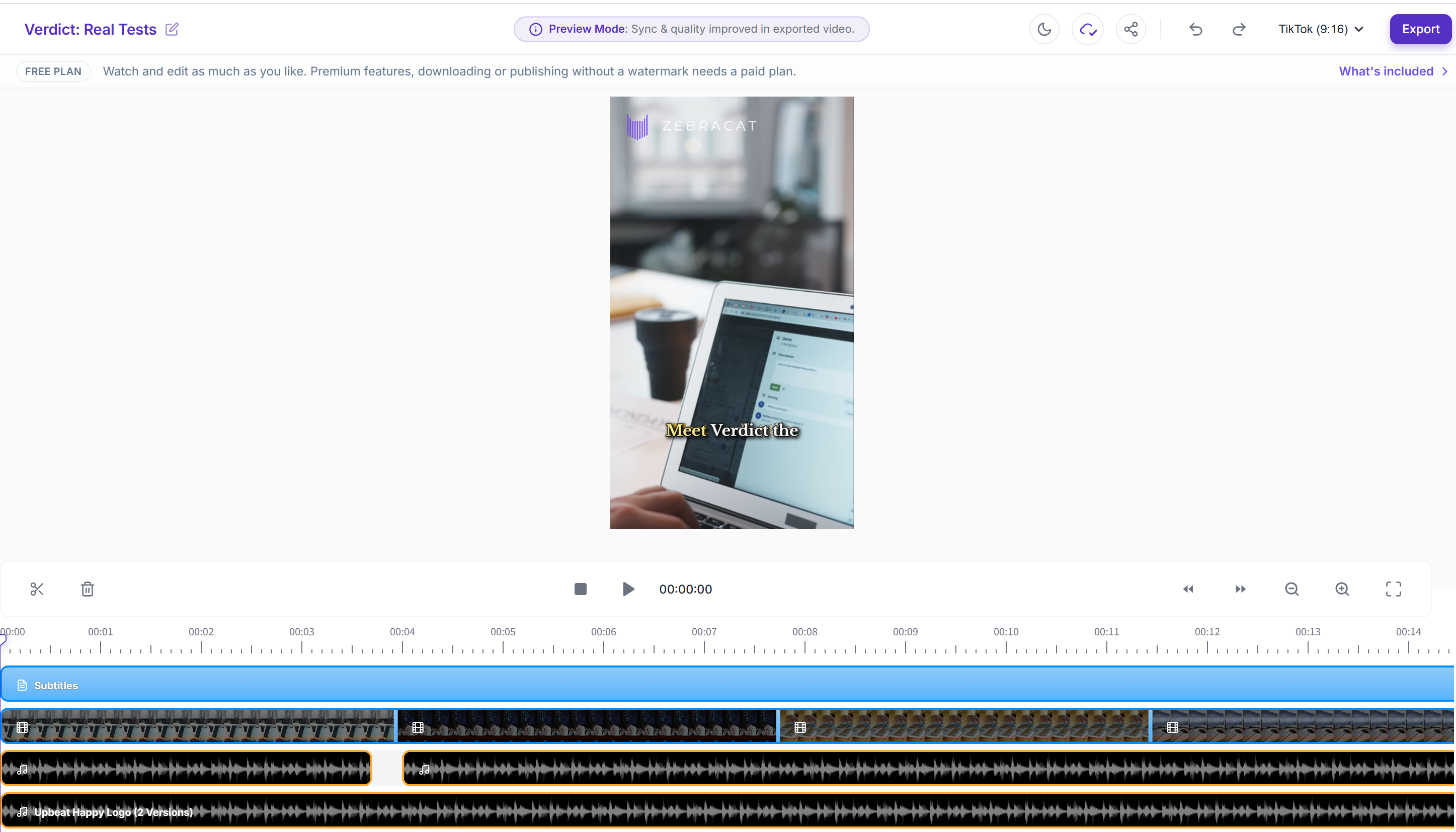
The generated video opens in an edit view. 22 seconds, rendered in ~3 minutes.
Pricing
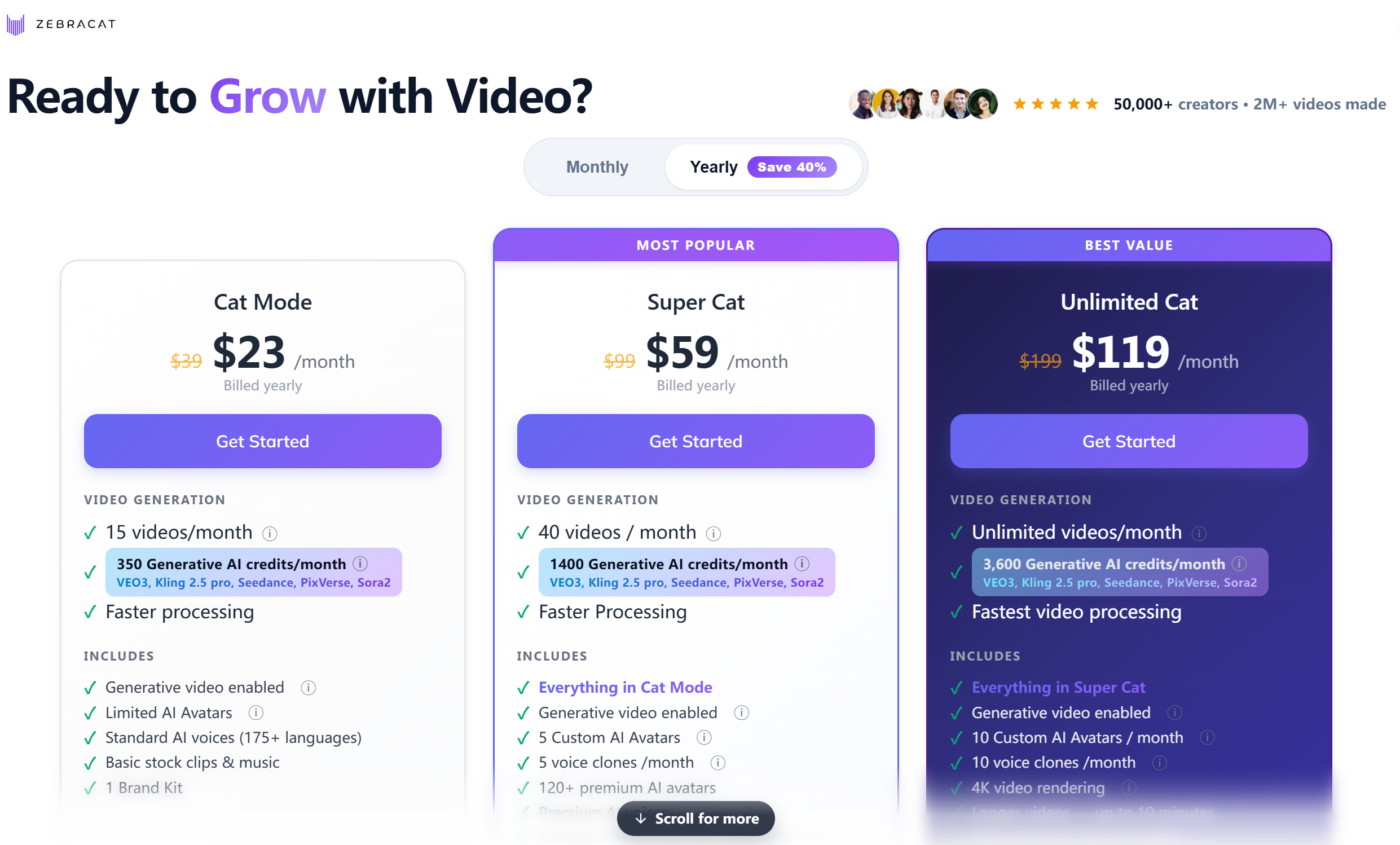
Prices below are the per-month rates when billed yearly (discounted), verified from the live English pricing page on 2026-08-28. Monthly-billing (no commitment) prices are $39 / $99 / $199.
Where it tripped me (the honest part)
- The free plan is one generation, full stop. I clicked generate once, got my 22-second video — and that was the end of the free evaluation. You cannot realistically evaluate this tool without paying. That's a real barrier, and it should be said out loud.
- A confusing dead minute before rendering. After clicking generate, nothing visibly happens for about a minute before the "generating" screen appears. I genuinely wasn't sure whether it was waiting for me to pick a voiceover/background-music option or just slow. The on-screen guidance didn't explain it.
- The credit system is not transparent. On the free plan I could not see how many credits a generation consumed or what remained. Pricing pages describe credits (350/mo on Cat, 1,400 on Super Cat, 3,600 on Unlimited), but you have to go look it up yourself.
Pricing (verified from the live English pricing page — re-check at publishing)
| Plan | Price (per month, billed yearly) | Videos / credits per month | Key differences |
|---|---|---|---|
| Free | $0 | 1 generation (total) | Enough to try once, not to evaluate |
| Cat Mode | 15 videos · 350 credits | Standard AI voice (175+ languages), limited AI avatars, basic stock + music, 1 brand kit | |
| Super Cat | 40 videos · 1,400 credits | Faster processing, 5 custom avatars, 5 voice clones/mo, 120+ premium avatars, premium AI voice, video translation into 25+ languages | |
| Unlimited Cat | Unlimited videos · 3,600 credits | Fastest processing, 10 custom avatars/mo, 10 voice clones/mo, unlimited brand kits, priority support | |
| Enterprise | $599+/mo | Unlimited · custom credits | Unlimited avatars/voice clones, enterprise-grade, "Talk to Sales" |
Practical takeaway: the paid entry is $19 per month (billed yearly — about $228/year). For that you get 15 videos/month — a fair price for someone who already makes marketing content, and comparable to Fliki's $21/mo yearly rate. Without a yearly commitment the monthly price jumps to $39, and the free plan gives you almost nothing to judge by.
Pros & Cons
| Pros | Cons |
|---|---|
| Voiceover sounded more natural than Fliki in my test | Free plan = exactly one generation (can't evaluate properly) |
| Output doesn't feel template-y; reads like a real ad | ~1-minute dead wait after clicking generate, unclear guidance |
| Email-only signup, no credit card | Credit system opaque on the free tier |
| Fast: 22s video in ~3 minutes | Young tool: fewer tutorials, smaller community |
| Marketing-animation focus is a real niche (vs generic text-to-video) | Not an editor — no frame-level control |
Zebracat vs the alternatives
| Zebracat | Fliki | Pictory | InVideo | |
|---|---|---|---|---|
| Best for | Marketing animations + natural AI voice | Repurposing existing text into video | Long-content repurposing | AI editing suite |
| Voice quality | Strong (tested — more natural than Fliki) | Strong (tested) | Medium | Medium |
| Free plan | 1 generation (trial only) | 3 credits/mo (real, watermark+720p) | Limited | Limited |
| Ecosystem/tutorials | Small (new tool) | Large (12M users, G2 4.8) | Medium | Medium |
| Entry price | ~$19/mo (billed yearly) | ~$21/mo (yearly) · $28 (monthly) | Check live site | Check live site |
| Try it | Zebracat free | Fliki review | Pictory free | InVideo free |
FAQ
Is Zebracat free?
There is a free plan, but it's a trial in practice: it includes exactly one video generation. If you want to actually evaluate the tool, budget for the $19/mo Cat plan (billed yearly).
Does Zebracat need a credit card to sign up?
No. I registered with just an email on the free plan.
How long does Zebracat take to generate a video?
In my test, a 22-second video from a ~70-word script rendered in about 3 minutes — plus a confusing ~1-minute pause right after clicking generate before the rendering screen appeared.
Is Zebracat's AI voiceover good?
In my comparison it sounded more natural than Fliki's default voice. Standard AI voice covers 175+ languages; premium AI voice and voice cloning start at Super Cat ($49/mo billed yearly).
Zebracat vs Fliki: which should I pick?
Pick Zebracat if you want marketing-style animation with a more natural default voice and are OK paying from day one. Pick Fliki if you want to repurpose blog posts/URLs into video, need a real free plan to test first, or value a mature ecosystem (full Fliki review here).
How many videos can I make per month?
Cat Mode: 15/month. Super Cat: 40/month. Unlimited Cat: unlimited.
Disclosure & CTA
I'm an affiliate of Zebracat: if you sign up through my link, I may earn a commission at no extra cost to you. I only recommend tools I've actually registered for and built with.
Try Zebracat free → zebracat.ai
Grab the free checklist (2026 Solopreneur Tool Stack) → Get the free checklist
Leave a Reply