Verdict first: Fliki is still the best "text to video with voiceover" tool I've tested for solo creators who already write — blog posts, scripts, product pages — and want to turn that writing into a talking video without learning to edit. I registered on the free plan (no credit card), built a video from a script, and ran a URL through the URL-to-video feature, all in one sitting. It is not a video editor, and the export flow has rough edges (more below). But if your bottleneck is "I have the words, I need the voice and the video," Fliki does that faster than anything I've tried at this price.
Who it's for: bloggers repurposing posts into video, course creators, cross-border sellers making product explainers, and anyone who needs AI voiceover in 80+ languages.
Who it's not for: people who need frame-level editing, custom motion graphics, or a full video suite (CapCut, Premiere, Descript are for that).
The test: what I actually built (real, unpolished)
This review is not a rehash of Fliki's feature page. I registered a free account and built everything below in one sitting, on the free plan:
| Test | What happened |
|---|---|
| Free signup | No credit card required. Email signup → a short background step → "what do you want to use Fliki for" → straight into the workspace. |
| Script → video | Pasted a ~60-word English script, picked a voice, hit generate. Rendered in about 3 minutes for a short clip. |
| URL → video | Pasted a blog URL. Content was grabbed accurately and the auto-matched images actually fit the topic. |
| English voiceover | Natural on conversational lines; numbers and prices read correctly in my test. |
| Export | Free plan exports at 720p only with a Fliki watermark in the bottom-right corner. |
| Export reliability | The weak spot — see "Where it tripped me" below. |
Screenshots from the build
Signup: no credit card, straight in
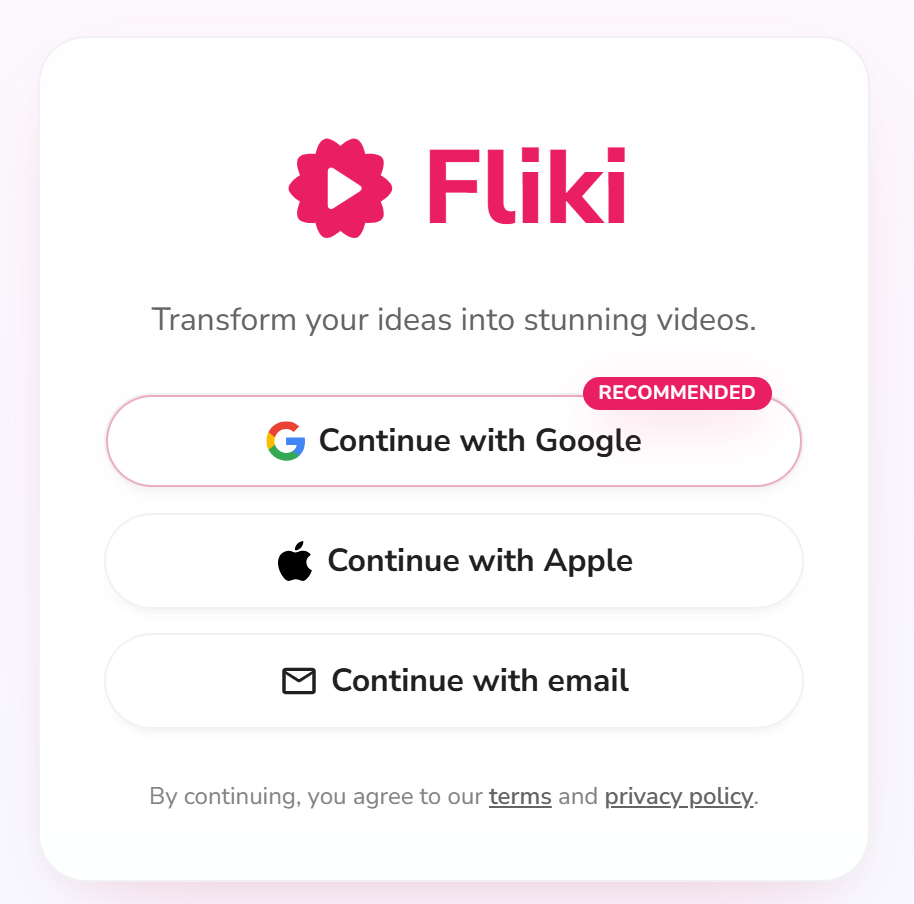
Registration asks for an email first — no credit card anywhere on the flow. Pick email signup (or an SSO option) and you're moving in seconds.
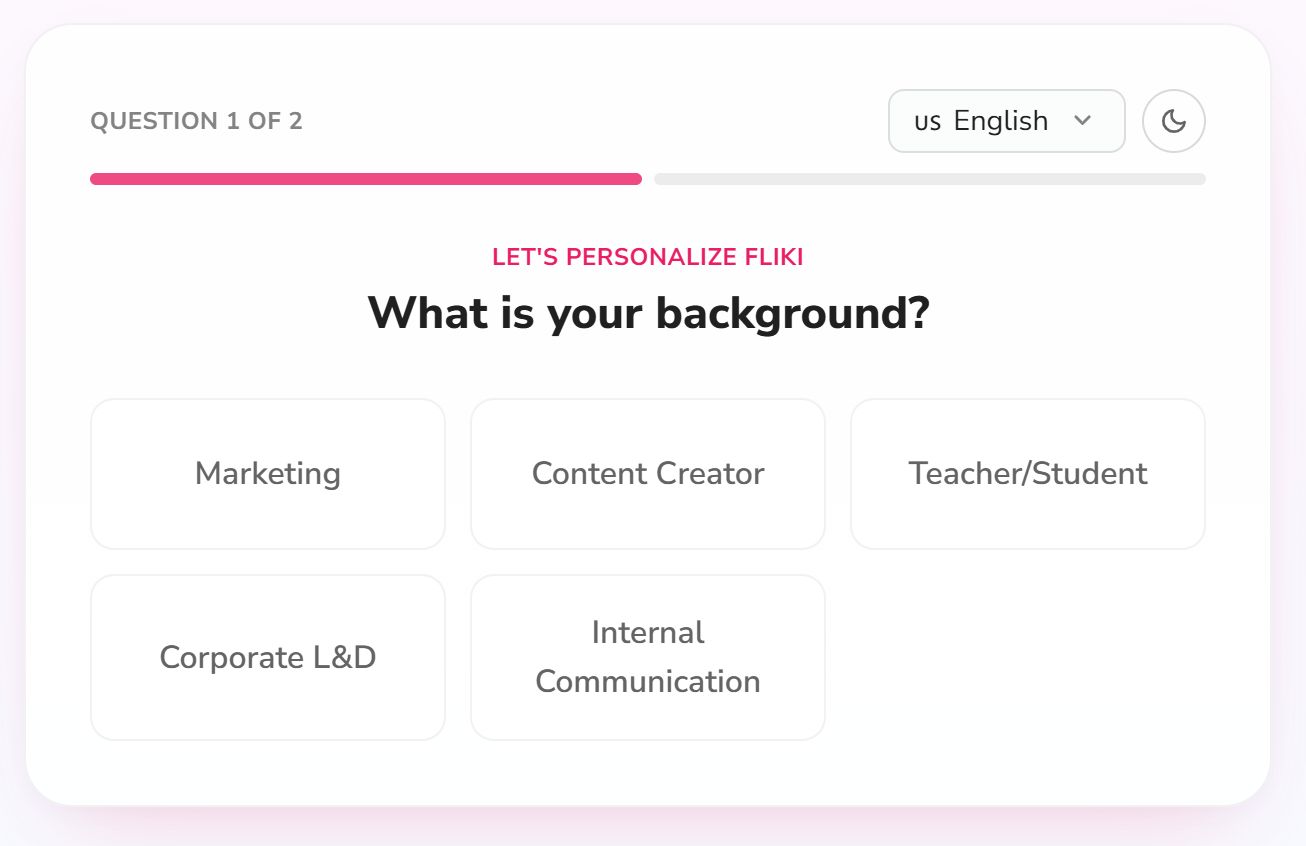
There's a quick background question before you're in. It's optional-feeling but takes 10 seconds.
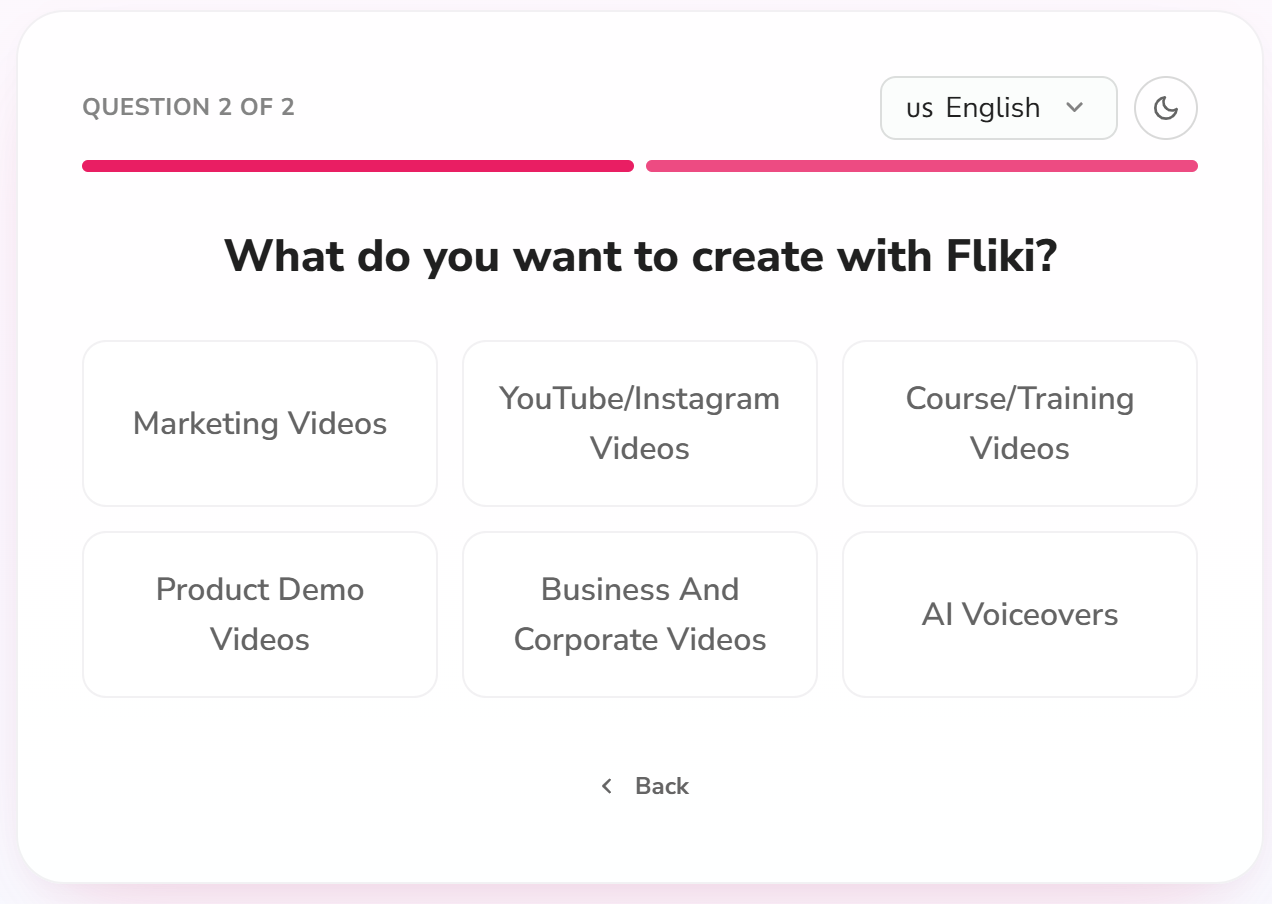
Then it asks what you want to use Fliki for — creator, marketer, educator. This feeds the onboarding suggestions later.
The workspace and the core flow
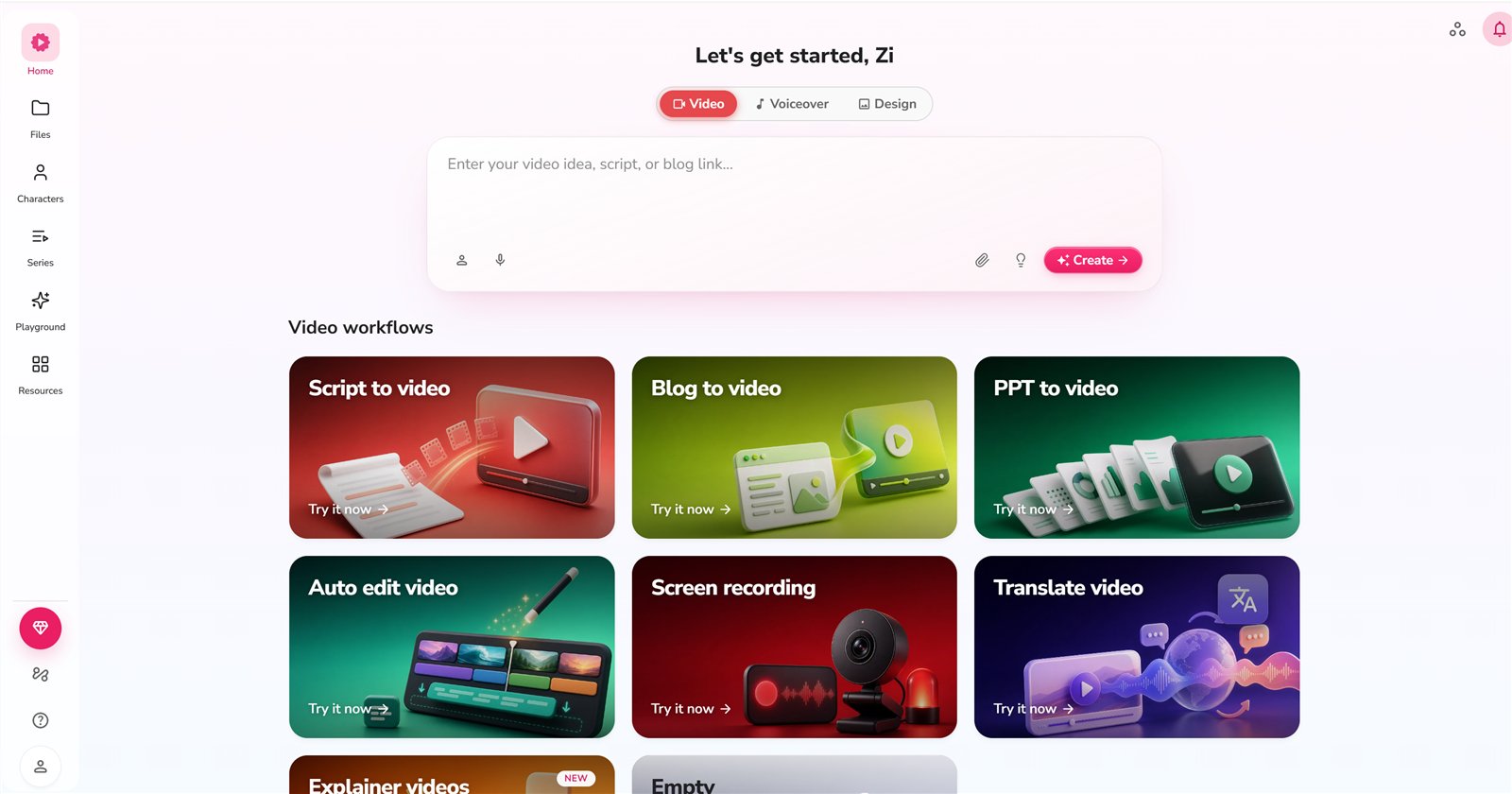
The free dashboard shows your credit balance (3 credits/month on the free plan) and your projects. Everything you need to start is one click away.
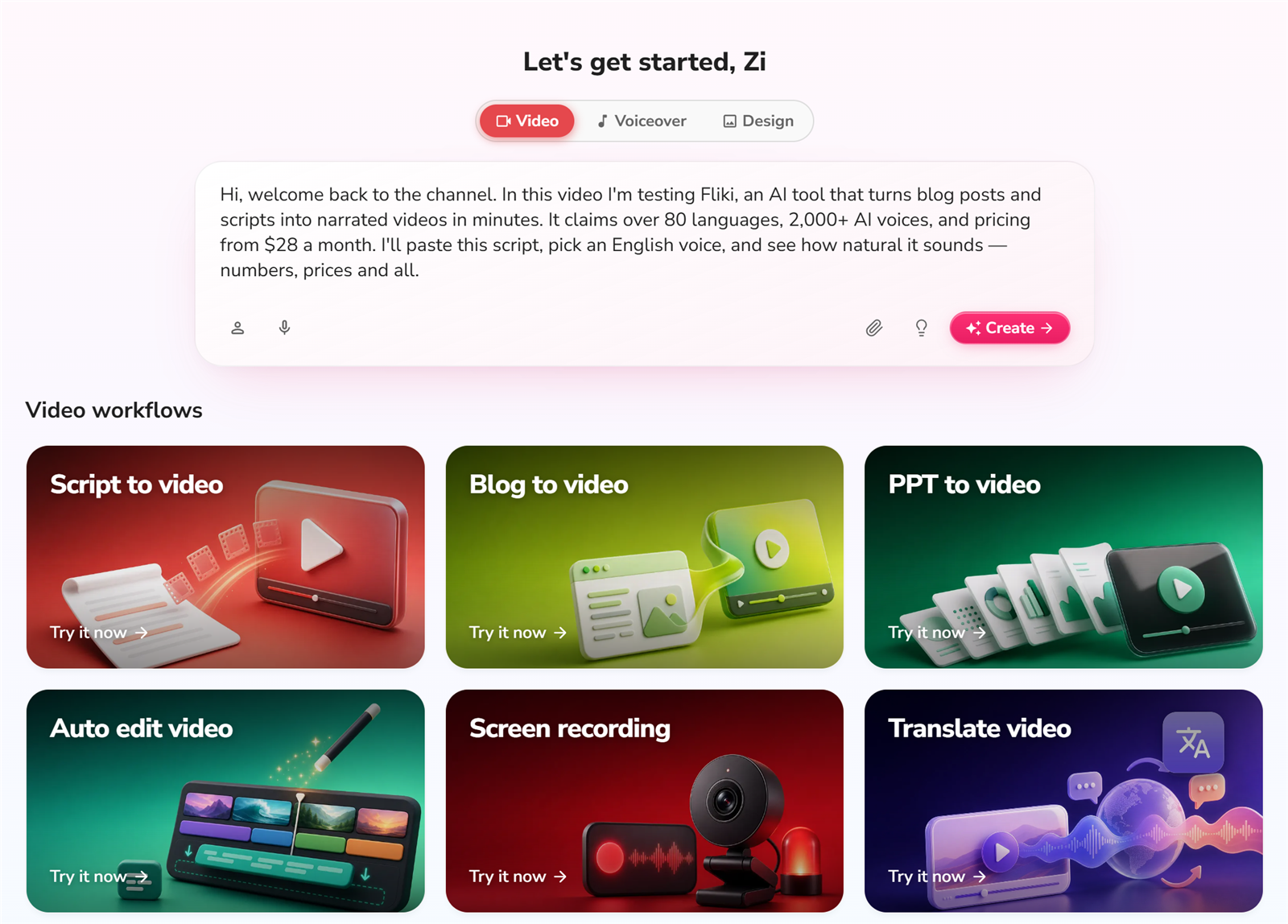
This is the core screen: paste your script (or a blog post), and Fliki breaks it into scenes. This is the "I have the words" → video step.
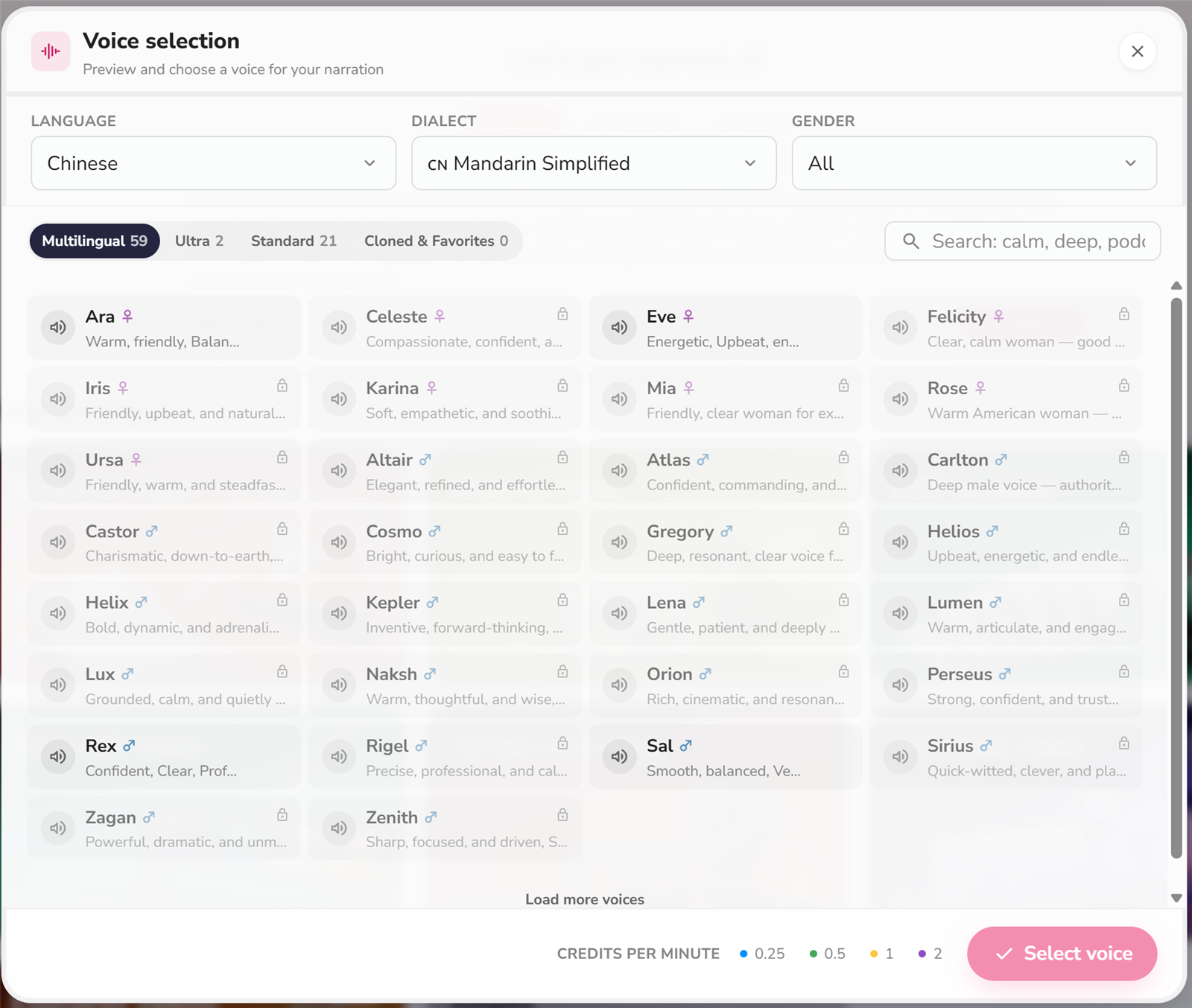
Voice selection is where Fliki shines. 300+ voices on the free tier (2,000+ on Premium), 80+ languages. I tested an English voice.
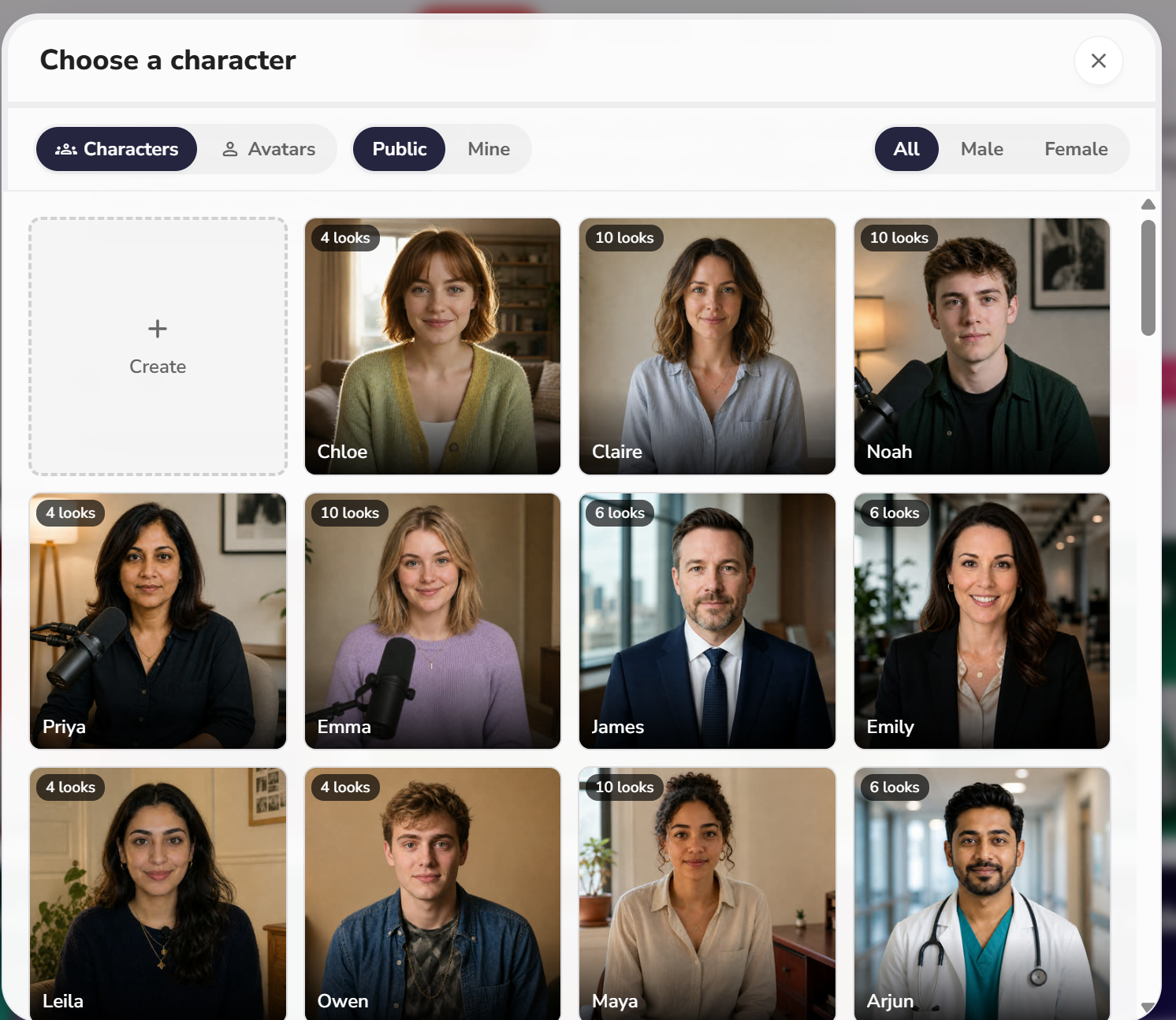
Fliki now also offers AI avatars/characters on top of plain voiceover — a bonus if you want a talking presenter without recording yourself.
Result after rendering. Notice the watermark in the bottom-right corner — that's the free plan tradeoff.
URL → video (the signature feature)
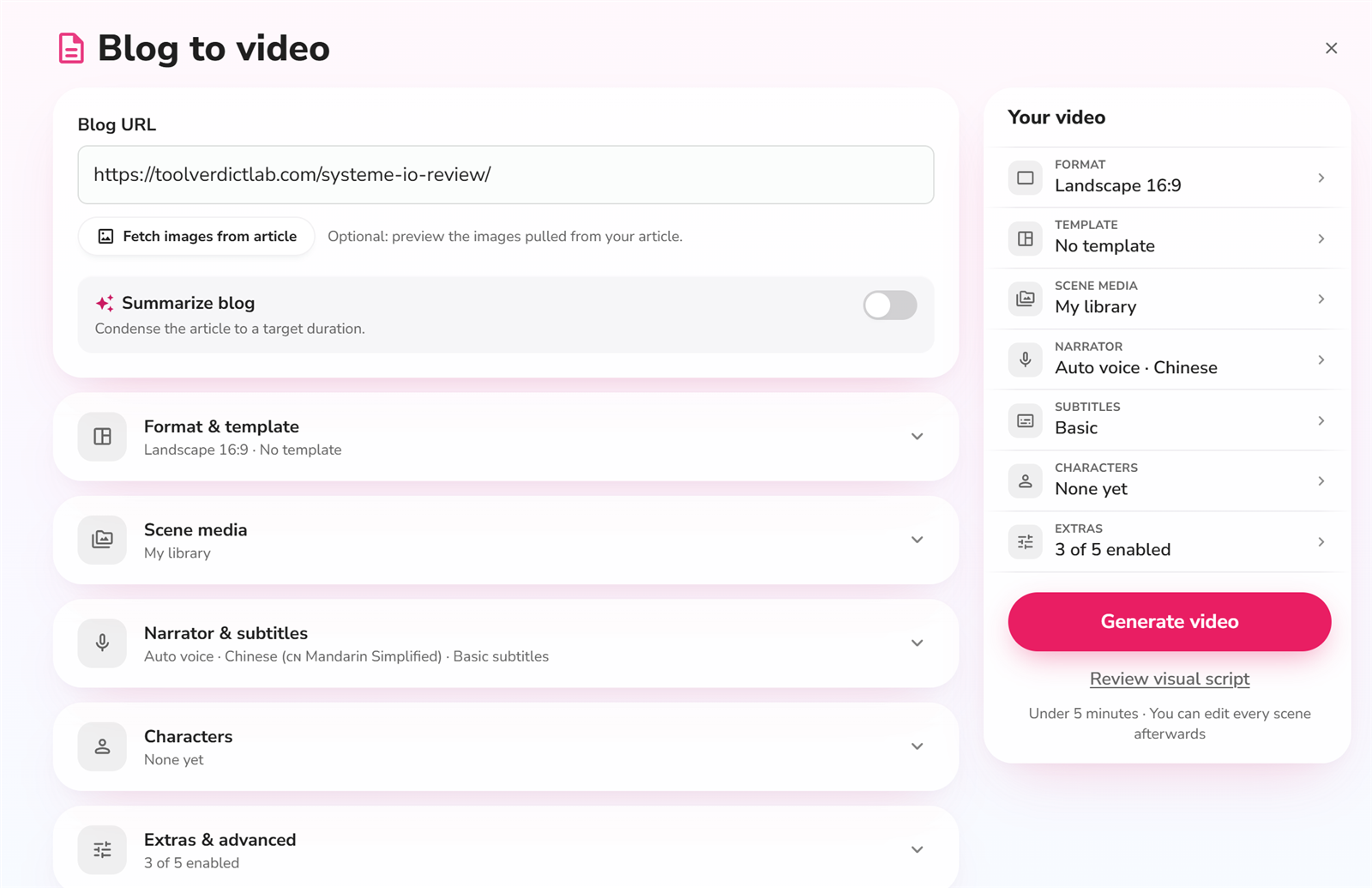
I fed it a blog URL and it pulled the content and matched images correctly. This is genuinely useful for repurposing posts.
Export settings
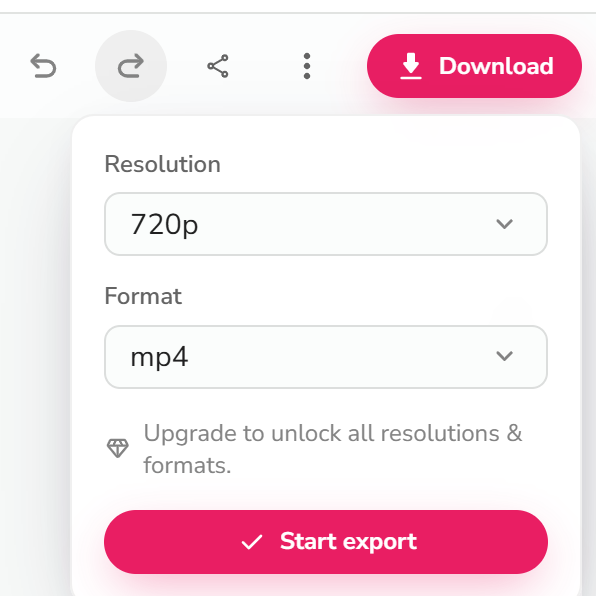
Free plan exports at 720p. HD (1080p) is a paid-plan feature.
Where it tripped me (the honest part)
The rendering itself was fast and the output was good. The export flow is where Fliki lost points:
- No intermediate state on export. You click Export and there's no clear "processing…" indicator, so you genuinely don't know if the export started. I found myself clicking again — which likely just adds more queue time.
- Exports queue. Even on the free plan, exports can sit in a queue. Not a big deal, but there's no ETA shown.
- Export failures happen. One of my export attempts failed outright with no obvious retry path. I had to go back and re-trigger it. For a tool whose whole pitch is "no editing skills needed," this is the roughest edge.
Pricing (tested from the live pricing page, USD)
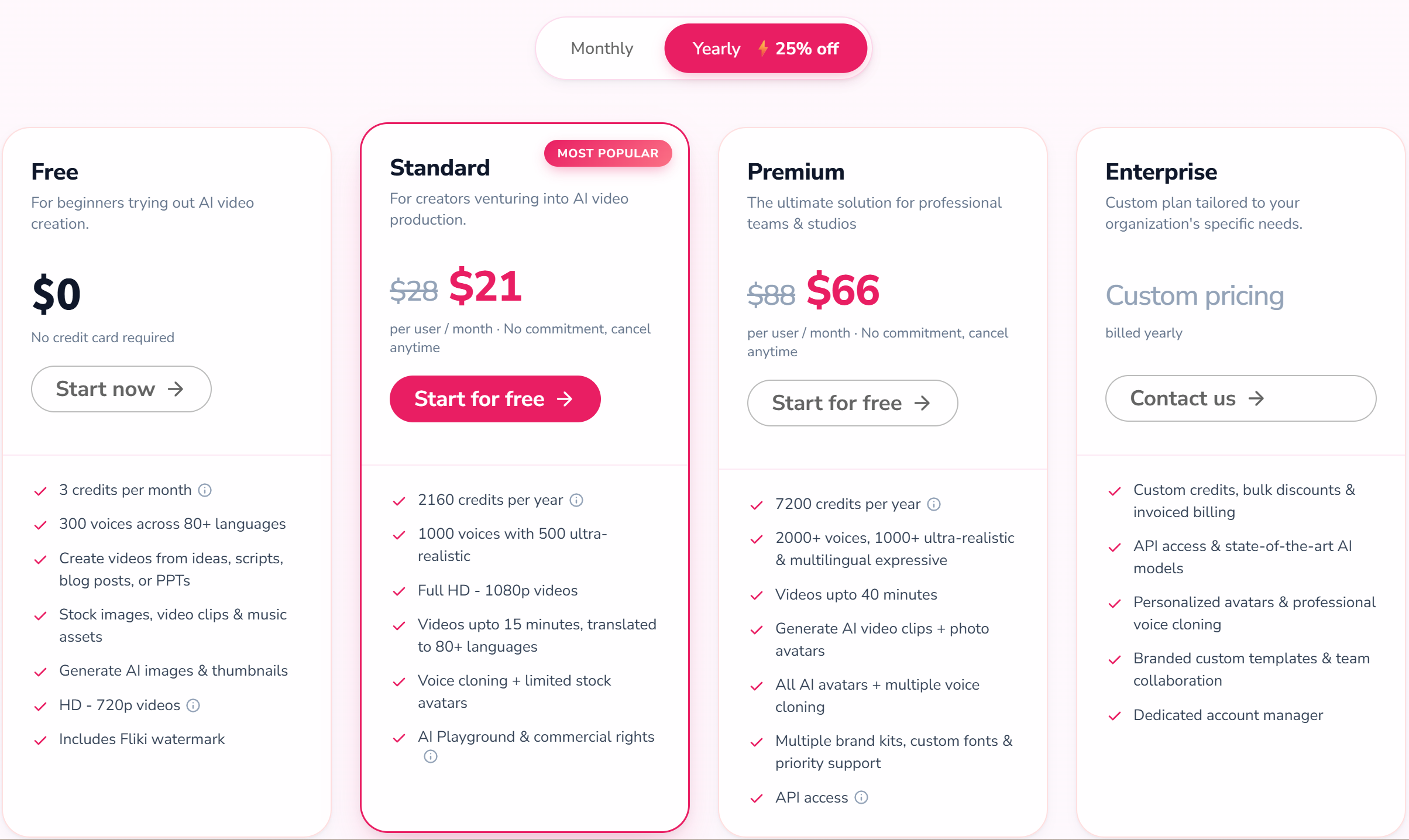
Fliki is freemium and credit-based. The free plan gives you 3 credits per month, 720p output, and a watermark — enough to test the core flow, not enough for real publishing. Prices below are USD from the live pricing page (verified 2026-08-28): Standard is US$21/month billed yearly (US$28 monthly) and Premium is US$66/month billed yearly (US$88 monthly).
| Plan | Price (USD) | Credits/mo | What changes |
|---|---|---|---|
| Free | $0 | 3 | 720p, watermark, 300+ voices, stock media, AI images |
| Standard | 180 | 1080p, 1,000+ voices (500 ultra-realistic), 15-min videos, voice cloning + limited avatars, AI Playground + commercial rights | |
| Premium | 600 | 2,000+ voices, 40-min videos, AI video clips + photo avatars, all avatars + multiple voice clones, brand kits, API access |
The paid plans are where Fliki makes sense for real publishing: no watermark, 1080p, longer videos, and commercial usage rights (Standard and up).
Pros & Cons
| Pros | Cons |
|---|---|
| Best-in-class AI voiceover (300+ voices free, 2,000+ premium, 80+ languages) | Free plan is demo-only: 3 credits/mo, 720p, watermark |
| Turns a blog URL or script into a video fast (~3 min render in my test) | Export flow is rough: no progress state, queuing, occasional failures |
| URL-to-video grabbed content and images accurately | Not a real editor; no frame-level control |
| No credit card to test | Credit-based pricing can confuse at first |
Fliki vs the alternatives
| Fliki | Zebracat | Pictory | InVideo | |
|---|---|---|---|---|
| Best for | Text + strong voiceover | Marketing animations, fast output | Repurposing long content | AI editing suite |
| Voice quality | Strong (tested) | Different focus (animation-first) | Medium | Medium |
| Languages | 80+ | Check live site | Many | Many |
| Entry price | ~US$21/mo (yearly) · $28 (monthly) | ~US$19/mo (yearly) · $39 (monthly) | Check live site | Check live site |
| Try it | Fliki free | Zebracat free | Pictory free | InVideo free |
FAQ
Is Fliki free?
Yes — there's a free-forever plan with 3 credits per month. It includes a watermark and 720p output, and does not include commercial usage rights. Paid plans remove the watermark and unlock HD + commercial use.
Does Fliki's English voiceover sound natural?
In my test, yes — conversational lines, numbers, and prices all read naturally on an English voice. That's the quality gap Fliki has over most competitors.
Can I use Fliki videos commercially?
Only on paid plans (Standard and up include commercial rights). The free plan is for testing.
Can Fliki do Chinese voiceover?
Yes — Fliki covers 80+ languages including Chinese. The quality is good but some words can still sound robotic; it's strongest in English.
Fliki vs Zebracat: which should I pick?
Pick Fliki if your priority is voiceover quality and turning existing text into video. Pick Zebracat if you want fast marketing animations with a different style.
Disclosure & CTA
I'm an affiliate of Fliki: if you sign up through my link, I may earn a commission at no extra cost to you. I only recommend tools I've actually registered for and built with.
Try Fliki free → fliki.ai
Grab the free checklist (2026 Solopreneur Tool Stack) → get it here
Leave a Reply